# Integrate a PayPal Hosted Payment Wall (/archive/paypal-plus/de/integrate/payment-wall)
> **Note:** **Important:** PayPal Plus Germany is not available for new integrations. PayPal provides this documentation to support existing integrations. For new integrations, see the [PayPal Checkout Integration Guide](/checkout).
PayPal PLUS replaces your Payment Selection Page (PSP) with the PayPal-hosted payment wall, which is the payment selection iframe. PayPal PLUS renders the payment wall on demand and bases it on the `approval_url` in the `links` object of the create payment response. Complete these steps to walk through a basic integration.
## Embed the iframe [#embed-the-iframe]
1. Include the JavaScript library on your checkout page using the following script:
```html lineNumbers
```
2. Define a placeholder DIV on your checkout page for the PSP:
```html lineNumbers
```
3. Render the payment wall using the following script.
```html lineNumbers
```
In the script, the parameters are:
| Parameter | Type | Description |
| -------------- | ------------------ | ---------------------------------------------------------------------------------------------------------------------------------------------------------------------------------------------------------------------------------------------------------------------------------------------------------------------------- |
| `approval_URL` | String | Required. Returned as `approval_url` in the previous create payment call. |
| `placeholder` | String | Required. The ID of the DOM object where the PSP is mounted in the page. The PSP sets the object's width. |
| `mode` | `enum` | The library that loads the PSP: `live` loads from paypal.com.`sandbox` loads from sandbox.paypal.com. > **Note:** **Note:** The library emits a warning to the console if mode is set to `sandbox`. This warning is displayed in `live` mode only for required parameters. Default is `live`. |
| `country` | ISO 3166-1 alpha-2 | Required. The country where the PayPal PLUS service is deployed, for example, `FR`, `GB`, `DE`, or `US` which is the default. Get the country code from the buyer's billing address. |
## Payment methods [#payment-methods]
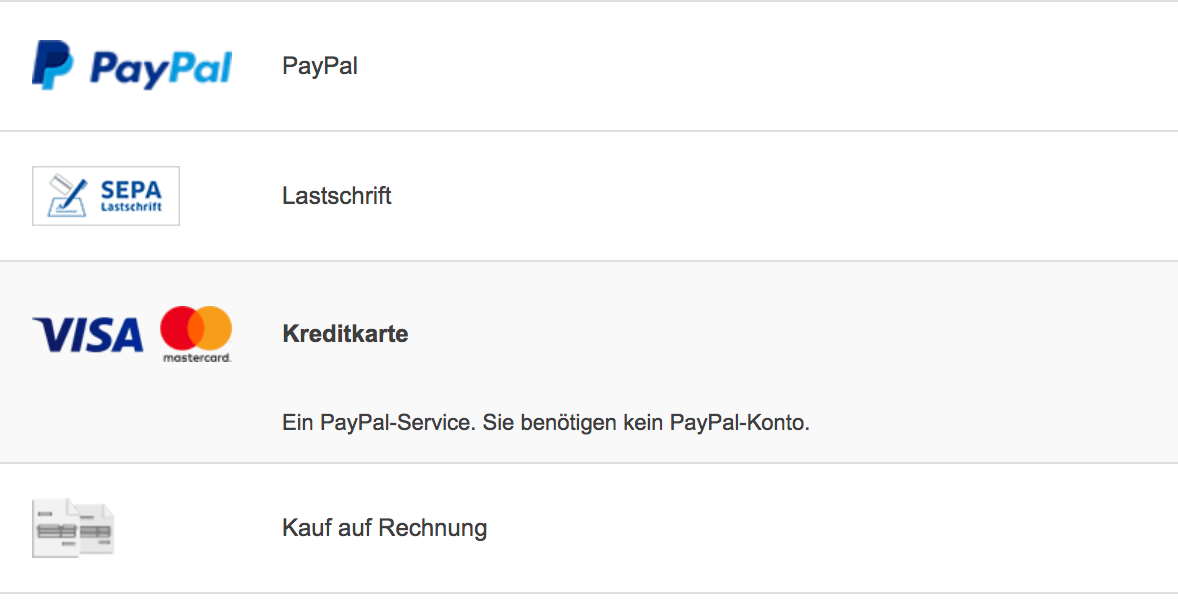
Based on the billing address country provided, buyers see PayPal's available funding sources for their country of origin. Additionally you can host up to 10 non-PayPal payment methods within the payment wall. For example:
 ## Payment Buttons [#payment-buttons]
A payment button is provided with the payment wall and can be set on the `buttonLocation` parameter to be:
* `inside`. Renders the button within the iframe.
* `outside`. Uses a DOM object that you provide to render the button outside the iframe.
The **Continue** button is a variation of the outside button. Use the **Continue** button to direct a buyer to an additional page in your checkout flow that's outside the iframe. On this additional page, place a button that redirects the buyer back to a PayPal landing page. Use the `PAYPAL.apps.ppp.doCheckout` function to implement the redirect.
You can also [customize your payment wall](/archive/paypal-plus/de/how-to/customize-payment-wall).
## Next [#next]
[Update your payment resource](/archive/paypal-plus/de/integrate/update-payment-resource).
## Payment Buttons [#payment-buttons]
A payment button is provided with the payment wall and can be set on the `buttonLocation` parameter to be:
* `inside`. Renders the button within the iframe.
* `outside`. Uses a DOM object that you provide to render the button outside the iframe.
The **Continue** button is a variation of the outside button. Use the **Continue** button to direct a buyer to an additional page in your checkout flow that's outside the iframe. On this additional page, place a button that redirects the buyer back to a PayPal landing page. Use the `PAYPAL.apps.ppp.doCheckout` function to implement the redirect.
You can also [customize your payment wall](/archive/paypal-plus/de/how-to/customize-payment-wall).
## Next [#next]
[Update your payment resource](/archive/paypal-plus/de/integrate/update-payment-resource).