# Review transactions (/expanded/fpa/review)
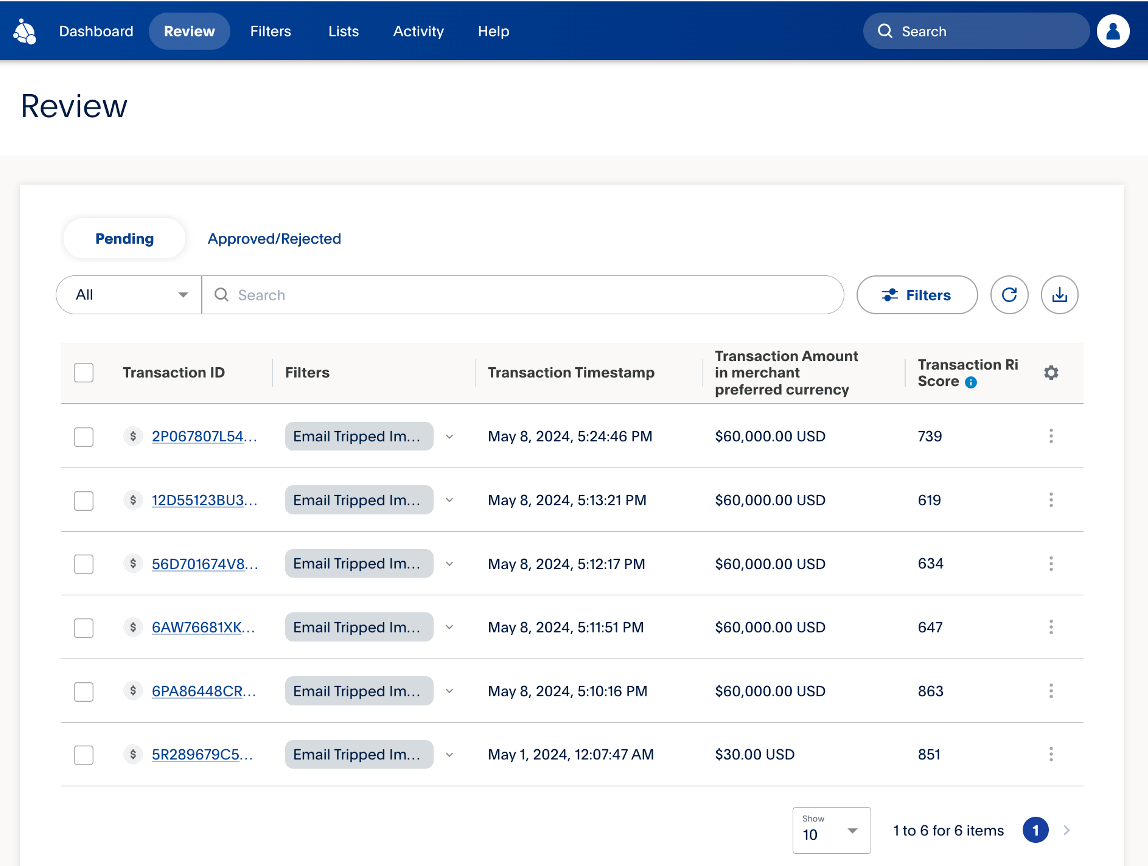
Transactions that are flagged for review will go into a single queue. The **Review** tab displays the filters that flagged the transaction, the time that the transaction occurred, and the risk score.
 ## Review a transaction [#review-a-transaction]
You can review transactions using the following steps:
1. From the **Review** tab, select the **Transaction ID** of the transaction you'd like to review.
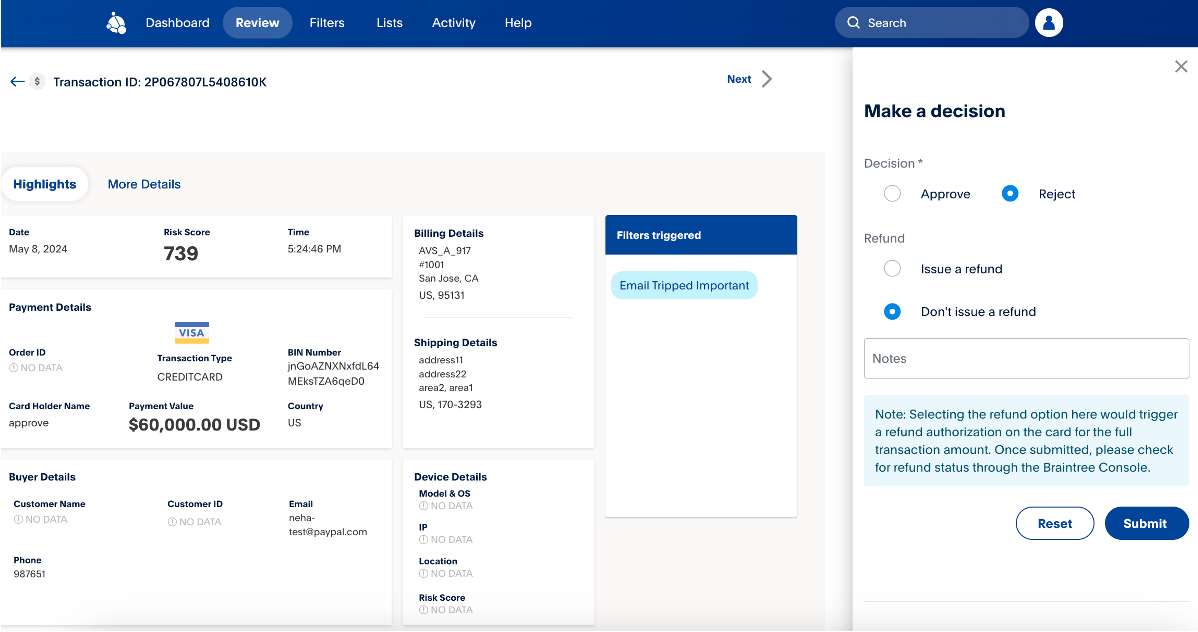
2. Review all the details and select **Submit**after making a decision.
## Review a transaction [#review-a-transaction]
You can review transactions using the following steps:
1. From the **Review** tab, select the **Transaction ID** of the transaction you'd like to review.
2. Review all the details and select **Submit**after making a decision.
 > **Note:** **Note**: You have 30 days to review a transaction. It will only be available for review during this period.
To view a detailed report of attempted and declined transactions, see [Attempts and Declines Report User Guide](/reports/attempts-declines).
## Related resources [#related-resources]
> **Info:** Create and set up filters
>
> Use filters to decide whether FPA approves, rejects, or puts a transaction into a review queue.
> **Info:** Manage lists
>
> Use the lists feature to manage information and work with their rules
> to help prevent fraud.
> **Info:** Monitor FPA activity
>
> You can track which users made changes and when these changes occurred.
> **Note:** **Note**: You have 30 days to review a transaction. It will only be available for review during this period.
To view a detailed report of attempted and declined transactions, see [Attempts and Declines Report User Guide](/reports/attempts-declines).
## Related resources [#related-resources]
> **Info:** Create and set up filters
>
> Use filters to decide whether FPA approves, rejects, or puts a transaction into a review queue.
> **Info:** Manage lists
>
> Use the lists feature to manage information and work with their rules
> to help prevent fraud.
> **Info:** Monitor FPA activity
>
> You can track which users made changes and when these changes occurred.