# Activating FPA through partner merchants (/platforms/checkout/advanced/customize/fraud-protection/fraud-protection-advanced/getting-started/activate)
This flow is designed for new merchants who sign up with PayPal through their partners. Your merchants should use the following steps to activate Fraud Protection Advanced (FPA):
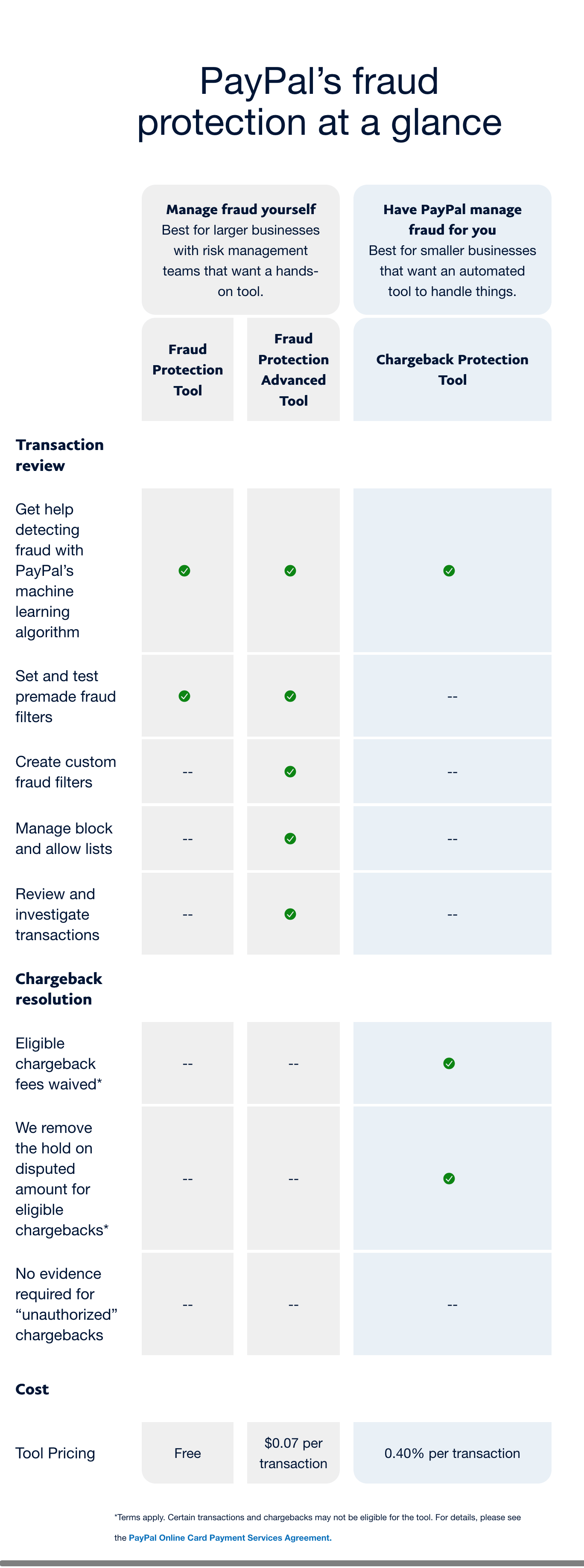
1. As a new merchant, you will be redirected from the partner's website to the PayPal's Integrated Sign-Up (ISU) onboarding experience. In the final step of this process, you will see an option to activate fraud protection. Select **Activate fraud protection** to activate it.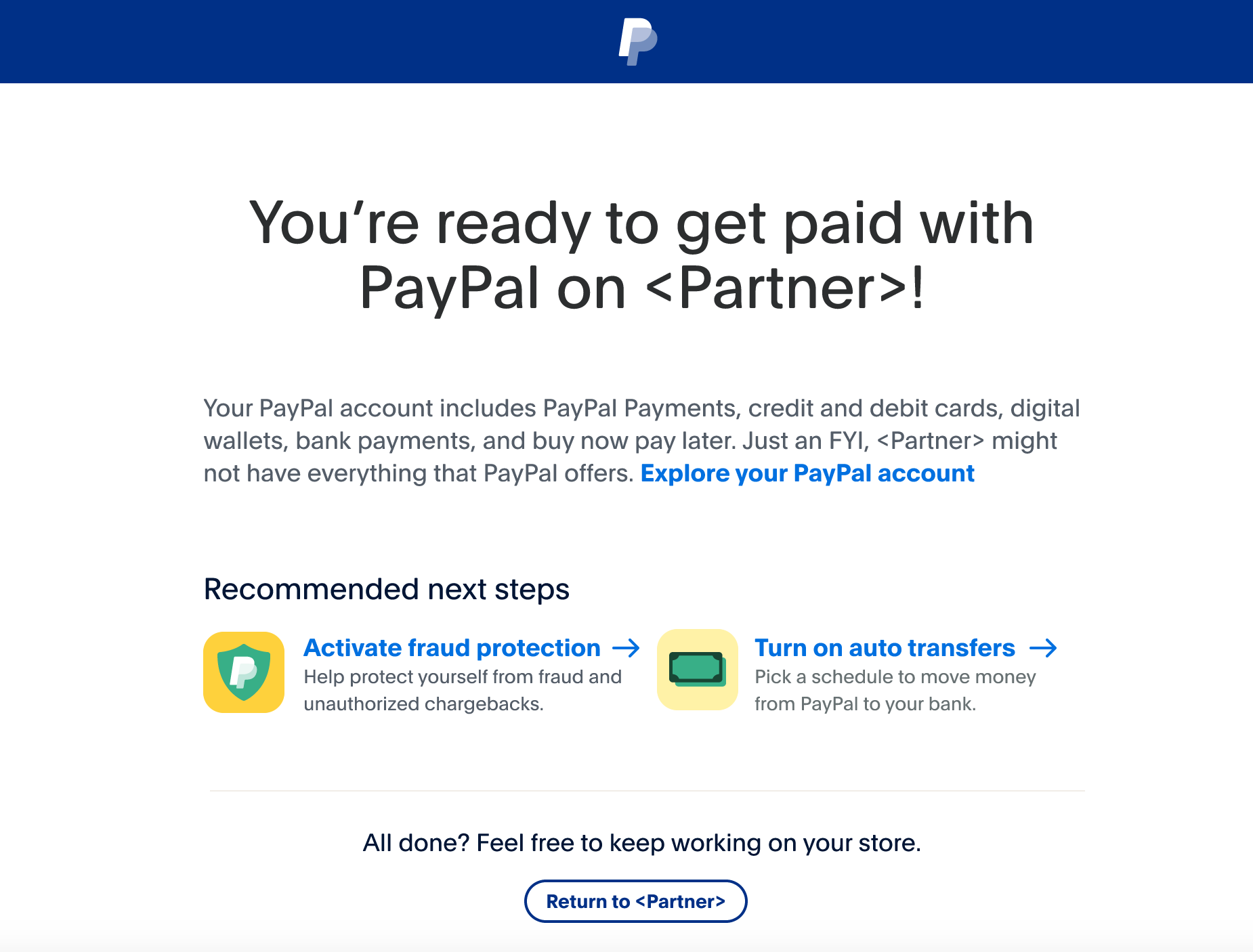 2. Select **Do it yourself with PayPal's fraud tool** and then select **Next**. If you select **comparison chart**, you'll see a detailed comparison of features for [Fraud Protection](/platforms/checkout/advanced/customize/fraud-protection/) (FP), Fraud Protection Advanced (FPA), and Chargeback protection, as shown in the following screenshots: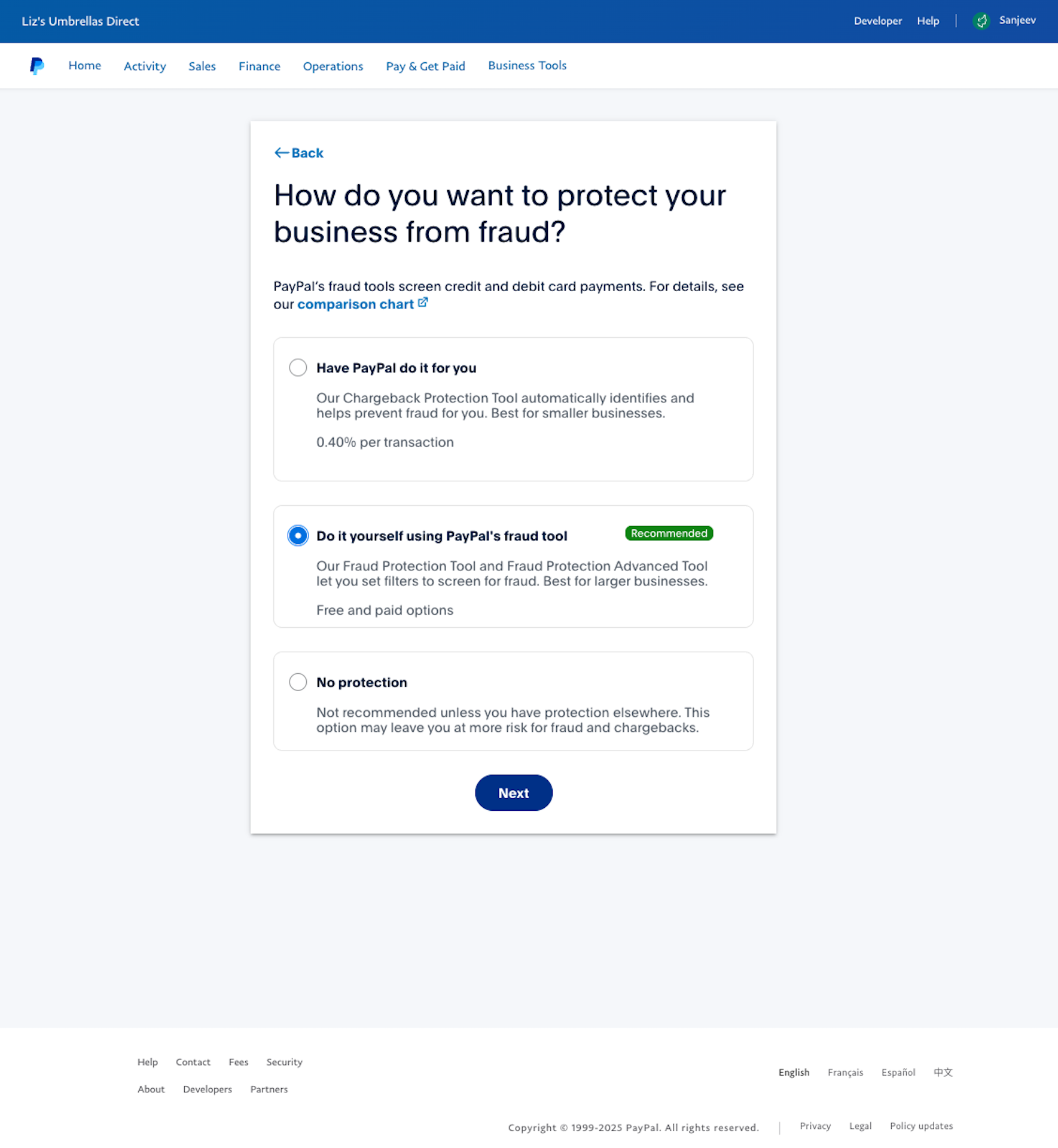
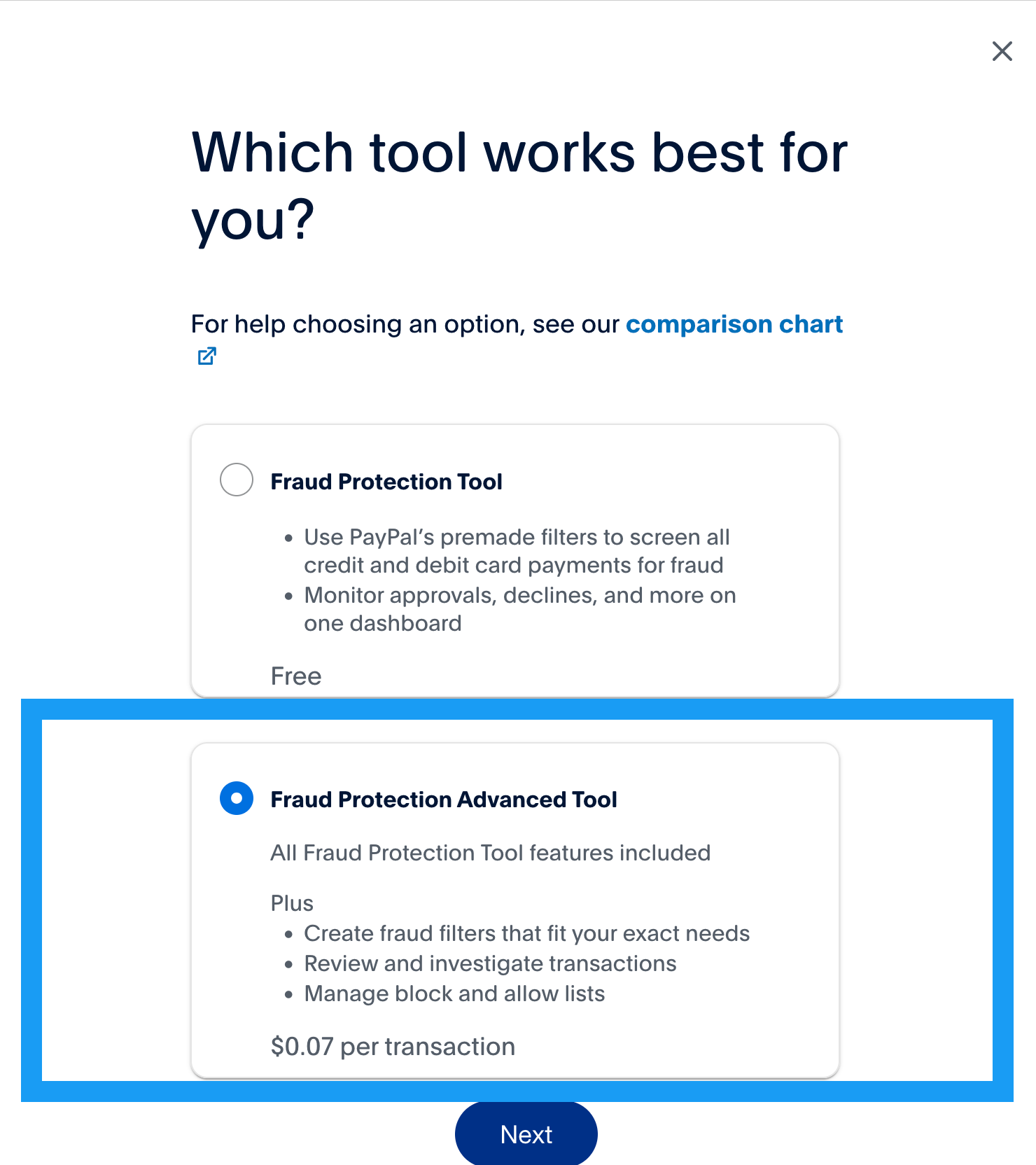
 3. A recommended solution will be preselected for you based on your business metrics. However, you can modify the selection if you want. Make sure the **Fraud Protection Advanced Tool** is selected and select **Next**.
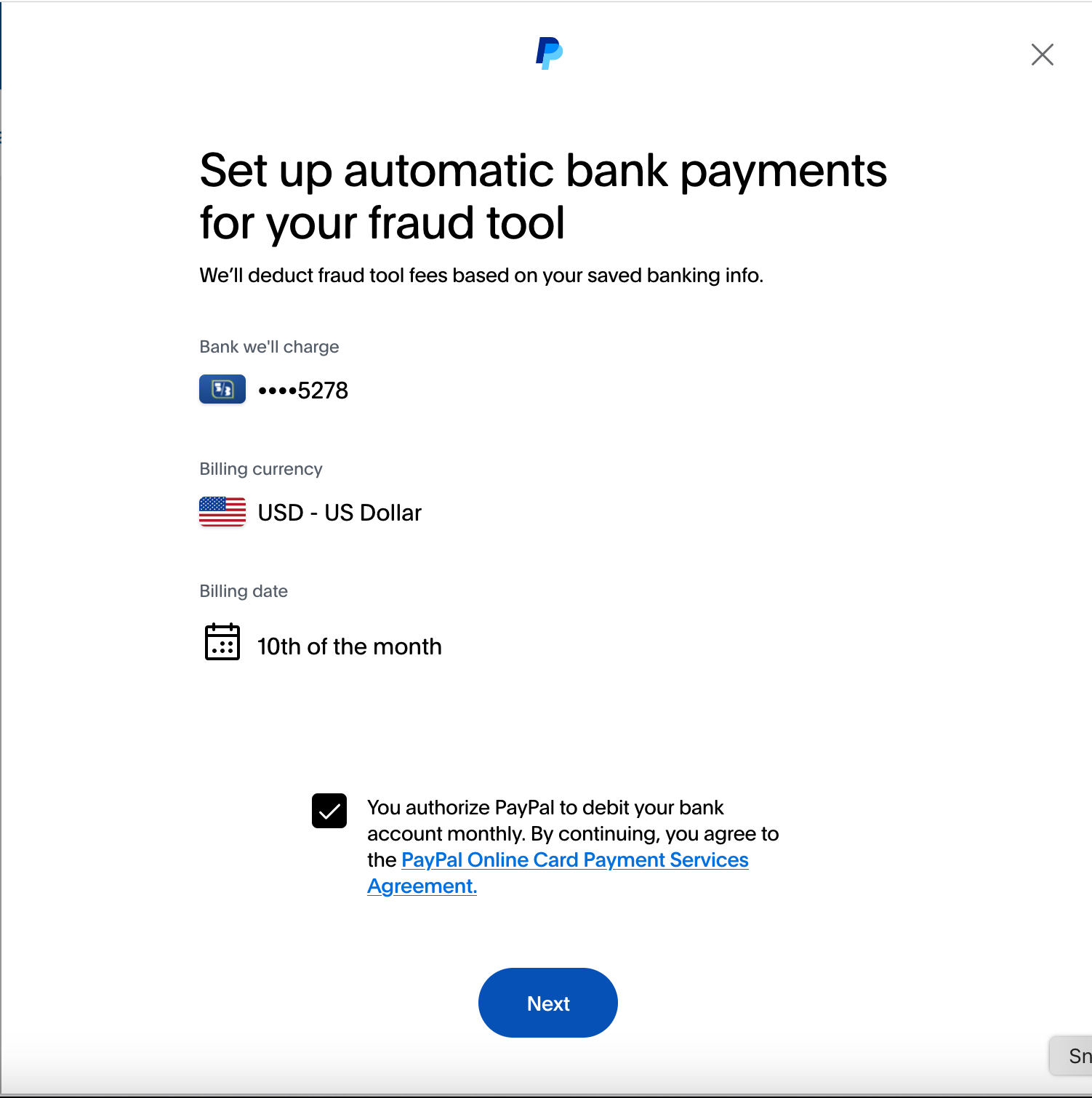
 4. Confirm your details to set up automatic bank payments for your fraud tool, and select **Next**.
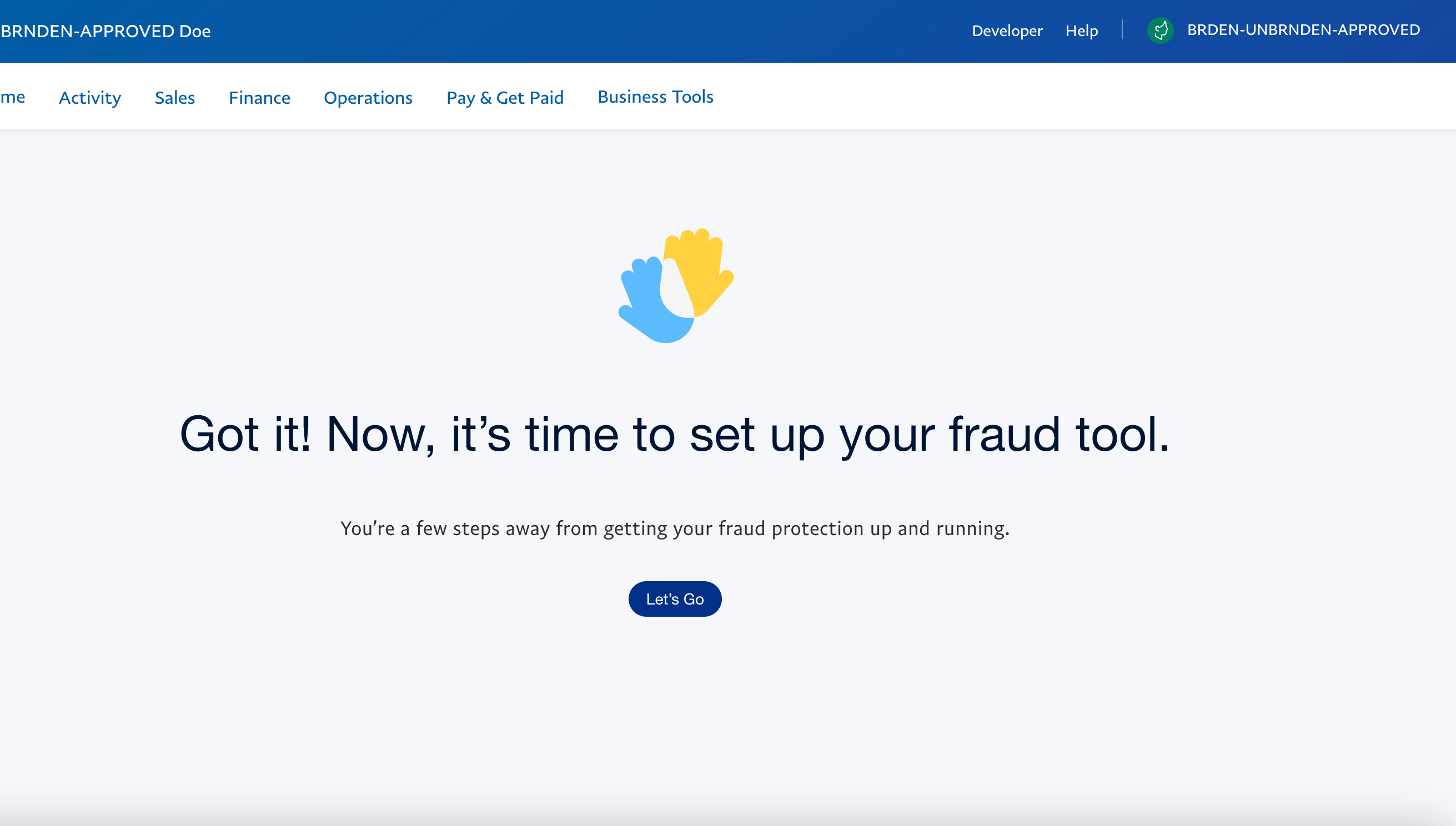
 5. Select **Let's Go** to open the Fraud Protection Advanced tool and begin customizing your fraud tool.
 ## Next steps [#next-steps]
> **Info:** Create and set up filters
>
> Use filters to decide whether FPA approves, rejects, or puts a transaction into a review queue.
> **Info:** Manage lists
>
> Use the lists feature to manage information and work with their rules to help prevent fraud.
> **Info:** Review transactions
>
> Review transactions that are flagged for review.
> **Info:** Monitor FPA activity
>
> You can track which users made changes and when these changes occurred in your merchant records.
## Next steps [#next-steps]
> **Info:** Create and set up filters
>
> Use filters to decide whether FPA approves, rejects, or puts a transaction into a review queue.
> **Info:** Manage lists
>
> Use the lists feature to manage information and work with their rules to help prevent fraud.
> **Info:** Review transactions
>
> Review transactions that are flagged for review.
> **Info:** Monitor FPA activity
>
> You can track which users made changes and when these changes occurred in your merchant records.