Codespaces
Last updated: June 3, 2026
Copy / Export
A codespace is a cloud-based development environment. You can collaborate, build, and test code in a codespace.
With the PayPal GitHub Codespace, you can:
- Get started quickly with a checkout application.
- Run sample applications with your PayPal app's client ID and secret.
- Launch PayPal integrations in a developer container with all dependencies installed.
- Bypass setting up and configuring your local development environment.
- Modify sample code and test changes.
See GitHub Codespaces documentation for more information on codespaces.
Create codespace
- Select the following button:
-
Codespaces sets up your development environment, installs required software, and starts the server automatically. Enable pop-ups for codespaces to open the server in a new tab.
-
Configure your codespace to your development environment. To run your own sample application in a codespace, paste your app's client ID in
CLIENT_IDand secret inAPP_SECRET. Complete the steps in Get started with PayPal APIs to get your app's client ID and secret from the Developer Dashboard.
Edit application
-
In your codespace tab, use the Explorer to make changes to your javascript or HTML files.
-
In your application tab, refresh to see your changes. If you closed the application tab:
- Select the Ports tab in Visual Studio Code.
- Hover over the Local Address value for the running port.
- Select the sphere icon to open in your browser.
Commit and push changes
Now that you've made changes, you can use the integrated terminal or the source view to publish your work to a new repository.
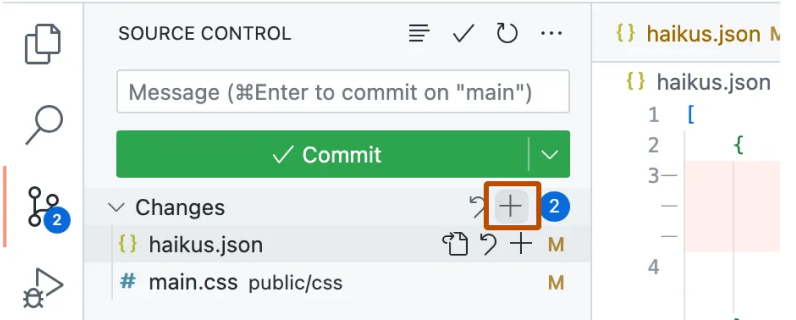
- Select Source Control.

- To stage your changes, select + next to the files you want to stage.

- Enter a commit message describing your changes and select Commit.
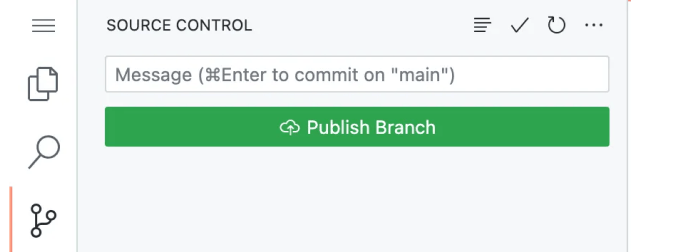
- Click Publish Branch.
- In the Repository Name dropdown, enter a name for your repository. Select where to publish the repository. The repository owner is the GitHub account used to create the codespace.

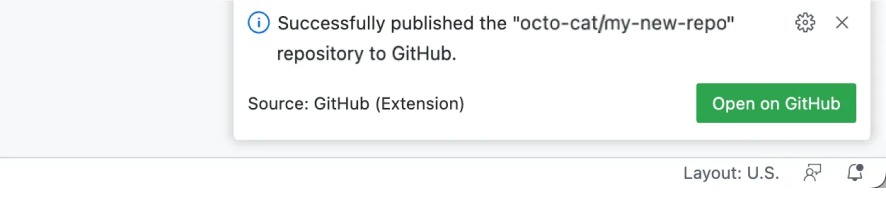
- Select Open on GitHub to see the new repository on GitHub.com. Check that the changes you made show up in the repository.