If you accept cookies, we’ll use them to improve and customize your experience and enable our partners to show you personalized PayPal ads when you visit other sites. Manage cookies and learn more
Enable Pay Later messaging for Angell EYE on WooCommerce
Last updated: July 13, 2026
Promote PayPal Pay Later offers using messaging and buttons with the Angell EYE plugin on your WooCommerce store.
PayPal offers short-term, interest-free payments and other special financing options that buyers can use to buy now and pay later. You get paid up-front, and there are no additional costs.
Pay Later messaging includes Pay in 3, which UK buyers can use to pay for purchases of £20 to £3,000 in three, interest-free payments.
UK-based consumers are eligible for Pay Later offers across most of our integrations. As a merchant, you're eligible to promote Pay in 3 if you are a UK-based PayPal merchant with a UK-legal business entity, a UK-facing website, and a one-time payment integration. At this time, promoting Pay Later offers is not available on PayPal vaulted payments or billing agreement integrations.
Pay later offers also follow the PayPal Acceptable Use Policy, which governs the usage of PayPal and prohibits the use of PayPal and pay later offers for certain types of transactions, such as real money gaming and firearms.
Please note that while messaging can be displayed on your website to help promote Pay Later offers to your customers, no additional content, wording, marketing, or other material should be created by you to encourage use of this product. PayPal reserves the right to take action in accordance with the User Agreement.
Note: Ensure that the Angell EYE plugin is at least on version 2.5.2 to enable Pay in 3 messaging.
Enable Pay Later messaging by navigating to PayPal Credit Messaging section, and selecting the Enable PayPal Pay Later Messaging - Buy Now Pay Later check box. Versions older than 2.5.2 will display PayPal Credit Messaging - Buy Now Pay Later.
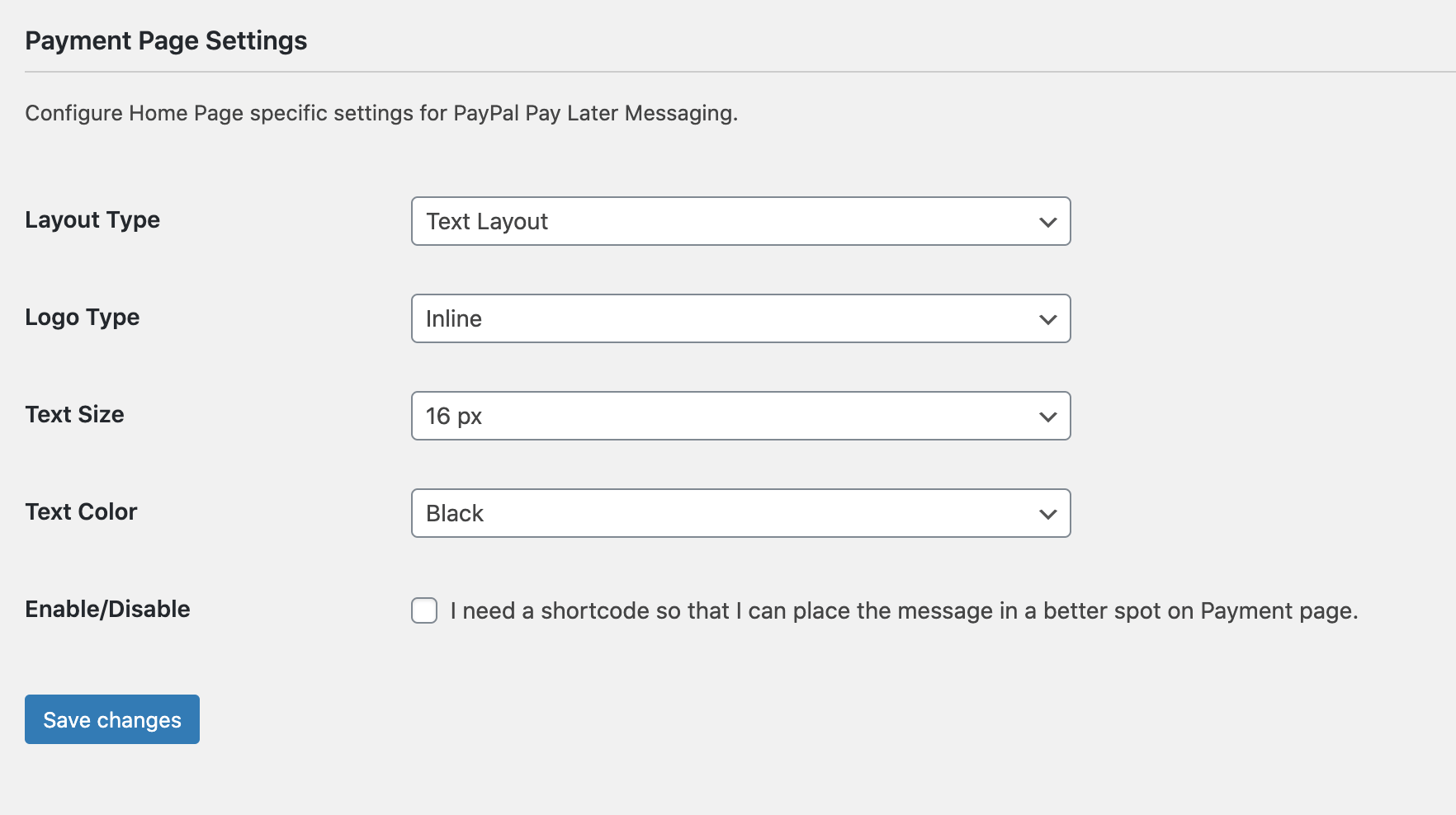
For Page Type, choose the pages on which you want to display Pay Later messages. Each page that you enable displays additional customization options for the messaging.
You can customize the look and feel of your messaging by configuring the Flex layout (displays the messaging as a banner) and Text layout (displays the messaging as text on the screen).
From the dropdown lists, customize the messaging layout by changing the layout, logo, position, and text color.