Pay Upon Invoice with Ratepay
PayPal's Pay Upon Invoice with Ratepay lets customers in Germany buy now, pay later without needing a PayPal account.
Last updated: October 27, 2026
Copy / Export
Pay Upon Invoice is an invoice payment method in Germany. It's a local buy now, pay later payment method that allows the buyer to place an order, receive the goods, try them, verify they are in good order, and then pay the invoice within the payment due date.
The due date is 30 days for small and medium-sized enterprises (SMEs). From 20 November 2026, large enterprises (LEs) can offer this product only with a 14-day customer due date, in alignment with PayPal. See Consumer Credit Directive 2 (CCD2). No PayPal account is needed for the buyer to use Pay Upon Invoice.
PayPal has partnered with Ratepay to provide this service. This payment method is also called Rechnungskauf mit Ratepay in German.
Eligibility
Important: When adding Pay Upon Invoice with Ratepay/Rechnungskauf mit Ratepay as a payment option to your checkout integration, you must acknowledge and accept these Terms and understand they are part of the PayPal User Agreement.
| Buyer relevant countries | Merchant relevant countries | Payment method type | Minimum amount | Maximum amount | Refunds |
|---|---|---|---|---|---|
Germany (DE) | Germany (DE) | deferred payment | 5 EUR | 2500 EUR | Within 180 days |
| Field | Value |
|---|---|
| Buyer payment due date | 30 days (SMEs) · 14 days (LEs, if enabled, from 20 November 2026) |
-
This integration is available only in Germany to eligible merchants.
-
You must sell goods in the B2C model only.
-
You must ship orders within seven days after the transaction.
-
From 20 November 2026, the standard buyer payment due date of 30 days is only available if your business is an SME. LEs can align with PayPal on the possibility of a 14 day due date. See Consumer Credit Directive 2 (CCD2).
-
You must be approved to accept transactions using this payment method. PayPal will ask you to enter a valid VAT ID Number as per EU regulations. Without a valid VAT ID for your business, PayPal is required to collect additional VAT as applicable on PayPal fees. Request approval to enable Pay Upon Invoice by visiting these Sandbox and Live links:
-
Paying for digital or virtual goods, including, but not limited to any form of vouchers, such as gift vouchers, gift cards, and cash codes, and any transactions outside of PayPal's Acceptable Use Policy is not allowed with Pay Upon Invoice.
Consumer Credit Directive 2 (CCD2)
The German implementation of the revised EU Consumer Credit Directive (Directive (EU) 2023/2225, "CCD2") applies from 20 November 2026. It extends consumer credit rules to deferred payment methods, such as Pay Upon Invoice, under certain conditions. Whether CCD2 applies to your Pay Upon Invoice transactions depends on your company size and the buyer payment due date.
Are you affected?
CCD2 distinguishes between SMEs and LEs, using the EU definition in Commission Recommendation 2003/361/EC. Your business is not an SME if any of the following applies:
- Your annual revenue exceeds 50M euros.
- Your total assets exceed 43M euros.
- Your employee count is higher than 250.
Use figures for your entire business, including offline sales channels, to assess your size. Where applicable, include the figures of linked and partner enterprises as set out in the Recommendation. To check whether your business qualifies as an SME, see the EU SME definition.
What is changing for LEs?
From 20 November 2026, LEs can continue to offer Rechnungskauf with Ratepay only if they move from a 30-day to a 14-day buyer payment due date.
To use this option, start the due date change by contacting PayPal through your account manager, directly from your PayPal wallet, or at PayPal Help. PayPal and Ratepay update the due date on their side, including on the Ratepay invoice and in the Ratepay payment instructions email.
You must update your own buyer-facing communication to show 14 days instead of 30 days for these transactions. Update every place where you tell the buyer how long they have to pay:
- Checkout page
- Order confirmation page
- Confirmation emails
- Help pages
- Terms
Orders placed before the cutover date keep the 30-day due date. SMEs continue to offer a 30-day payment due date.
ACTION REQUIRED: If you are an LE, tell PayPal.
You are responsible for assessing your own company size. PayPal does not hold the information needed to determine this for you.
If you are an LE, or if you are unsure whether you meet the criteria, contact your account manager, or Servicing partner at PayPal so your account can be configured correctly before 20 November 2026.
IMPORTANT: Incorrectly identifying your business as an SME when you are an LE puts you in breach of applicable law and of your agreement with PayPal, and may expose you to liability towards your customers. Under the PayPal User Agreement and the Pay Upon Invoice with Ratepay terms, you are obliged to comply with applicable law and with these developer pages, and you indemnify PayPal against losses arising from your non-compliance.
How it works
PayPal facilitates the interaction between you and Ratepay:
-
PayPal sends the buyer information to Ratepay for risk assessment. Depending on the result, Ratepay will send the buyer payment instructions or a rejection notice.
-
You are funded immediately when the buyer successfully completes the checkout process with the Pay Upon Invoice method. The buyer pays Ratepay instead of you. Ratepay is responsible for following up with the buyer to ensure the payment is made.
-
You must inform the buyer of the payment due date and that they pay Ratepay by bank transfer. The due date is 30 days for the standard product. From 20 November 2026, LEs can offer Ratepay only with a 14-day customer due date, after aligning with PayPal. Make sure the due date you display matches the one on the Ratepay invoice.
-
PayPal may contact you in case a buyer has opened a dispute with Ratepay. You are required to respond to these inquiries.
Buyer experience
-
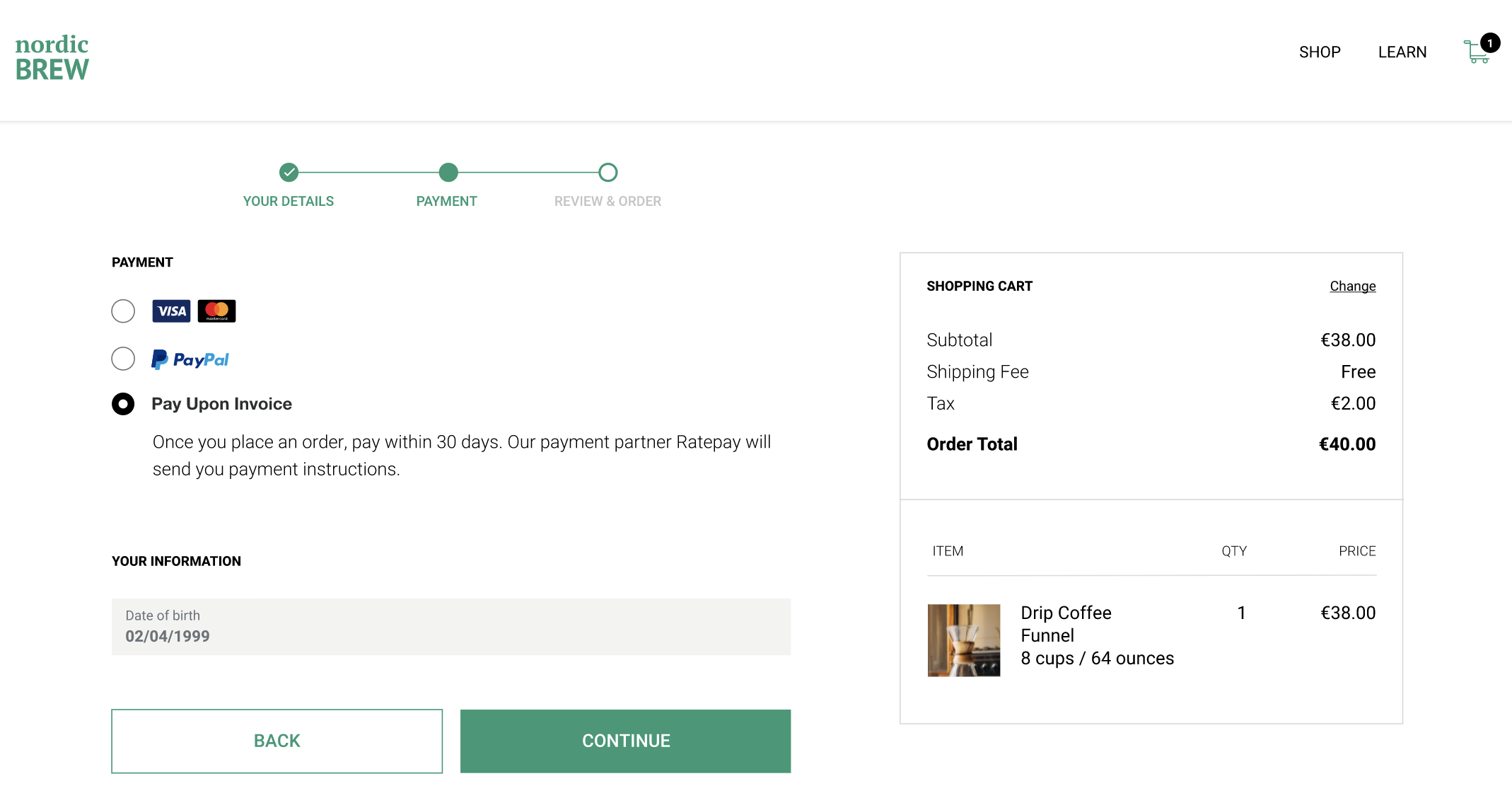
Buyer selects the Pay Upon Invoice payment option. At the time of payment method selection, display the benefits of deferred payments and the payment due date that applies to your business.
-
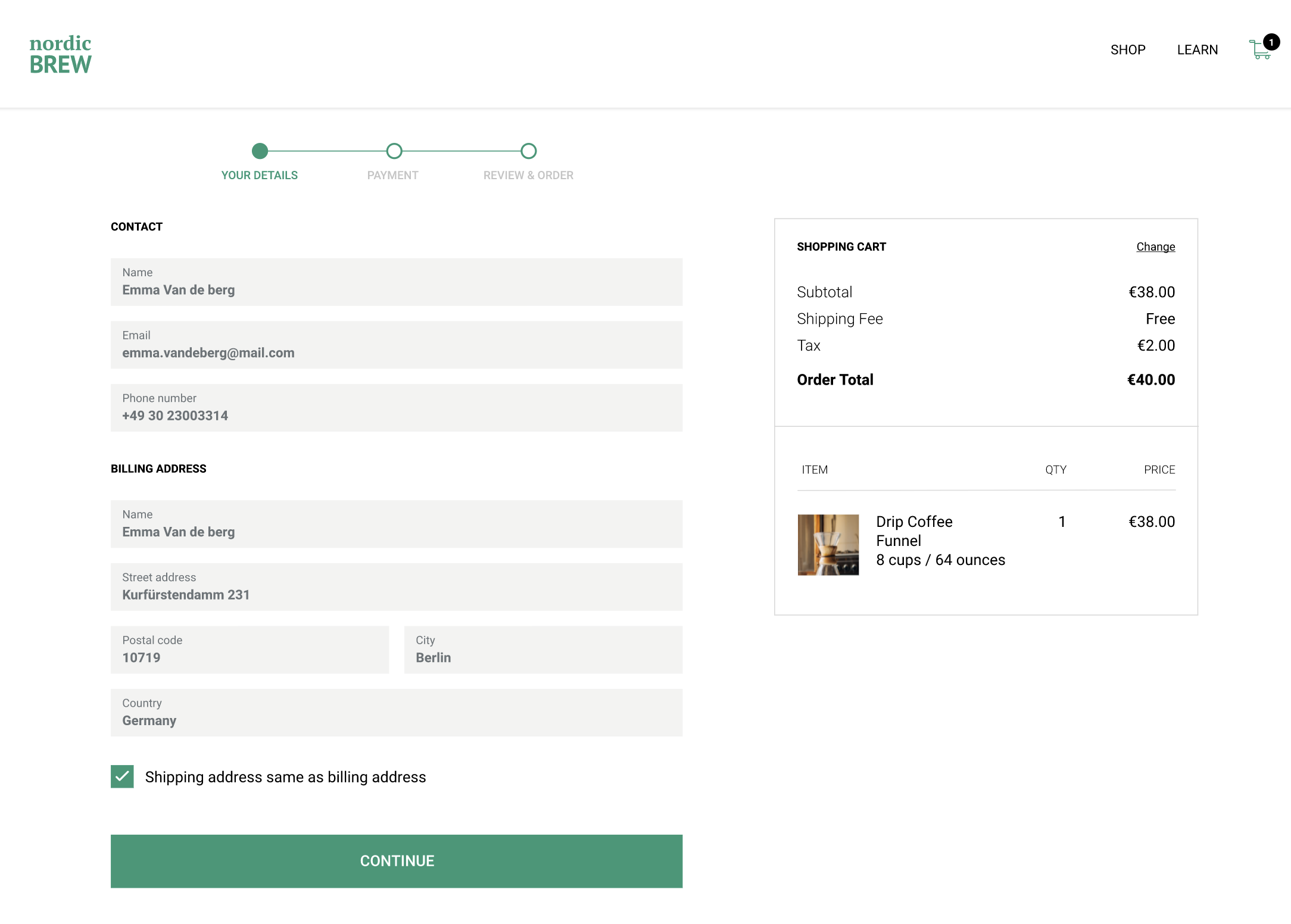
The buyer provides their information to process the Pay Upon Invoice payment: full name, email, delivery and billing address, date of birth, and phone number.
-
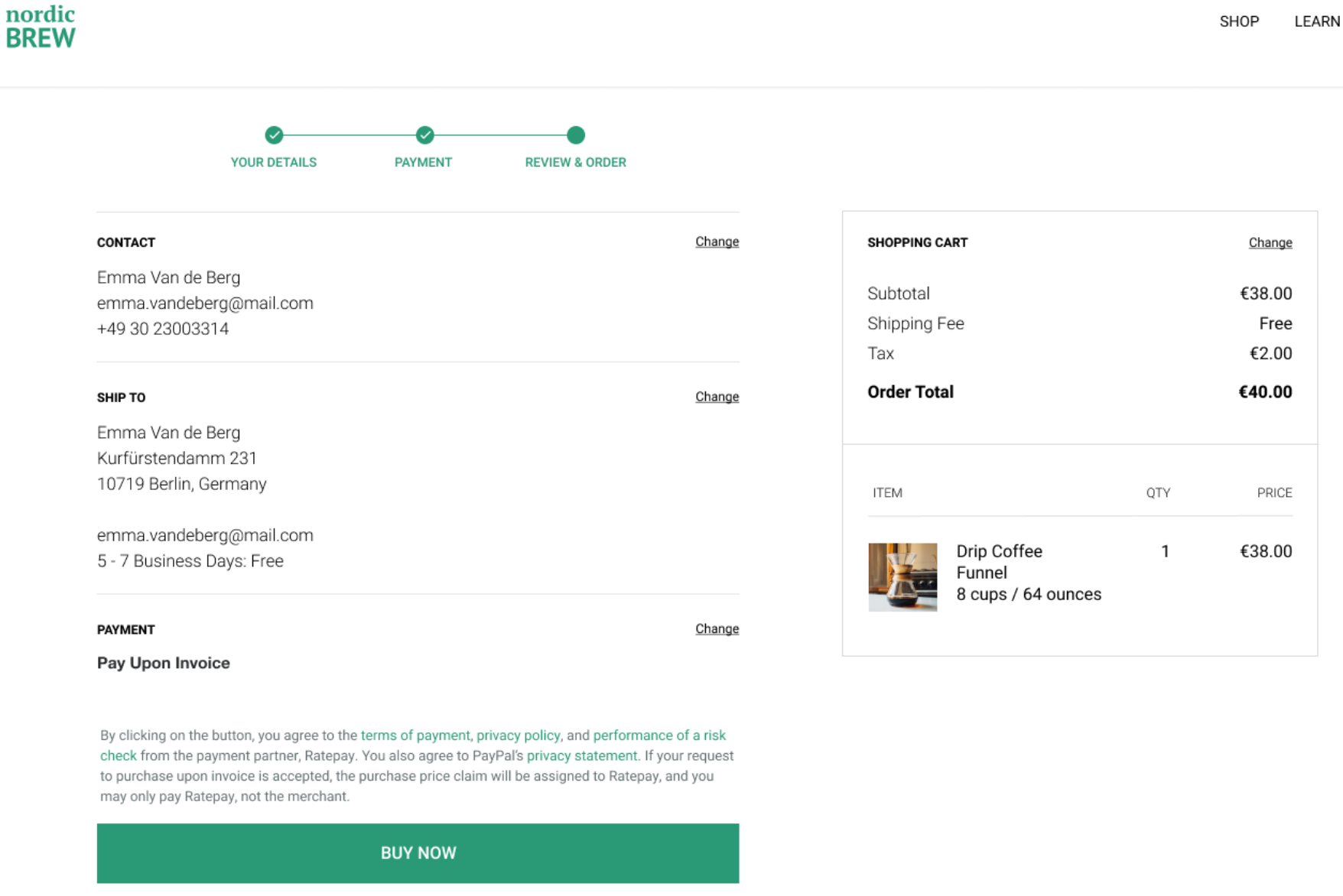
Near the Buy Now button, show legal text provided in the integration instructions so that the buyer is aware of the terms before you send any information to PayPal.
-
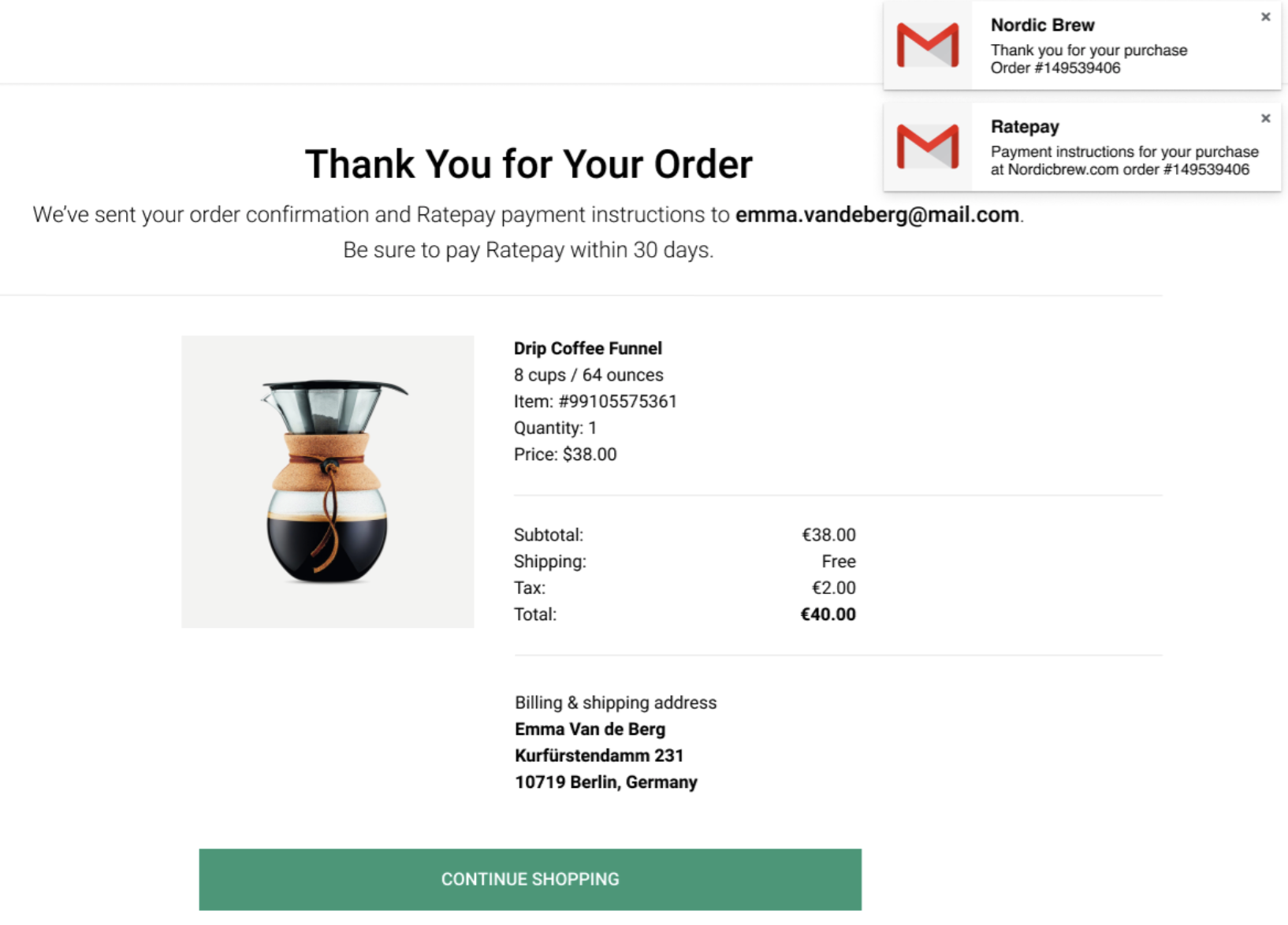
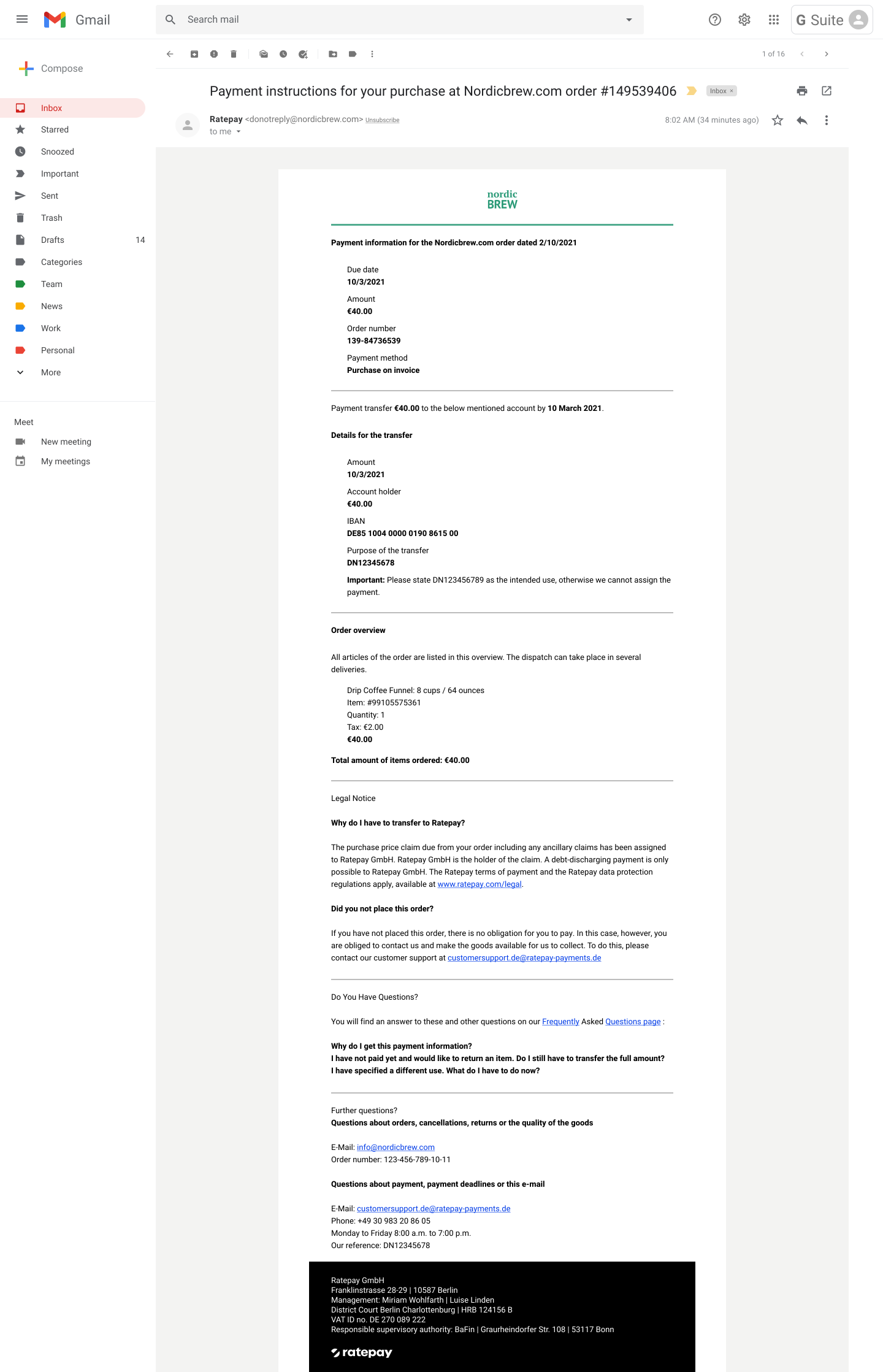
On a successful transaction, Ratepay emails payment instructions to the buyer. On the Order Success page, you can provide transaction details and notify the buyer to wait for payment instructions from Ratepay. If Ratepay declines the transaction due to buyer risk reasons, you must display the error message as shown in the Error handling section.
-
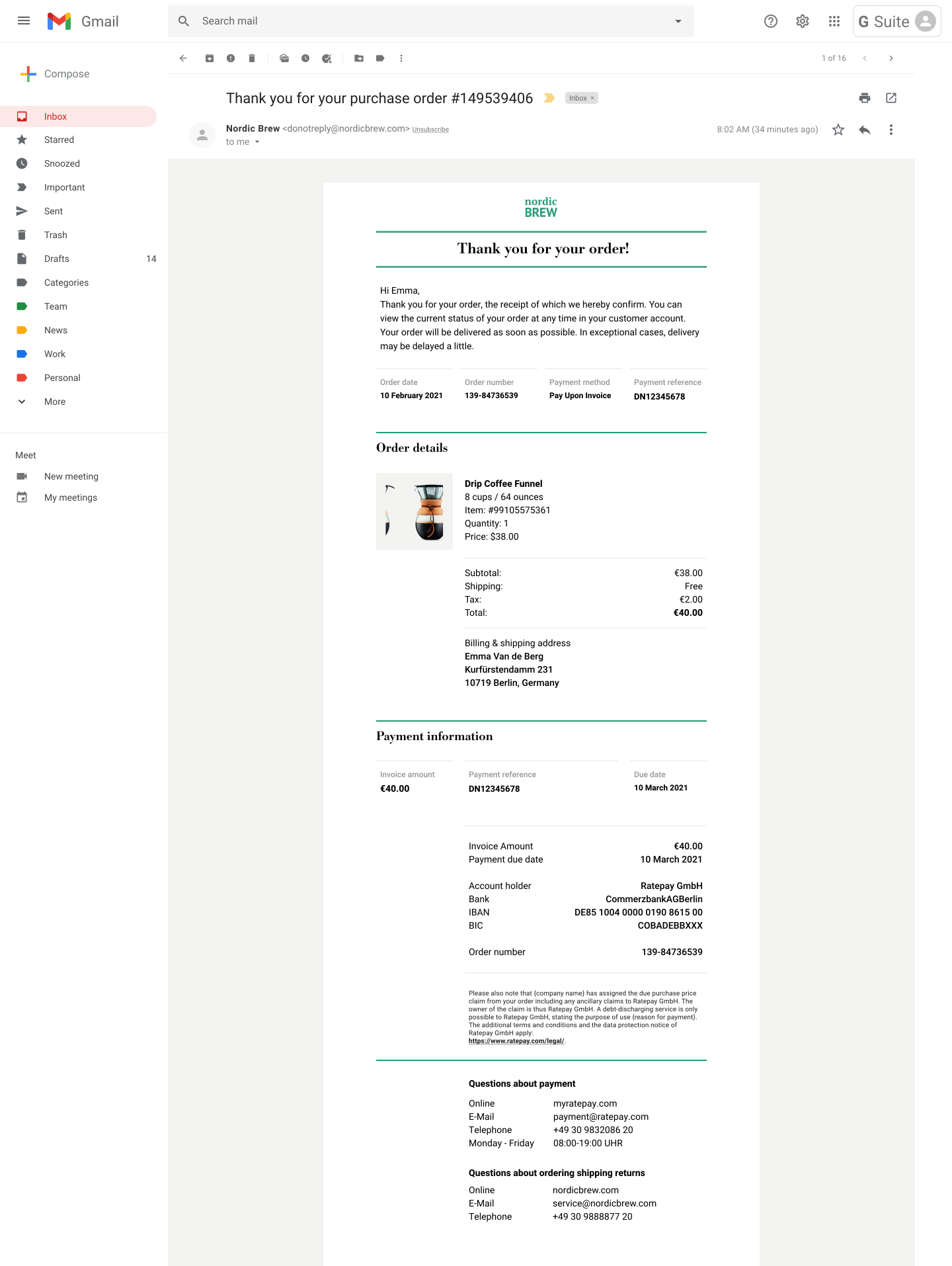
Buyer receives an invoice with cart details and Ratepay's payment instruction details, including the payment reference number, that are returned in the API response. Always use the payment instructions details provided on a per-transaction basis to ensure accuracy. In the invoice, instruct the buyer to pay only with Ratepay. Here's a sample invoice:
 Here's a sample payment instructions email from Ratepay:
-
Buyer pays Ratepay by logging into their bank account and making a bank transfer. If you have a simplified integration, you are obliged to ship the order within 7 calendar days.
-
If the buyer does not pay within the due date, the buyer is subject to dunning fees charged by Ratepay. There is no action required from you during the follow-up and dunning process.
Dispute handling
Buyers can open a dispute with Ratepay. You must respond within 10 business days with evidence, either through the PayPal Resolution Center or with the Disputes API. If you don't respond within the timeframe, you're subject to an automatic reversal of the disputed funds.
When responding to disputes, you must, depending on the dispute type:
-
Provide the carrier name and shipping tracking number. You need these to respond to an "Item Not Received" dispute.
-
Provide the invoice you sent to the buyer as part of the evidence.
-
In certain cases, additional written explanation might be required. For example, if a buyer has returned the item and claims no refund was received.
-
Retain the proof of shipment and delivery for at least 180 days from the time of order placement. There might be instances when you're asked for this evidence after 90 days of order placement for Ratepay to legally defend a buyer-defaulted transaction. If you don't provide this evidence, you're subject to an automatic reversal of the disputed funds.
Carrier companies delete tracking information after 90 days, so make sure you have an image or PDF copy to respond to the dispute and avoid the reversal of funds.
Provide shipment information
As soon as a shipment is made, send tracking information to PayPal. Include the tracking ID and carrier name through either the:
-
Add Tracking API. Send shipment tracking numbers for all Rechnungskauf mit Ratepay transactions. Set
notify_buyertofalsefor all Pay Upon Invoice transactions. -
Transaction details page in your PayPal account.
Providing this information to PayPal can help you respond to dispute cases later. Especially in older cases where you can't get tracking information from your carrier.
VAT statements
You can access monthly VAT Statements through your PayPal account. These statements reflect a summary of VAT collected by PayPal for any fees charged by PayPal. You can use these statements to claim your tax credits or self-assessment of VAT charges.