On this page
No Headings
Last updated: July 10, 2026
Fraud Protection Advanced (FPA) is a robust fraud protection tool integrated into PayPal's core processing services. It enables your fraud teams to conduct in-depth risk analysis and investigations to help identify and mitigate fraud.
Fraud Protection Advanced combines decades of intelligence from the PayPal network with advanced machine learning (ML) and analytics to continuously adapt to changes in both a merchant's business and evolving fraud tactics. It is integrated with PayPal Complete Payments (PPCP) for merchants who are on the Advanced Checkout integration.
Notes:
Fraud Protection Advanced is available through your merchant's PayPal business account and can be enabled easily. For more information on how your merchants can set up FPA, see Getting started with FPA.
FPA provides a range of powerful capabilities:
Hence, we strongly recommend that your merchants choose FPA as their fraud protection tool.
FPA provides the following benefits on top of Fraud Protection (FP) for merchants enrolling in PPCP capabilities:
Additionally, PayPal enhances the onboarding experience for fraud protection tools by offering:
To enhance risk and fraud management, we strongly recommend that your merchants provide additional data. This data is incorporated into PayPal's machine learning models, allowing them to analyze historical transactions and to improve the model's efficiency in detecting fraud. This approach optimizes the performance of your merchant's risk and fraud management processes. To include this data, your merchant must pass the following fields to all requests sent to the Orders v2 API for processing.
The following table shows the required parameters for optimal FPA performance when making a POST call to the Create order endpoint of the Orders v2 API.
Device ID
PAYPAL-CLIENT-METADATA-ID in the request data.PAYPAL-CLIENT-METADATA-ID field. For more information, see the Client-Metadata-Id in the Create order endpoint of the Orders v2 API.| Field name | Description | Type | Notes |
|---|---|---|---|
PayPal-Client-Metadata-Id | The device ID for this purchase. See the parameter definition for more information. | String |
|
| Field name | Description | Type | Notes |
|---|---|---|---|
payment_source.card.attributes.customer.email_address | Email address of the buyer as provided to the merchant or on file with the merchant. Email Address is required if you are processing the transaction using PayPal Guest Processing, which is offered to select partners and merchants. For all other use cases, we do not expect partners or merchant to send email_address of their customer. See the parameter definition for more information. | string |
|
payment_source.card.attribues.customer.phone | The phone number of the buyer as provided to the merchant or on file with the merchant. The phone.phone_number supports only national_number. See the parameter definition for more information. | object | |
payment_source.card.billing_address | The billing address for this card. Supports only the address_line_1, address_line_2, admin_area_1, admin_area_2, postal_code, and country_code properties. See the parameter definition for more information. | object | |
purchase_units.shipping.address | The address of the person to whom to ship the items. Supports only the address_line_1, address_line_2, admin_area_1, admin_area_2, postal_code, and country_code properties. See the parameter definition for more information. | object | |
purchase_units.items | An array of line items that the customer purchases from the merchant. See the parameter definition for more information. | array of objects | |
purchase_units[].supplementary_data.risk.customer.ip_address | An Internet Protocol address (IP address). This address assigns a numerical label to each device that is connected to a computer network through the Internet Protocol. Supports IPv4 and IPv6 addresses.
"supplementary_data": { "risk": { "customer": { "ip_address": "192.158.1.38" } } } | string | Minimum characters: 7 Maximum characters: 39 Pattern: ^(([0-9]|[1-9][0-9]|1[0-9]{2}|2[0-4][0-9]|25[0-5])\.){3}([0-9]|[1-9][0-9]|1[0-9]{2}|2[0-4][0-9]|25[0-5])$|^(([a-zA-Z]|[a-zA-Z][a-zA-Z0-9\-]*[a-zA-Z0-9])\.)*([A-Za-z]|[A-Za-z][A-Za-z0-9\-]*[A-Za-z0-9])$|^\s*((([0-9A-Fa-f]{1,4}:){7}([0-9A-Fa-f]{1,4}|:))|(([0-9A-Fa-f]{1,4}:){6}(:[0-9A-Fa-f]{1,4}|((25[0-5]|2[0-4]\d|1\d\d|[1-9]?\d)(\.(25[0-5]|2[0-4]\d|1\d\d|[1-9]?\d)){3})|:))|(([0-9A-Fa-f]{1,4}:){5}(((:[0-9A-Fa-f]{1,4}){1,2})|:((25[0-5]|2[0-4]\d|1\d\d|[1-9]?\d)(\.(25[0-5]|2[0-4]\d|1\d\d|[1-9]?\d)){3})|:))|(([0-9A-Fa-f]{1,4}:){4}(((:[0-9A-Fa-f]{1,4}){1,3})|((:[0-9A-Fa-f]{1,4})?:((25[0-5]|2[0-4]\d|1\d\d|[1-9]?\d)(\.(25[0-5]|2[0-4]\d|1\d\d|[1-9]?\d)){3}))|:))|(([0-9A-Fa-f]{1,4}:){3}(((:[0-9A-Fa-f]{1,4}){1,4})|((:[0-9A-Fa-f]{1,4}){0,2}:((25[0-5]|2[0-4]\d|1\d\d|[1-9]?\d)(\.(25[0-5]|2[0-4]\d|1\d\d|[1-9]?\d)){3}))|:))|(([0-9A-Fa-f]{1,4}:){2}(((:[0-9A-Fa-f]{1,4}){1,5})|((:[0-9A-Fa-f]{1,4}){0,3}:((25[0-5]|2[0-4]\d|1\d\d|[1-9]?\d)(\.(25[0-5]|2[0-4]\d|1\d\d|[1-9]?\d)){3}))|:))|(([0-9A-Fa-f]{1,4}:){1}(((:[0-9A-Fa-f]{1,4}){1,6})|((:[0-9A-Fa-f]{1,4}){0,4}:((25[0-5]|2[0-4]\d|1\d\d|[1-9]?\d)(\.(25[0-5]|2[0-4]\d|1\d\d|[1-9]?\d)){3}))|:))|(:(((:[0-9A-Fa-f]{1,4}){1,7})|((:[0-9A-Fa-f]{1,4}){0,5}:((25[0-5]|2[0-4]\d|1\d\d|[1-9]?\d)(\.(25[0-5]|2[0-4]\d|1\d\d|[1-9]?\d)){3}))|:)))(%.+)?\s*$ |
| Field name | Description | Type | Notes |
|---|---|---|---|
payment_source.card.name | The cardholder's name as it shows up on the card. See the parameter definition for more information. | string |
|
payment_source.card.number | The primary account number (PAN) for the payment card. See the parameter definition for more information. | string |
|
FPA is available for both direct merchants and through marketplaces, which are payment platforms that host merchants. The following table outlines the pricing details for each FPA-screened transaction across the available markets:
| Country code | Country | Headline price |
|---|---|---|
| US | United States | 0.07 USD |
| CA | Canada | 0.09 CAD |
| AU | Australia | 0.1 AUD |
| AT | Austria | 0.06 EUR |
| DE | Germany | 0.06 EUR |
| GB | United Kingdom | 0.06 GBP |
| FR | France | 0.06 EUR |
| ES | Spain | 0.06 EUR |
| IT | Italy | 0.06 EUR |
| PL | Poland | 0.3 PLN |
| PT | Portugal | 0.06 EUR |
| IE | Ireland | 0.06 EUR |
| BG | Bulgaria | 0.06 EUR |
| CY | Cyprus | 0.06 EUR |
| CZ | Czech Republic | 1.6 CZK |
| DK | Denmark | 0.5 DKK |
| EE | Estonia | 0.06 EUR |
| FI | Finland | 0.06 EUR |
| GR | Greece | 0.06 EUR |
| HU | Hungary | 25 HUF |
| LT | Lithuania | 0.06 EUR |
| LV | Latvia | 0.06 EUR |
| MT | Malta | 0.06 EUR |
| RO | Romania | 0.35 RON |
| SE | Sweden | 0.7 SEK |
| SI | Slovenia | 0.06 EUR |
| SK | Slovakia (Slovak Republic) | 0.06 EUR |
| BE | Belgium | 0.06 EUR |
| LU | Luxembourg | 0.06 EUR |
| NL | Netherlands | 0.75 EUR |
| LI | Lichtenstein | 0.06 EUR |
| NO | Norway | 0.75 NOK |
| SM | San Marino | 0.06 EUR |
| SG | Singapore | 0.1 SGD |
| HK | Hong Kong | 0.6 HKD |
Your merchants can find FPA using either of the following options:
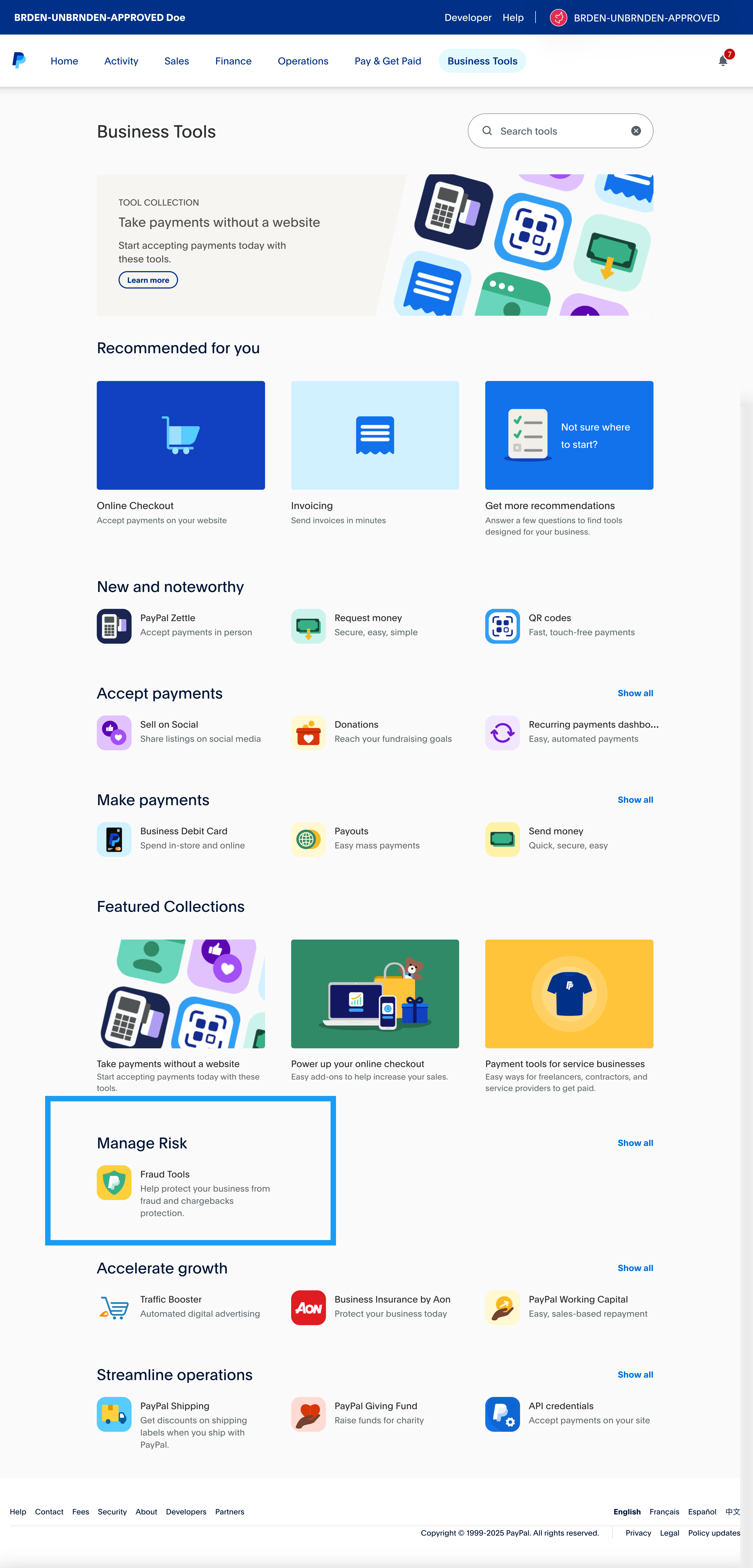
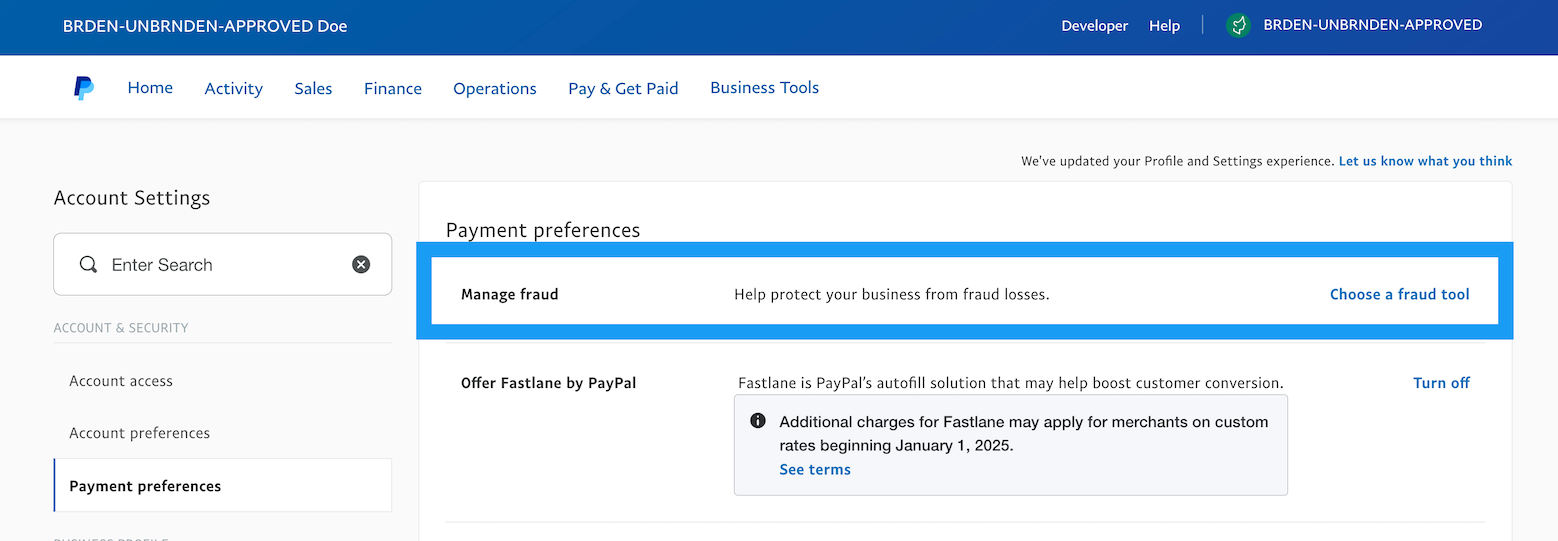
Your merchants can enable FPA using the following steps:
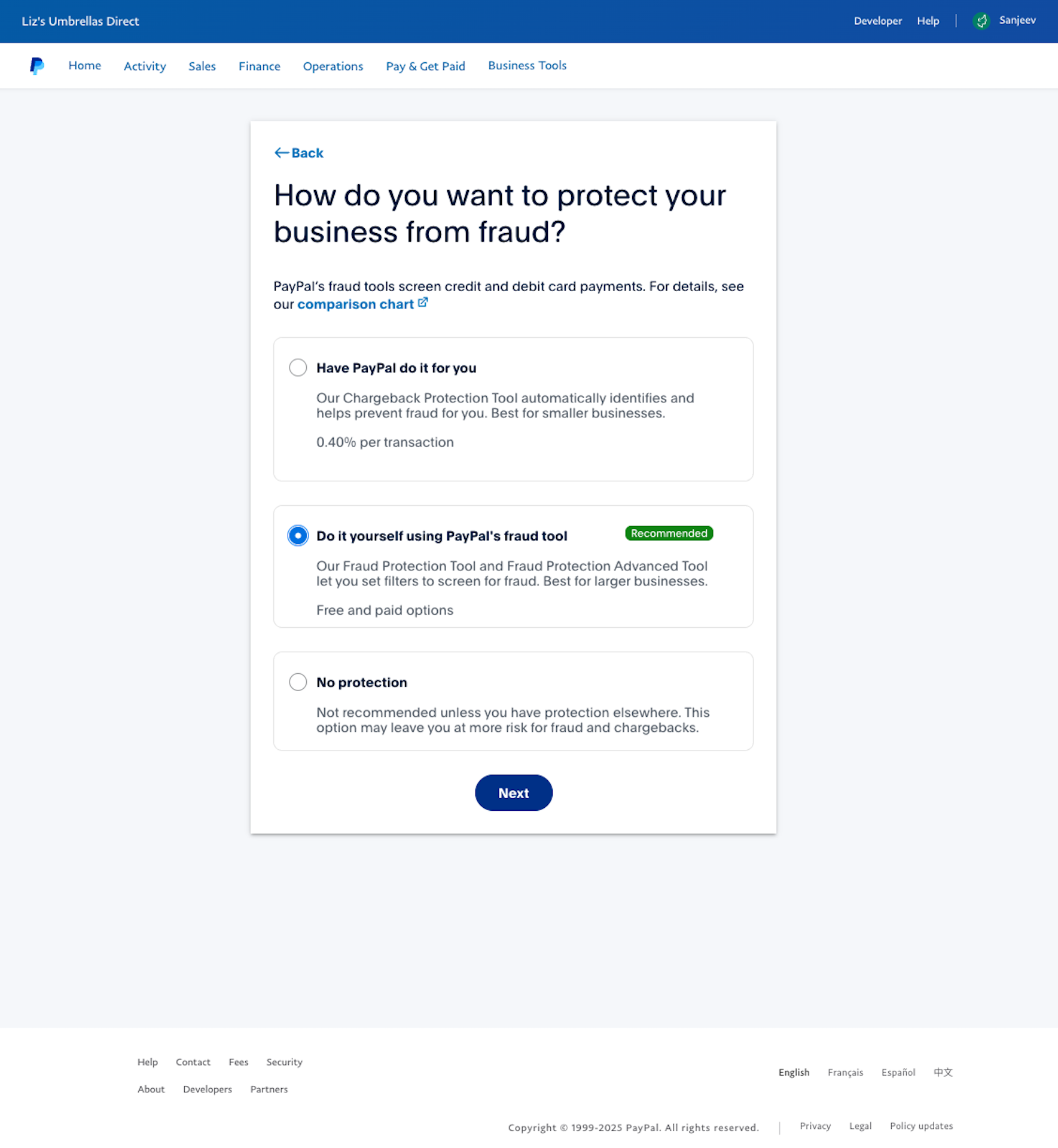
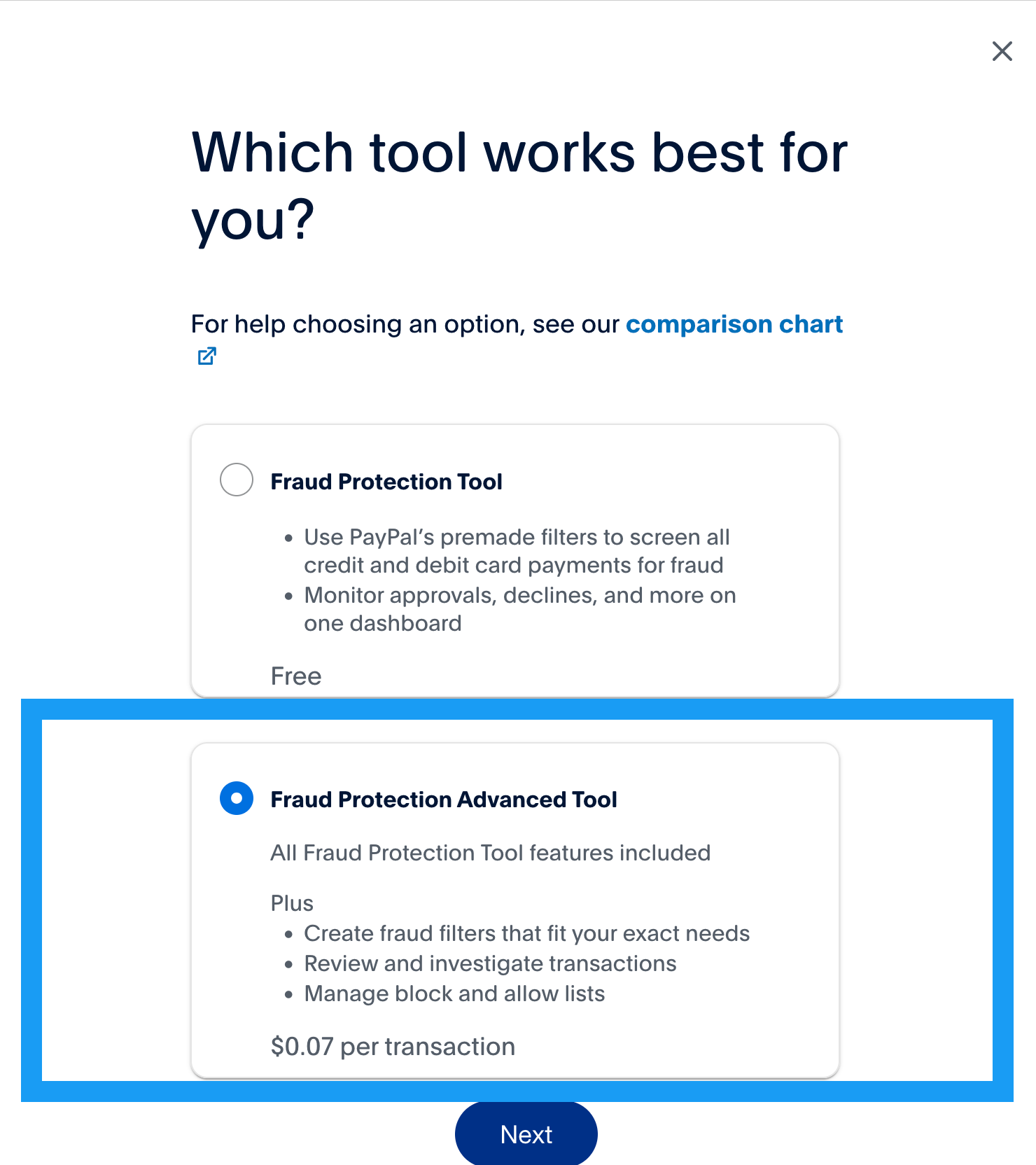
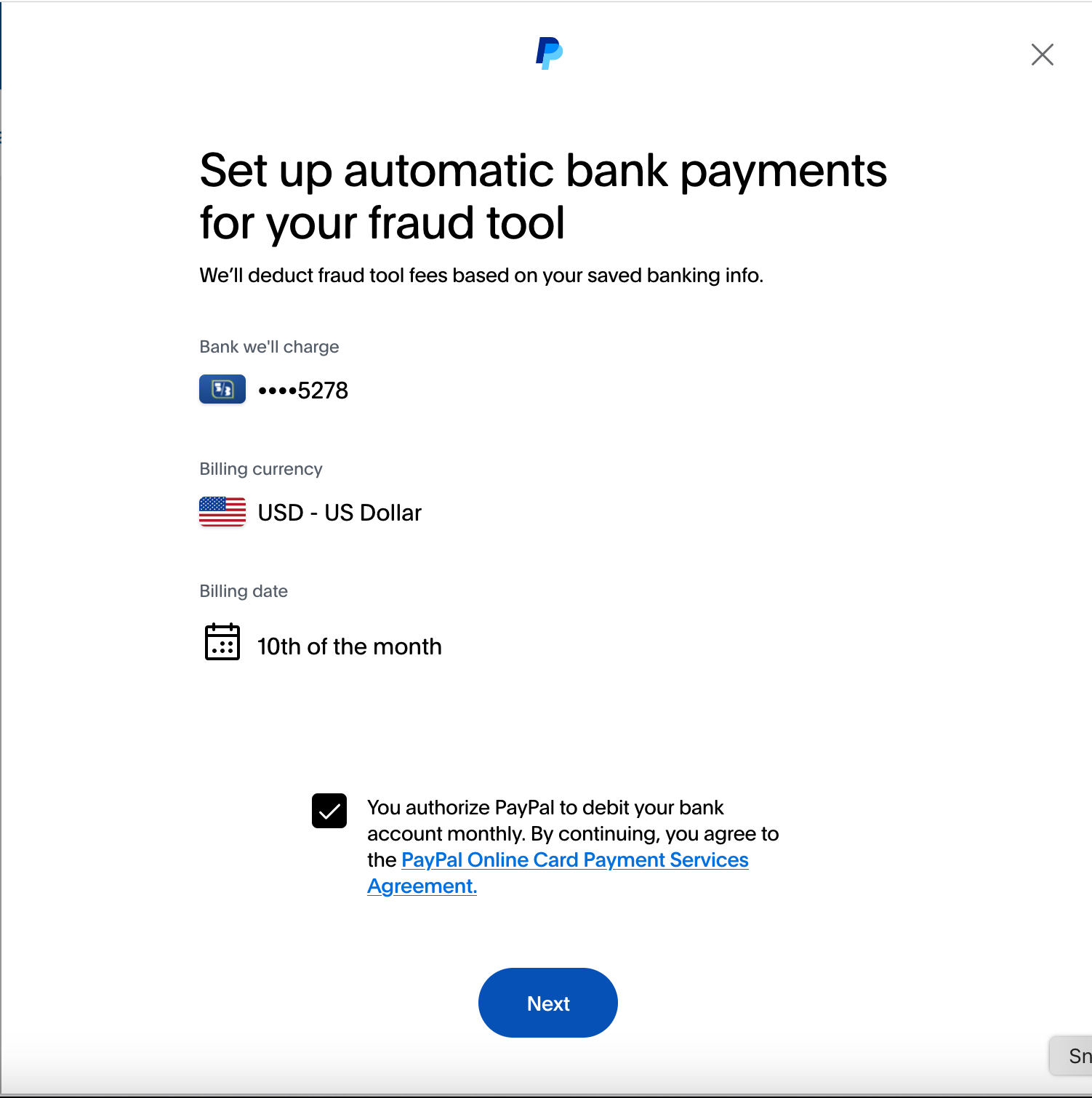
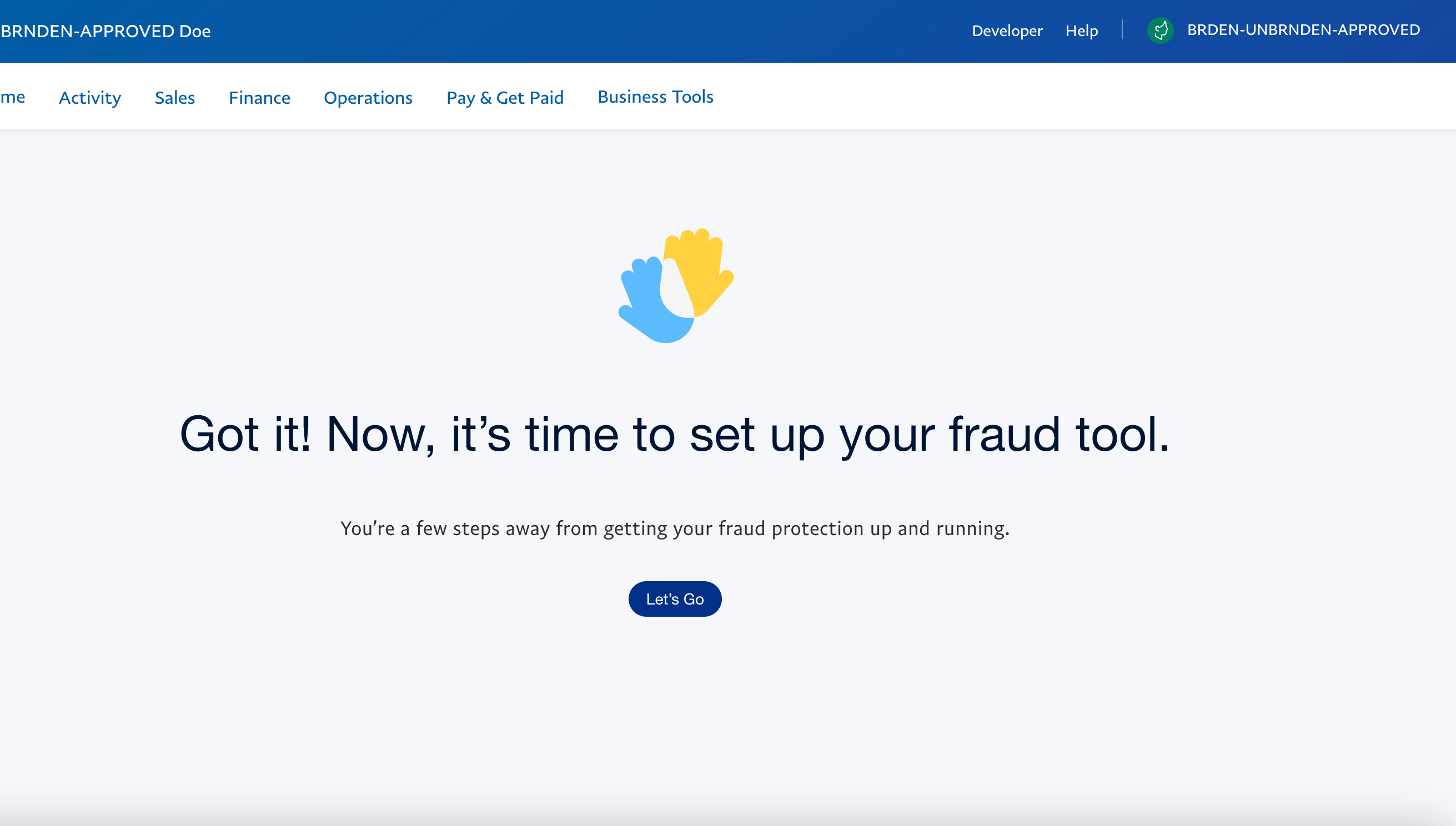
Once activated, Fraud Protection Advanced will open in a new tab. The D****ashboard will display fraud metrics related to your merchant's business over the past 180 days.
After onboarding to FPA, your merchants should set up FPA for their accounts.

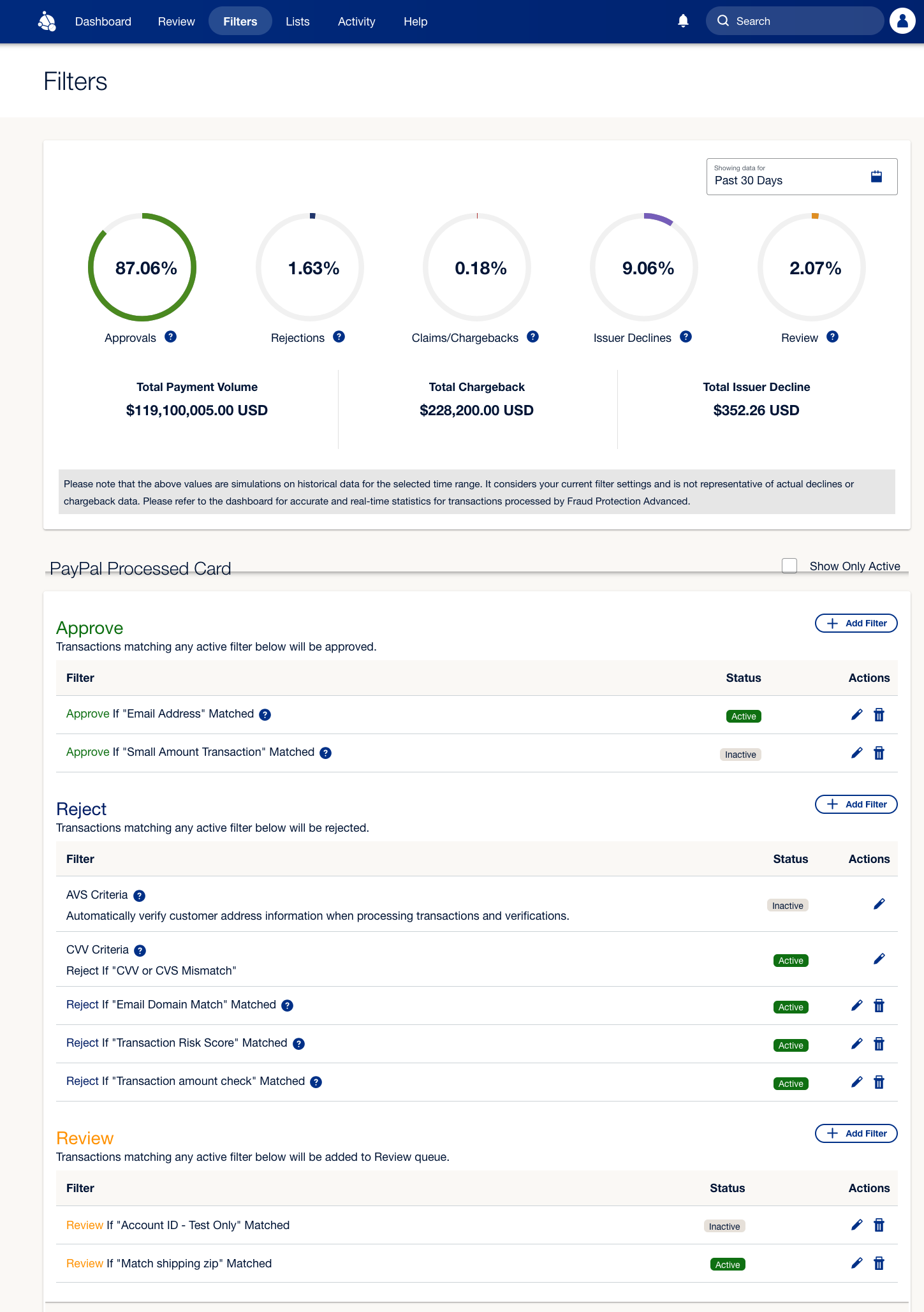
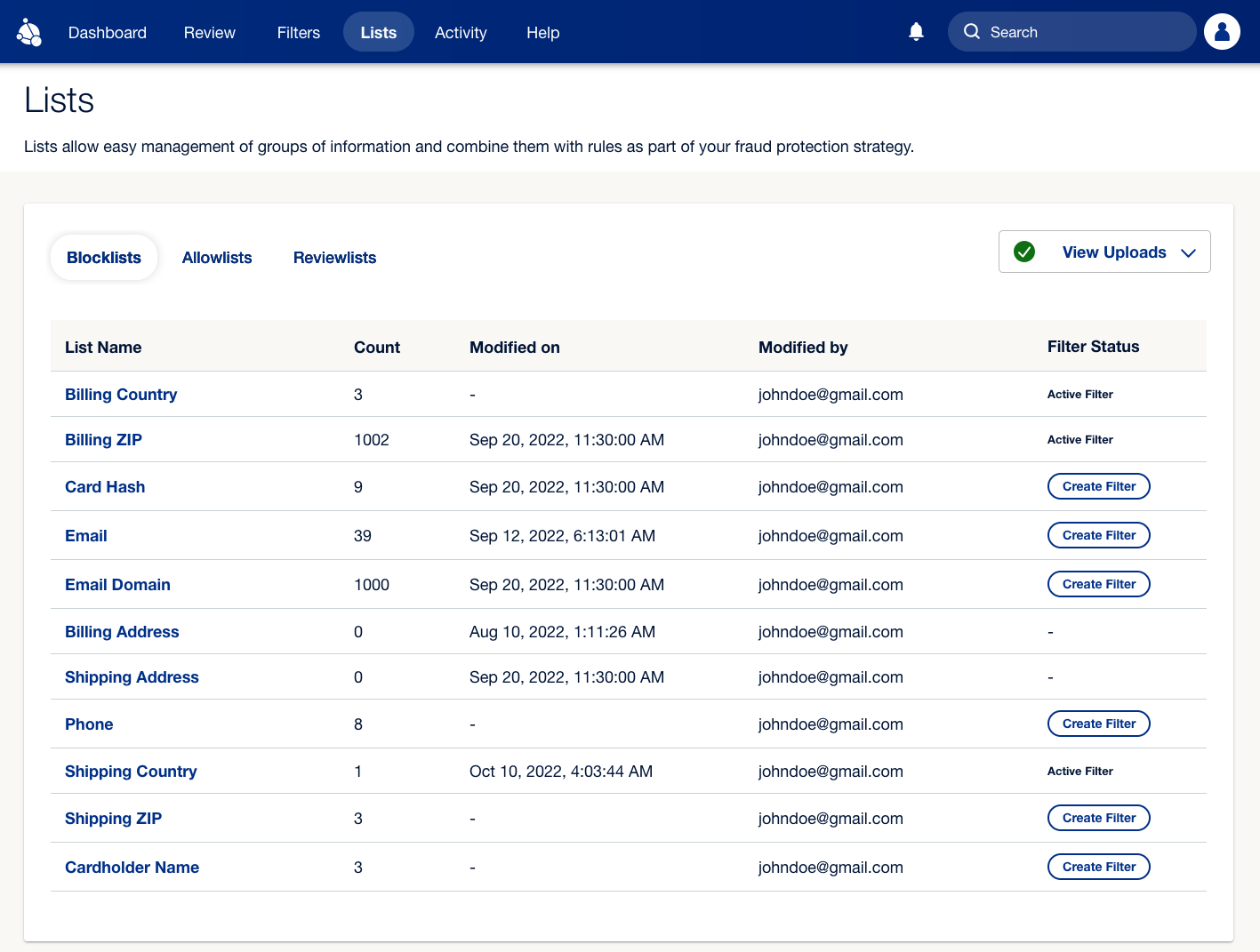
FPA offers a range of powerful features designed to help you reduce fraud:
Fraud profile identification: Provides automated filter recommendations based on onboarding data and historical transaction data. Use these to make informed decisions and strengthen your overall fraud prevention strategy.
Risk score calculation: PayPal's machine learning model analyzes various data points, including card details, buyer information, purchasing patterns, and device intelligence, among others, to calculate a Risk Score. The risk score ranges from 0 to 100, where 0 indicates no risk, and 100 represents a highly risky transaction.
Fraud detection: Mitigates fraud by declining risky transactions through advanced features such as: