Secure file transfer with DropZone
Last updated: October 14, 2026
Copy / Export
DropZone is PayPal's secure file transfer platform that sends files, receives files, and automates regular file transfers. Use DropZone when you need to send or receive files from PayPal, for example:
- Exchanging settlement reports with payment processors.
- Sharing merchant-specific reports with merchants.
- Fetching information from external data vendors.
- Exchanging information with regulatory entities.
Data is encrypted both at rest and in transit. Files are scanned for sensitive data before sending to ensure critical information is encrypted. All files received over DropZone are scanned for viruses and other malicious content.
Availability
DropZone is available in all countries where PayPal is available.
Choose DropZone as client or server
Use DropZone as a client or server based on your needs and information security guidelines.
Tip: DropZone as a client is the preferred integration option and may require fewer consultations with PayPal.
The key differences between the 2 options are:
- Storage location.
- How often you can send files.
- Information security and firewall requirements.
DropZone as a client
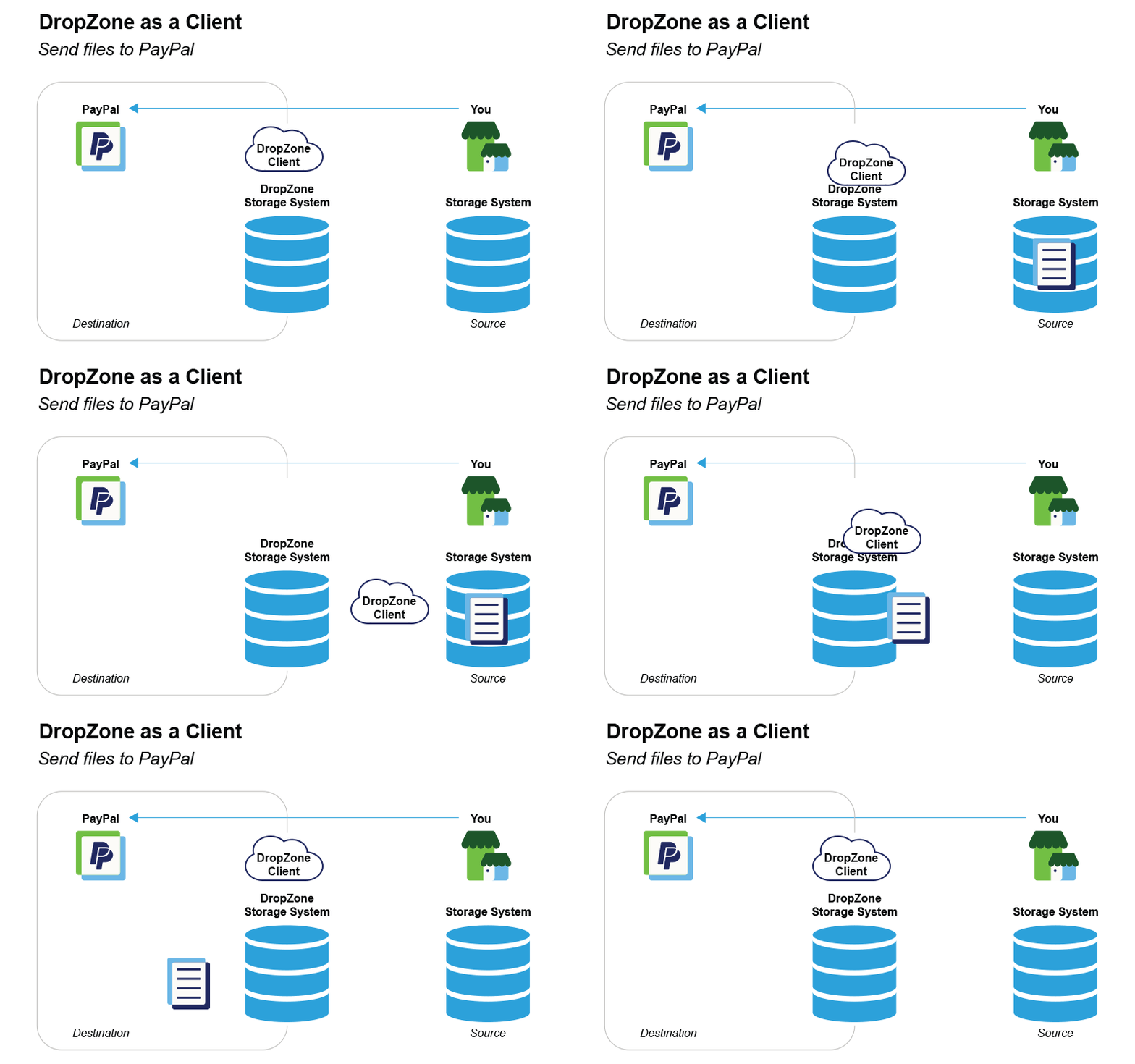
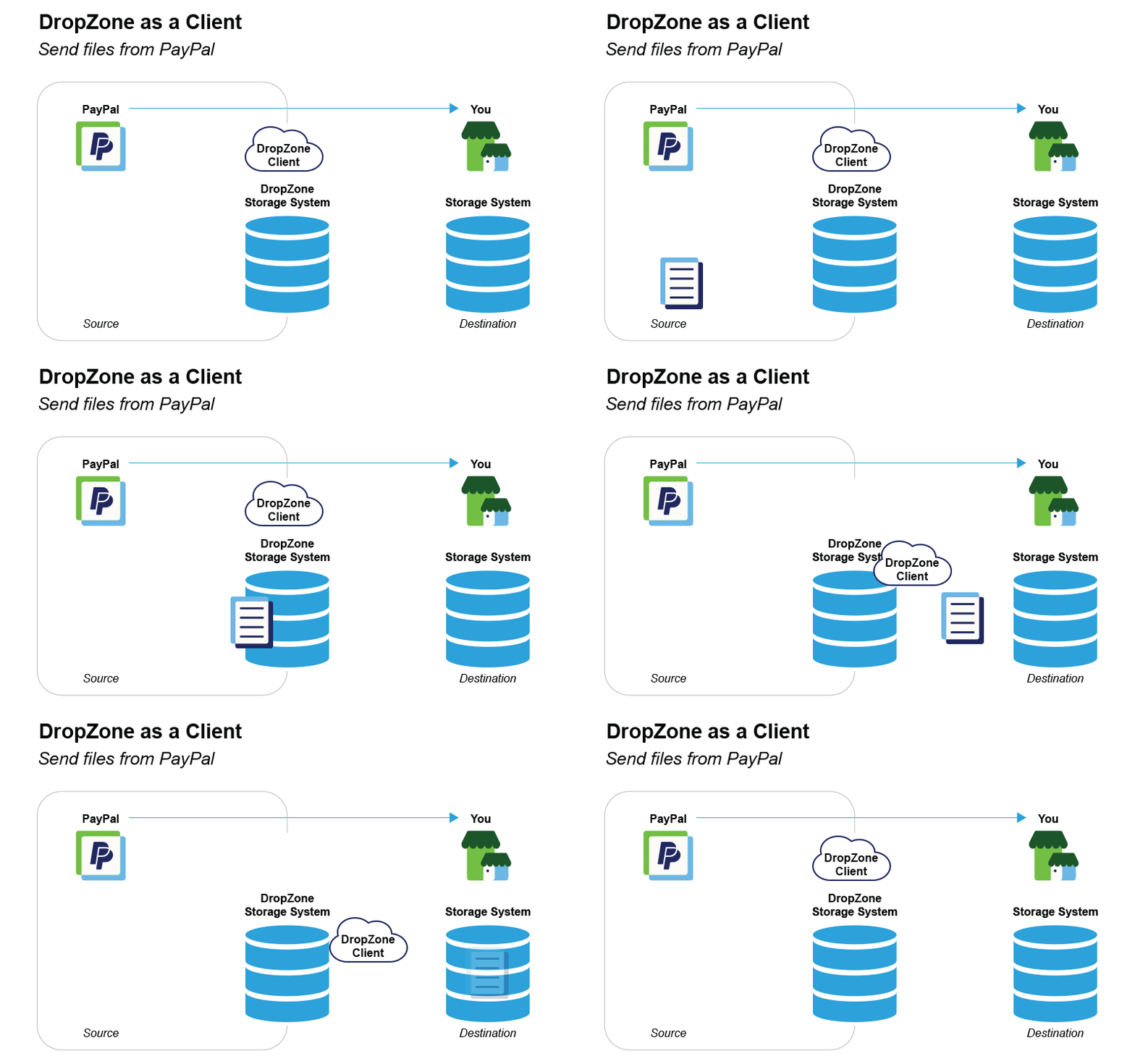
When you integrate DropZone as a client, you can upload files for DropZone to retrieve from your:
- SFTP server.
- Amazon Simple Storage Service (S3).
- Google Cloud Storage.
With DropZone as a client, you can receive files at any time. However, you can only schedule file transfers to PayPal by sending files in response to event triggers or scheduling automated transfers.
DropZone as a server
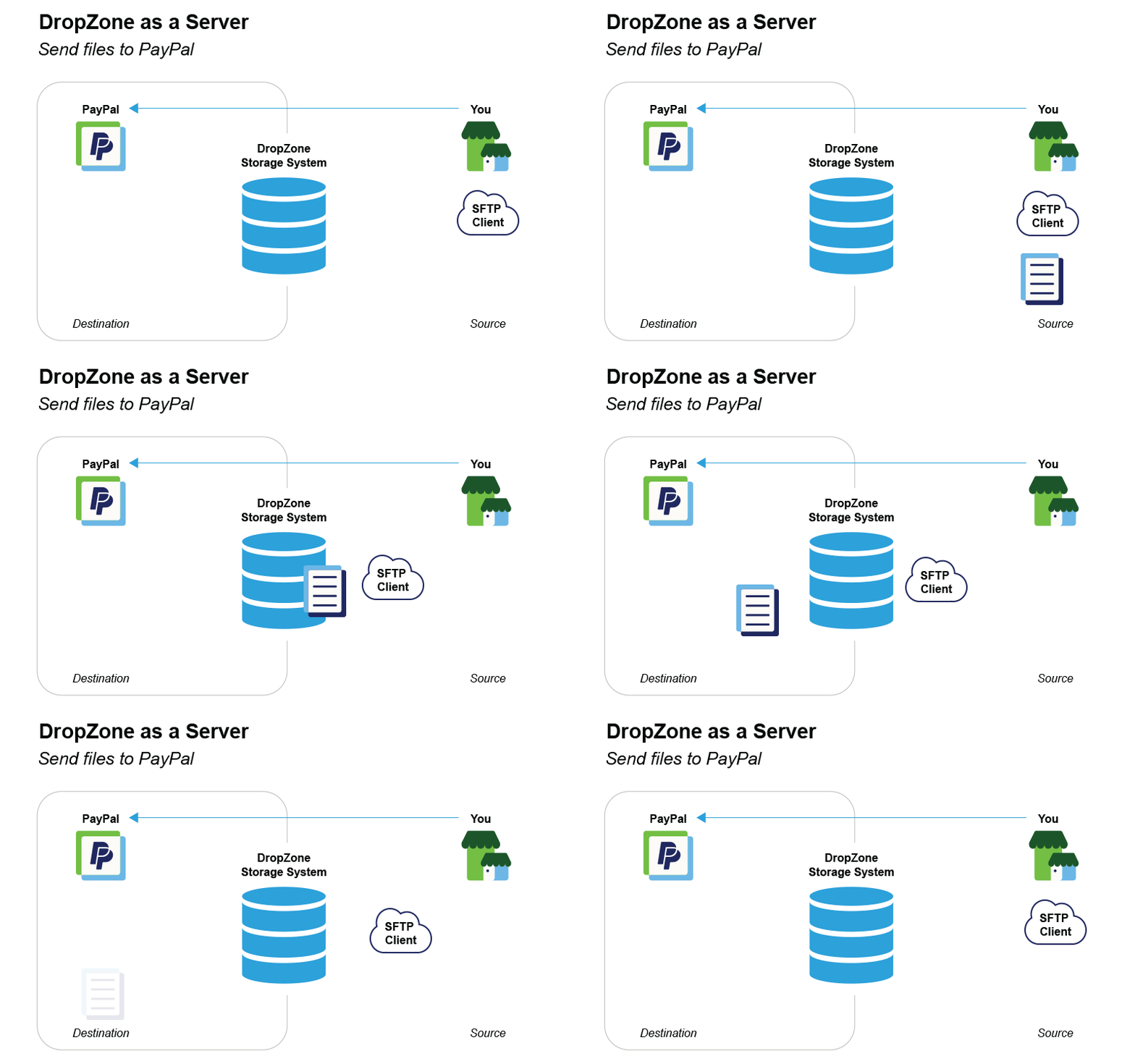
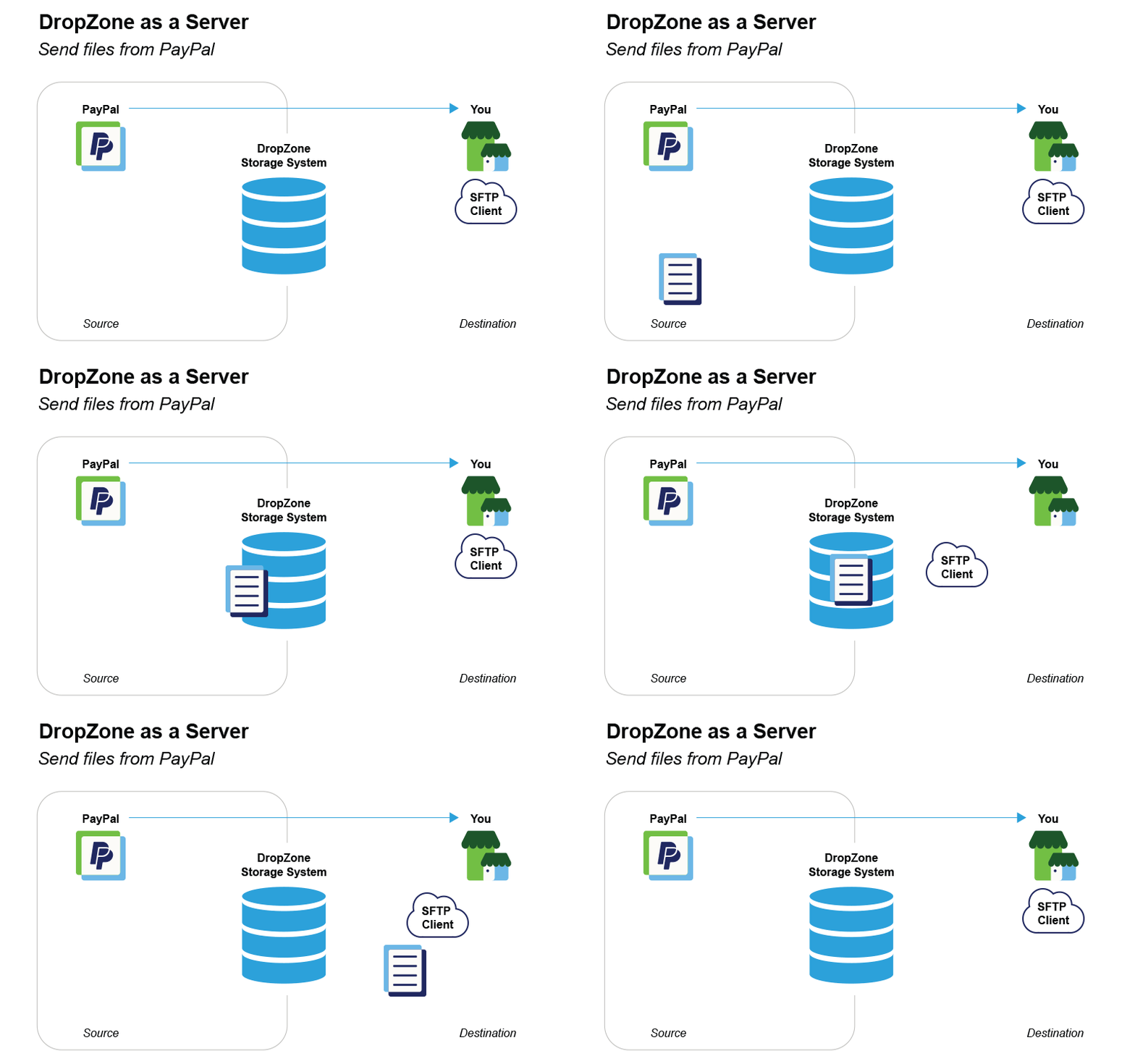
When you integrate DropZone as a server, files are uploaded to PayPal's SFTP server. You can send and receive files at any time. Because you are accessing PayPal's SFTP server, the onboarding process may take longer to ensure compliance with PayPal's security requirements. If you would rather upload files to your own server instead of PayPal's SFTP server, integrate DropZone as a client.
Connect to DropZone
Take the following steps to connect to DropZone through your client storage location or PayPal's SFTP server
1. Get credentials
PayPal must onboard you to DropZone. During onboarding, you'll establish authentication credentials. You can choose either:
- Recommended: Username and SSH keys: PayPal generates public and private SSH keys and shares the public key with you. Create a username and share it with PayPal. Configure your username and the PayPal public key into your authentication system. DropZone will authenticate with your username and PayPal's private key.
- Username and password: Create a username and password and share them with PayPal.
2. Add IP subnets to allowlist
Add the following IP subnets to your allowlist in your firewall:
- 173.0.81.0/24
- 66.211.170.66
3. Exchange files
To send files to PayPal:
- Encrypt all files you send over DropZone using PGP encryption or a manual encryption method such as 7Zip on Windows or Encrypto on Mac.
- Put the files in your storage system for DropZone to pull at scheduled intervals.
To accept files from PayPal:
- Files delivered to your storage system over DropZone are encrypted. You'll need to decrypt these files.
- You can download these files from your storage system at any time.