Enable Pay Later messaging for AngellEYE on WooCommerce
Last updated: October 20, 2026
Copy / Export
Promote PayPal Pay Later products using messaging and buttons with the AngellEYE plugin on your WooCommerce store.
PayPal offers financing options that let your customers buy now and pay later, while you get paid up front. For more information about Pay Later, see Buy now, pay later.
Pay Later messaging includes Pay in 4X and Pay in 6, 12 or 24X, which eligible French buyers can use to pay for their purchases.
Know before you begin
- Before you begin, learn more about Pay Later products.
- Before you enable Pay Later messaging, install the WooCommerce plugin and enable PayPal Checkout.
- You meet all the eligibility criteria for France.
Note: Ensure that the AngellEYE plugin is at least on version 2.5.2 to enable Pay Later messaging.
How it works
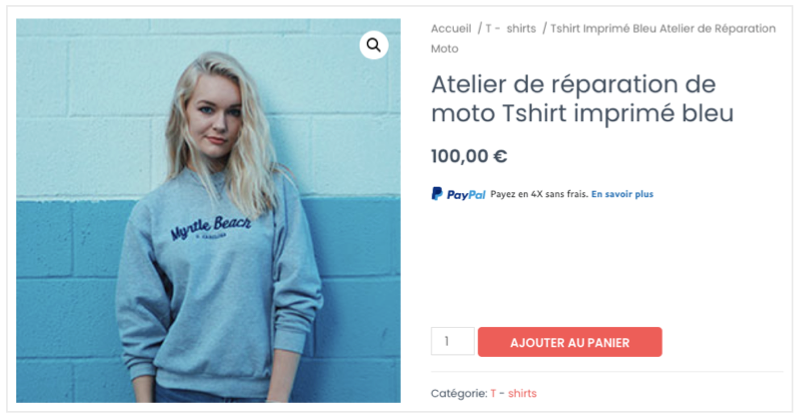
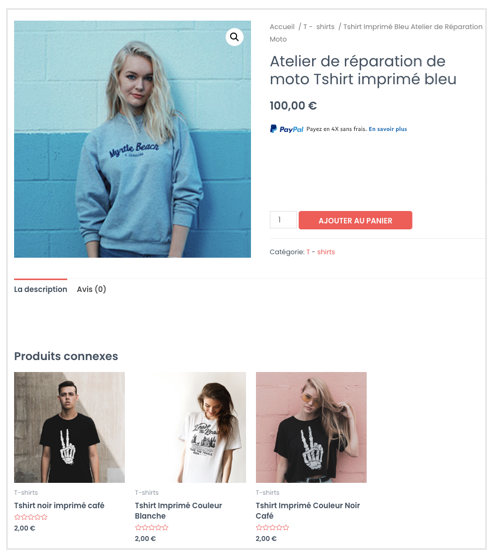
These are sample checkout pages with Pay Later messaging and the button enabled for webpages and mobile devices.
Pay Later messaging and button on a webpage
Pay Later messaging and button on a mobile device
Enable and customize the messaging and button
To enable the Pay Later messaging and button, complete the following:
- Log in to your WooCommerce admin portal.
- Select WooCommerce > Settings > Payments.
- For PayPal Express Checkout, select Manage. The PayPal Express Checkout settings page opens.
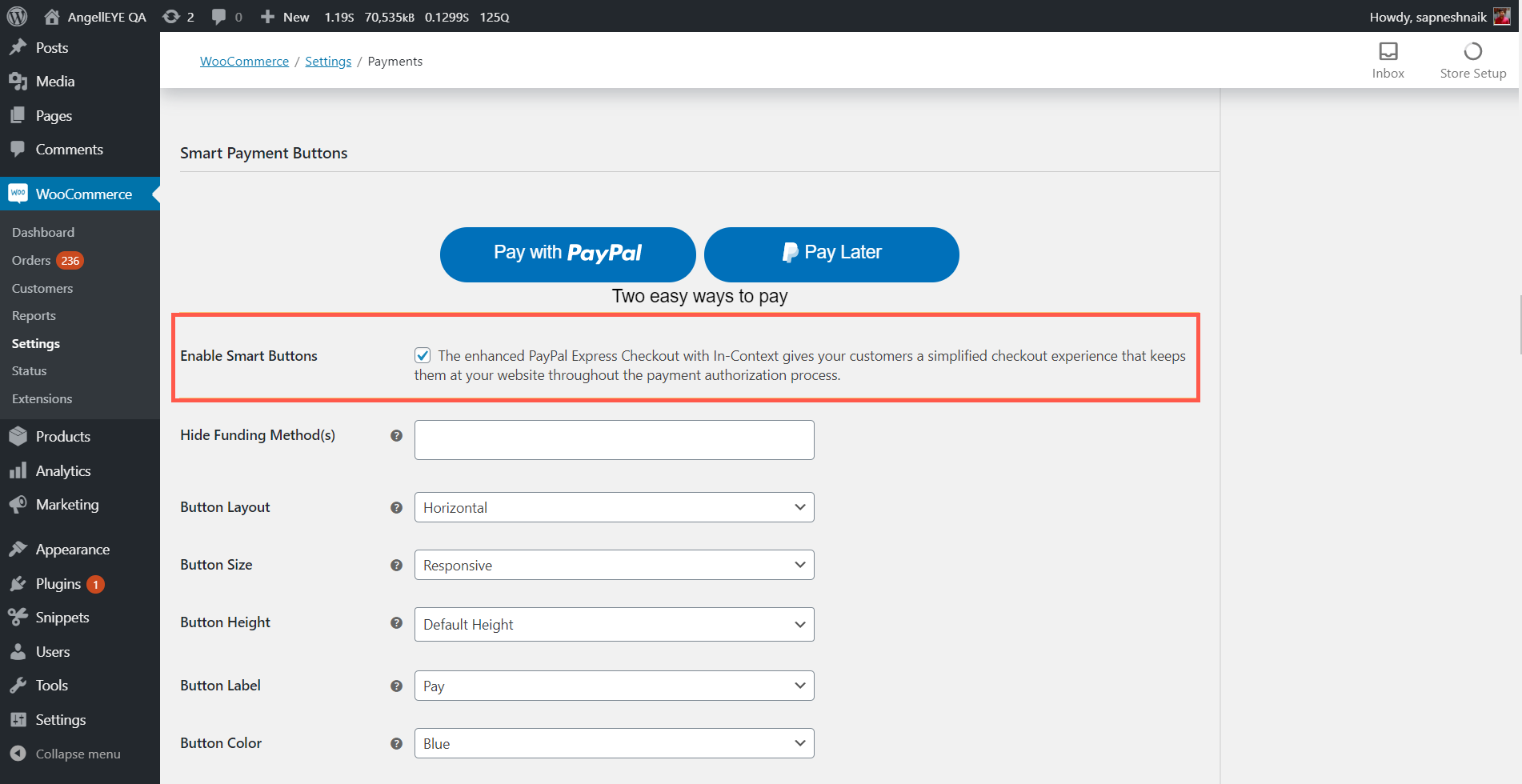
(Optional) Enable Smart Payment Buttons
The PayPal Smart Payment Buttons are enabled by default. If the buttons are not enabled, select the Smart Payment Buttons check box.
(Optional) Enable the Pay Later button
- The Pay Later button is enabled by default. If the button is not enabled, select the Enable Smart Payment Button check box.
- Customize the Pay Later button by using the drop down lists, such as Button Layout and Button Size.
Note: For Hide Funding Method(s), leave the field blank to prevent hiding the Pay Later button.
Enable Pay Later messaging
- Enable Pay Later messaging by navigating to the PayPal Credit Messaging section and selecting the Enable PayPal Pay Later Messaging - Buy Now Pay Later check box. Versions older than 2.4.6 show PayPal Credit Messaging - Buy Now Pay Later.

- For Page Type, choose the pages on which you want to show Pay Later messages. Each page that you enable shows additional customization options for the messaging.
Customize the style and layout of messaging
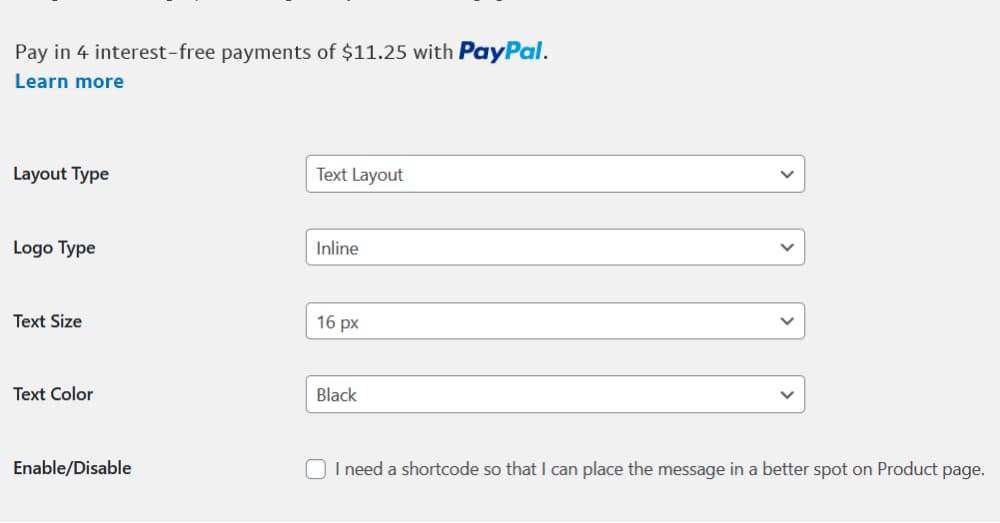
You can customize the look and feel of your messaging by configuring the Flex layout (shows the messaging as a banner) and Text layout (shows the messaging as text on the screen).
From the dropdown lists, customize the messaging layout by changing the layout, logo, position, and text color.
Step result
You have enabled the Pay Later messaging and button with the AngellEYE plugin on your WooCommerce store.