Enable Pay Later messaging on Freewebstore
Last updated: August 11, 2026
Copy / Export
Promote PayPal Pay Later products using messaging on your Freewebstore store.
PayPal offers short-term, interest-free payments that buyers can use to buy now and pay later. You get paid up-front.
Pay Later messaging includes Pay in 3, which UK buyers can use to pay for purchases of £20.00 to £3,000 in three, interest-free payments. It also includes Pay in 30 Days, which UK buyers can use to pay the full amount in 30 days with no interest or fees, for purchases of £1 to £900.
Know before you begin
- Before you begin, learn more about Pay Later products.
- UK-based consumers are eligible for Pay Later products across most of our integrations. As a merchant, you're eligible to promote these Pay Later products if you are a UK-based PayPal merchant with a UK-legal business entity, a UK-facing website, transacting in GBP, and a one-time payment integration. At this time, promoting Pay Later products is not available on PayPal vaulted payments or billing agreement integrations.
- Pay Later products also follow the PayPal Acceptable Use Policy, which governs the usage of PayPal and prohibits the use of PayPal and Pay Later products for certain types of transactions, such as real money gaming and firearms.
- Please note that while messaging can be displayed on your website to help promote Pay Later products to your customers, no additional content, wording, marketing, or other material should be created by you to encourage use of this product. PayPal reserves the right to take action in accordance with the User Agreement.
- Creating your own Pay in 3 or Pay in 30 Days content or using the JS SDK outside of the terms of the User Agreement may result in you communicating an unauthorized financial promotion, which can involve criminal sanctions under S21 Financial Services and Markets Act 2000.
How it works
These are sample checkout pages with Pay Later messaging enabled for webpages and mobile devices.
Pay Later messaging on a webpage
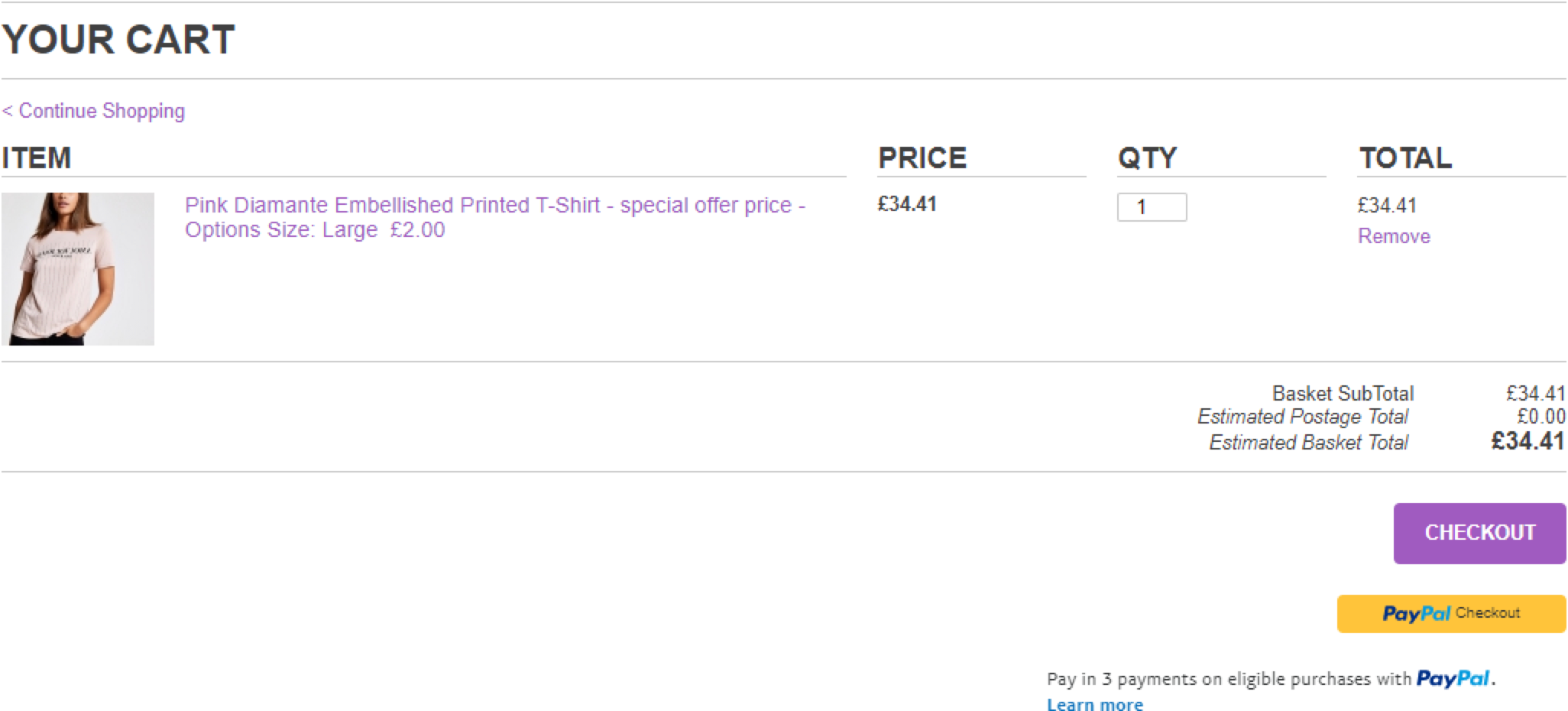
Pay Later messaging on a mobile device
Enable the messaging
New users to Freewebstore with Commerce Platform enabled will have Buy Now Pay Later active by default.
Users migrating to Commerce Platform will have Buy Now Pay Later active by default.
Enable the messaging as a new user
To enable the Pay Later messaging and button as a new user, complete the following:
- Log into your Freewebstore account.
- Expand the Orders pane on the left-hand side of the screen.
- Select checkout.
- Within the banner click on Get Started and complete the onboarding process.
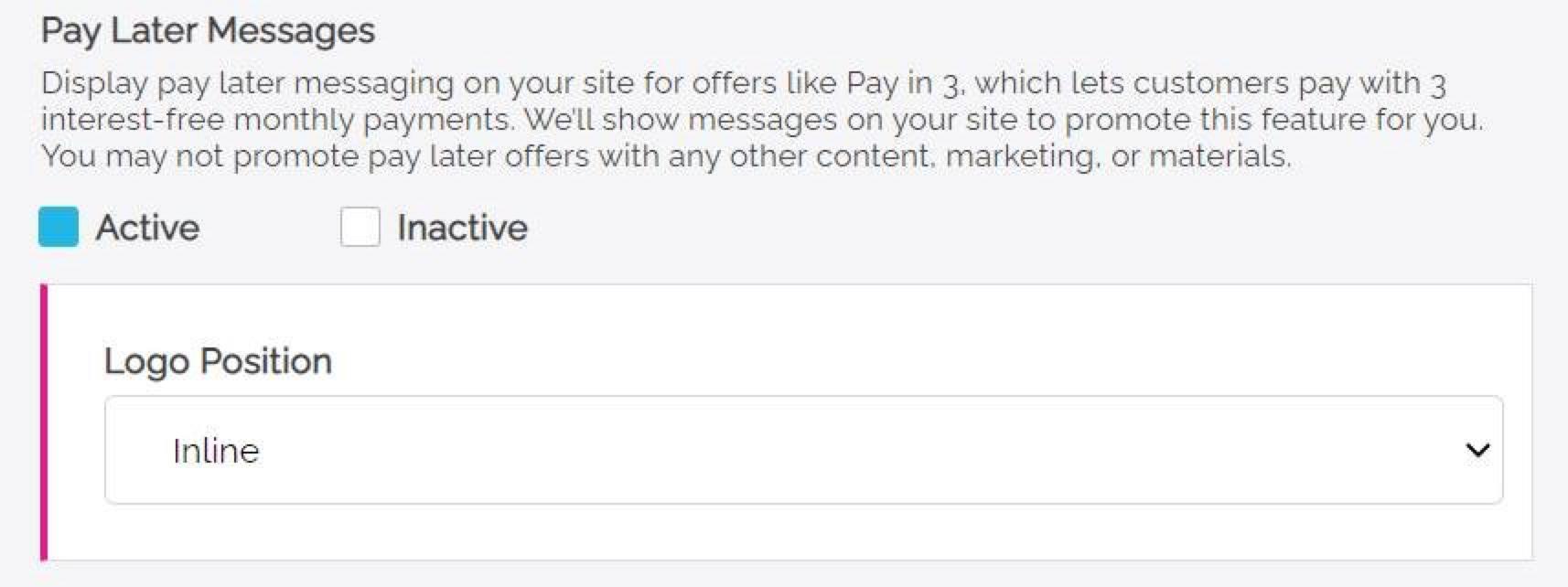
- After you have competed onboarding, set Pay Later Messaging to active and select your preferences.
Enable the messaging as an existing user
To enable the Pay Later messaging and button as an existing user, complete the following:
- Log into your Freewebstore account.
- Expand the Orders pane on the left-hand side of the screen.
- Select checkout.
- In the PayPal admin pane set Pay Later Messaging to active and select your preferences.
See also
Visit PayPal for Freewebstore to learn more about PayPal Commerce Platform for Freewebstore.