Enable Pay Later messaging on SAP
Last updated: October 20, 2026
Copy / Export
Promote PayPal Pay Later products using messaging on your SAP store.
PayPal offers financing options that let your customers buy now and pay later, while you get paid up front. For more information about Pay Later, see Buy now, pay later.
Pay Later messaging includes Pay in 4X and Pay in 6, 12 or 24X, which eligible French buyers can use to pay for their purchases.
Know before you begin
-
Before you begin, learn more about Pay Later products.
-
You meet all the eligibility criteria for France.
Enable the messaging
To enable Pay Later messaging, complete the following:
-
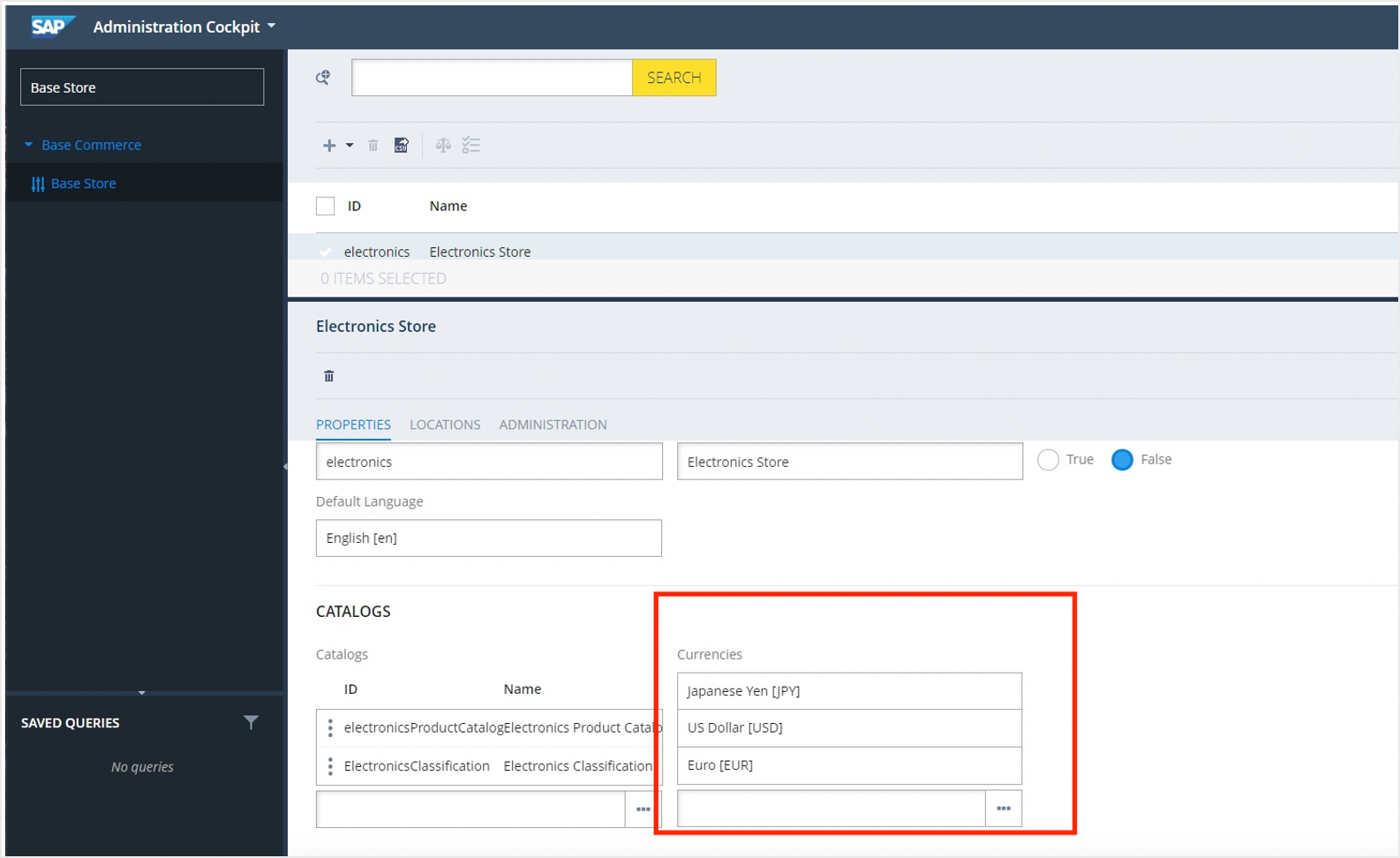
Log into your SAP Backoffice.
-
Select Base Store and add Euro (EUR) as a currency for your store.
-
Log into SAP Hybris Administration Console (HAC) and navigate to Configuration Properties.
-
Add your FR Business Account client ID and secret key into the following fields:
paypal.client.idandpaypal.secret.key. -
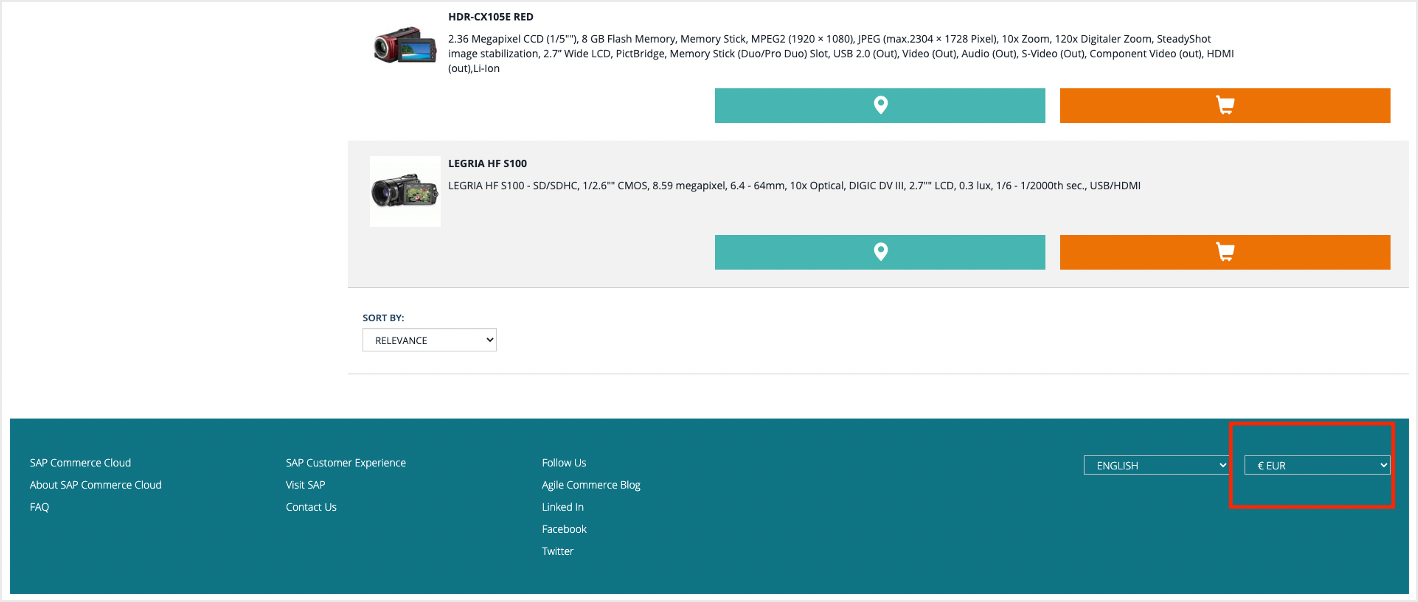
Go to your SAP Storefront. Scroll down to the footer and change the currency to EUR.
-
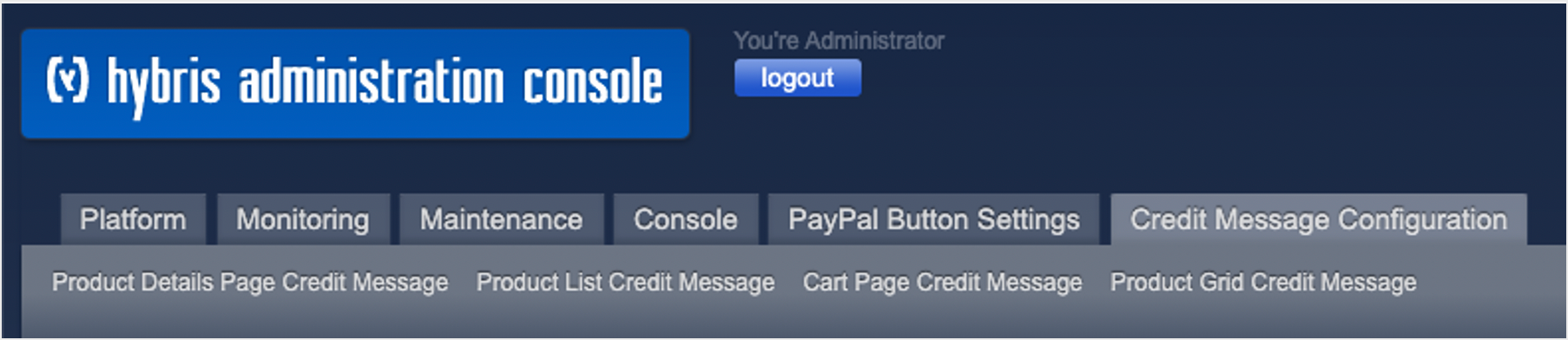
From the SAP HAC, go to the Credit Message Configuration tab and select the banner location you want.
-
Configure the banner appearance and select Save.

Step result
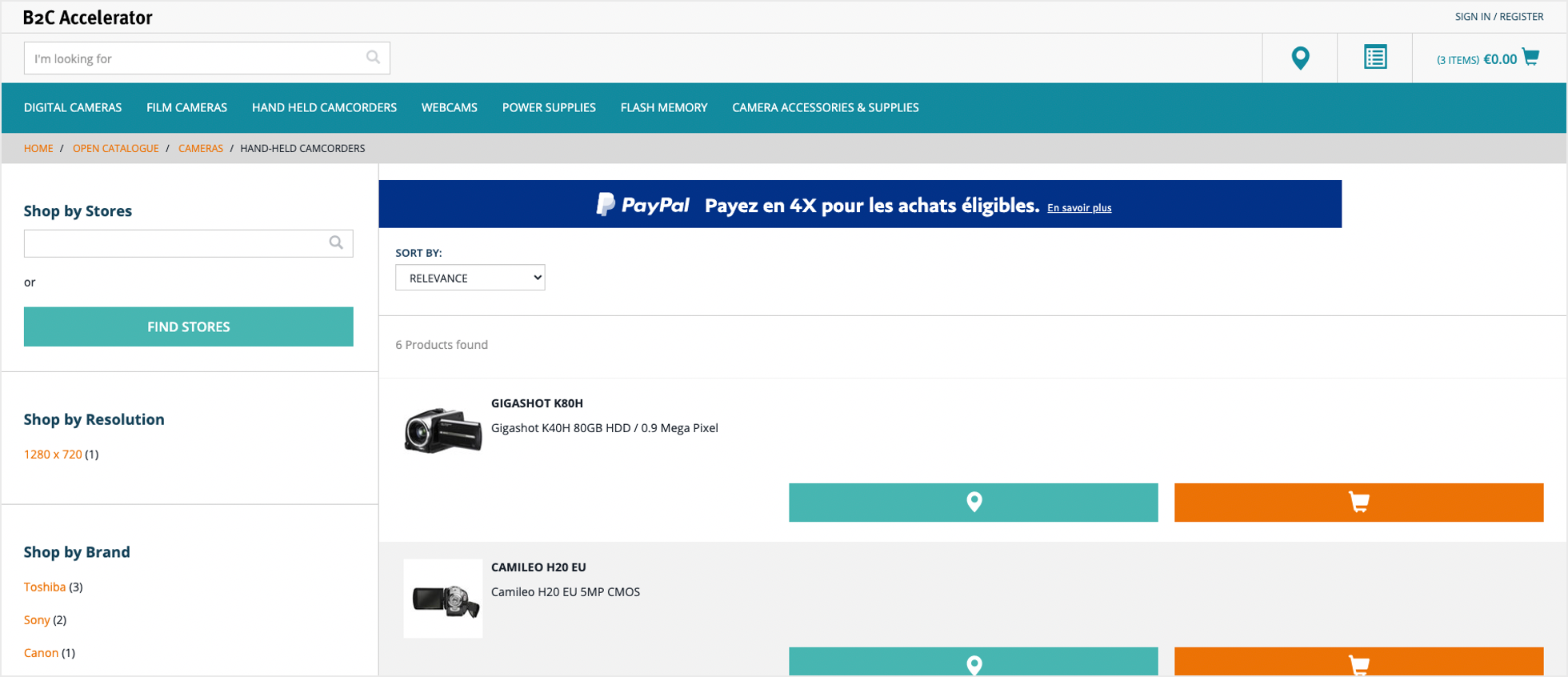
You have enabled Pay Later messaging on your SAP store. Go to your SAP Storefront to view the banner.