On this page
No Headings
Last updated: August 11, 2026
Promote PayPal Pay Later products using messaging and buttons on your Shift4Shop (formerly 3dcart) store.
PayPal offers short-term, interest-free payments that buyers can use to buy now and pay later. You get paid up-front.
Pay Later messaging includes Pay in 3, which UK buyers can use to pay for purchases of £20 to £3,000 in three, interest-free payments. It also includes Pay in 30 Days, which UK buyers can use to pay the full amount in 30 days with no interest or fees, for purchases of £1 to £900.
These are sample pages that have Pay Later messaging enabled for webpages and mobile devices.
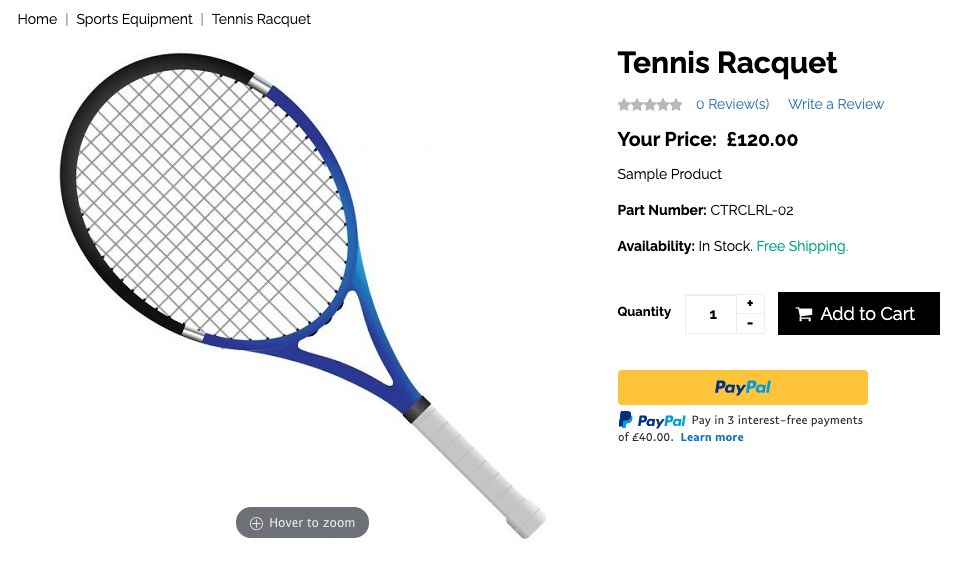

When you set up PayPal Checkout on Shift4Shop, Pay Later buttons and messages are enabled by default.
To customize the messaging and button, complete the following:
Log in to your Shift4Shop admin panel.
Select Settings > Payment > Select Payment Methods.
Select the toggle.

Select PayPal Checkout + Credit Card Processing or PayPal Checkout.
Select Connect with PayPal.

Log in to your PayPal account or create a new account. Follow the prompts to provide any needed business information.
Once complete, return to the Shift4Shop admin panel home.
The Shift4Shop page shows two check boxes to enable Pay Later messaging and button:
Add a PayPal Credit payment button to your store. This displays the Pay Later button.
Show PayPal Credit Messaging. This displays Pay Later messaging, which includes PayPal Pay in 3.
If you set up PayPal Checkout for the first time, these two check boxes are enabled by default. If you're an existing user, make sure to enable the check boxes.
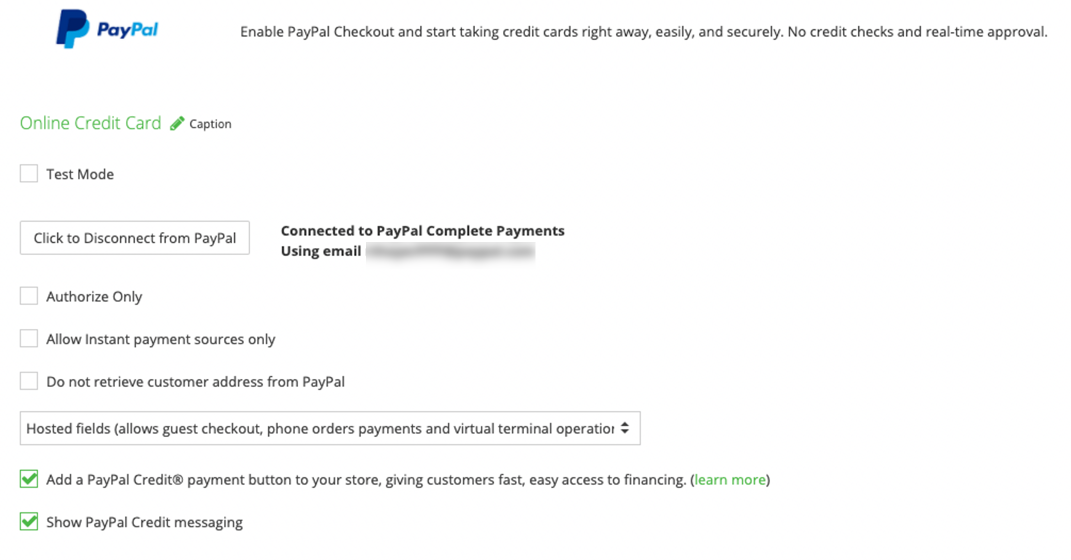
Login to Shift4Shop and go to your payment settings to add buttons and messaging for Pay Later products.