On this page
No Headings
Last updated: July 6, 2026
Promote PayPal Pay Later offers using messaging and buttons on your Viva Wallet store.
PayPal offers short-term, interest-free payments and other special financing options that buyers can use to buy now and pay later. You get paid up-front, and there are no additional costs.
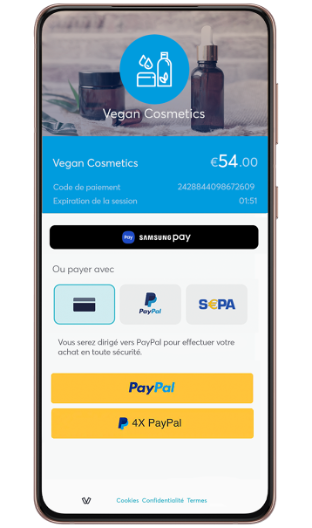
Pay Later includes Pay in 4X, which eligible France buyers can use to pay in four interest-free payments for purchases of 30€ – 2,000€. The first payment is due at the time of the transaction. The subsequent payments spread across 90 days.
Sign in to your production Viva Wallet account.
Click on Settings > API Access and scroll down to the PayPal (Payment Method) section. Click on the Enable PayPal as a payment method button.
If you already have a PayPal Business Account:
If you do not already have a PayPal Business Account:
Complete the details and click Agree and Create Account button.
Complete the first window that pops up and click Next.
After completion of the second window, click on Submit.
A window is displayed stating that you need to confirm your email address to activate your account. Go to your email and confirm activation of your PayPal account.
Close the window and refresh the Viva Wallet Settings > API Access page. PayPal will appear as a payment method once PayPal approves the integration.
See the Viva Wallet documentation page for PayPal Checkout to learn more about Viva Wallet PayPal Payments.