PayPal for Visual Studio Code
Last updated: June 16, 2026
Copy / Export
The PayPal AI migration assistant is our latest AI tool for developers available as a PayPal extension for Visual Studio Code (VS Code). The PayPal AI migration assistant leverages GitHub's Copilot Agent's contextual understanding to upgrade your legacy integration code using NVP API or SOAP API. The assistant generates REST API equivalents in various programming languages and provides step-by-step migration instructions with inline comments.
Features
With the PayPal VS Code extension, you can:
- Initiate AI migration assistance.
- Build and test PayPal integrations.
- Experiment with new code examples and programming techniques.
- See API and event logs in the Developer Dashboard.
- Discover recommendations tailored to the developer's workspace.
- Improve developer productivity by reducing the need for external searches.
- Use detailed migration steps and code snippets, reducing the likelihood of human error.
Install PayPal VS Code extension
- Visit the VS Code extension marketplace or open the Extensions view in the VS Code Integrated Development Environment (IDE).
- In the Extensions view, enter
PayPalin the search bar. - Select Install to add the extension to your VS Code.
Initiate AI migration assistant
- Open the PayPal VS Code extension by selecting the PayPal icon in the side navigation.
- To access the AI migration assistant launcher, expand the PayPal AI Assistant panel and select Ask PayPal Assistant to open the prompt input control.
- When the GitHub Copilot chat opens, the AI migration assistant's prompt input will be displayed.
- Get help and share your experiences or improvement ideas by using the PayPal VS Code extension's Help and Feedbackdropdown menu, or send an email to dev-tools-fbl@paypal.com.
Note: The AI migration assistant has a dependency on the GitHub Copilot Chat VS Code extension, and you will need to install this dependency before installing the PayPal VS Code extension.
Follow assistant guidance
- The assistant will provide context-aware recommendations, code snippets, and best practices for migrating your code.
- Follow the step-by-step instructions to transform your legacy PayPal API usage to the latest REST APIs.
By leveraging AI-powered insights and seamless chat-based interactions, the PayPal AI migration assistant simplifies the transition from legacy PayPal APIs to modern REST APIs, enhancing the developer experience and enabling your business to stay ahead with the latest PayPal capabilities.
Get started
Leverage the powerful PayPal Assistant feature of PayPal's VS Code extension quickly:
- Ask "What are your capabilities?" to learn what it can do.
- Ask how it can help upgrade your PayPal integration code.
- Use our AI PromptKit to get copy-and-paste prompts that are based on common upgrade use cases.
Use code samples
You can download PayPal code samples directly into VS Code. Select a sample under PayPal Samples, and choose an integration from the Command Palette.
Specify where you want to download the code samples to your workspace. Select the PayPal logo, and select the sample.
Tip: To get a client ID and client secret for your app, check out Get started with PayPal REST APIs.
Find code snippets
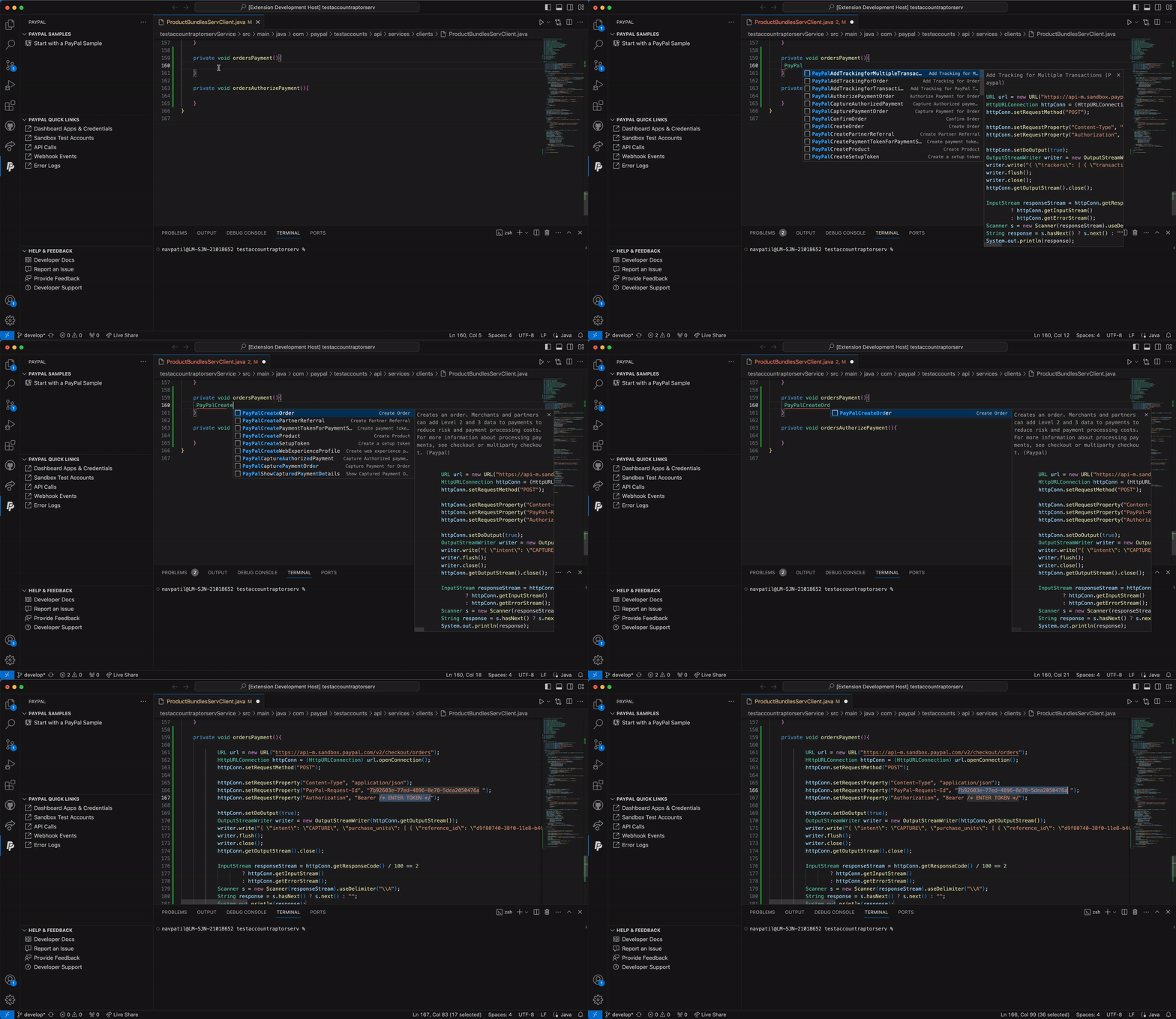
The code snippets module provides a library of pre-defined code snippets in programming languages such as Java, Node, and Python.
You can use PayPal API names, such as PayPalCreateOrder, to
insert code snippets into the VS Code editor. This feature is
available for all PayPal APIs. You can also add APIs directly from VS Code.
Tip: Tab through sample tokens to replace them with tokens specific to your application.
Access quick links
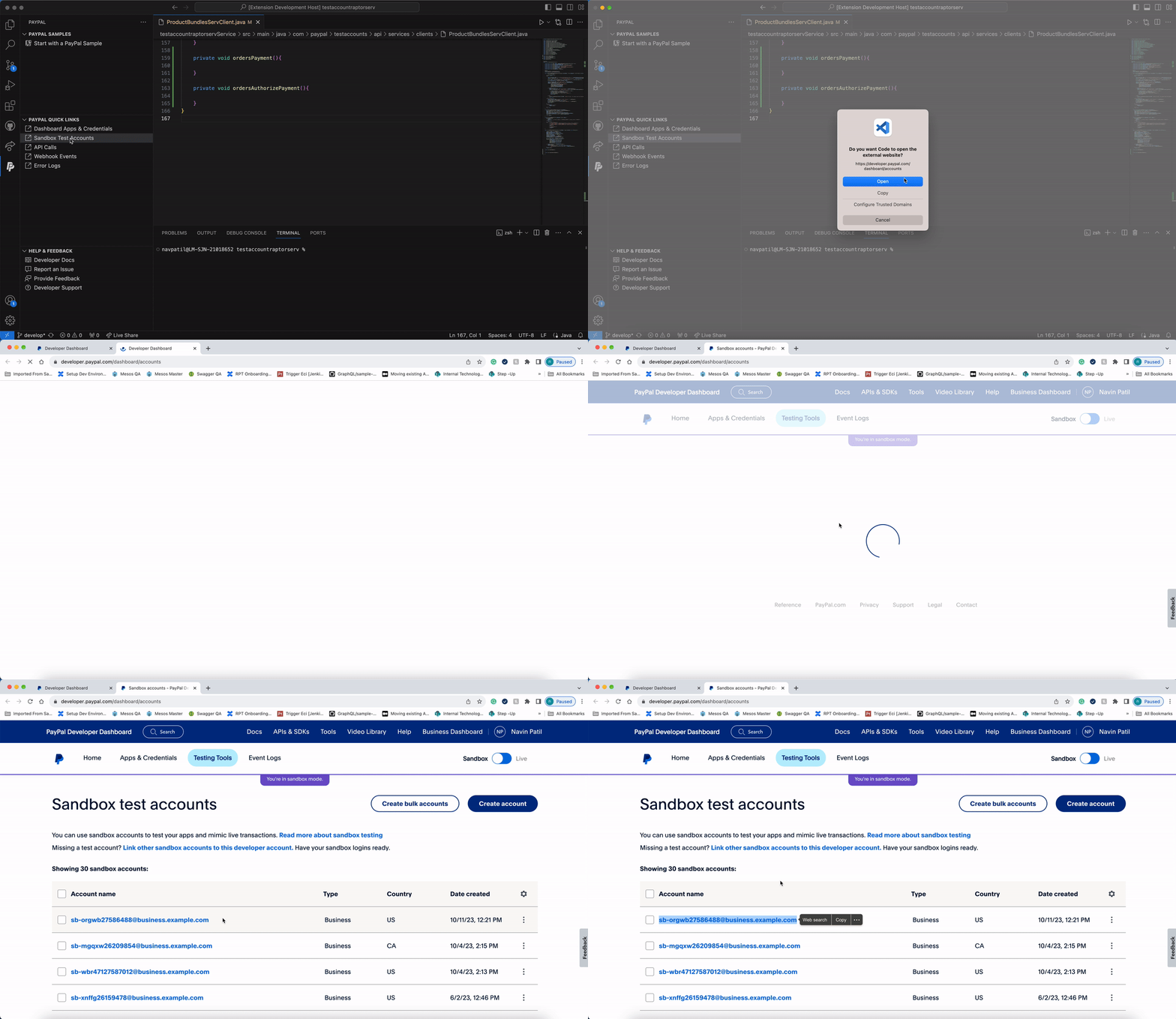
The following links are available directly in the extension:
Use Command Palette
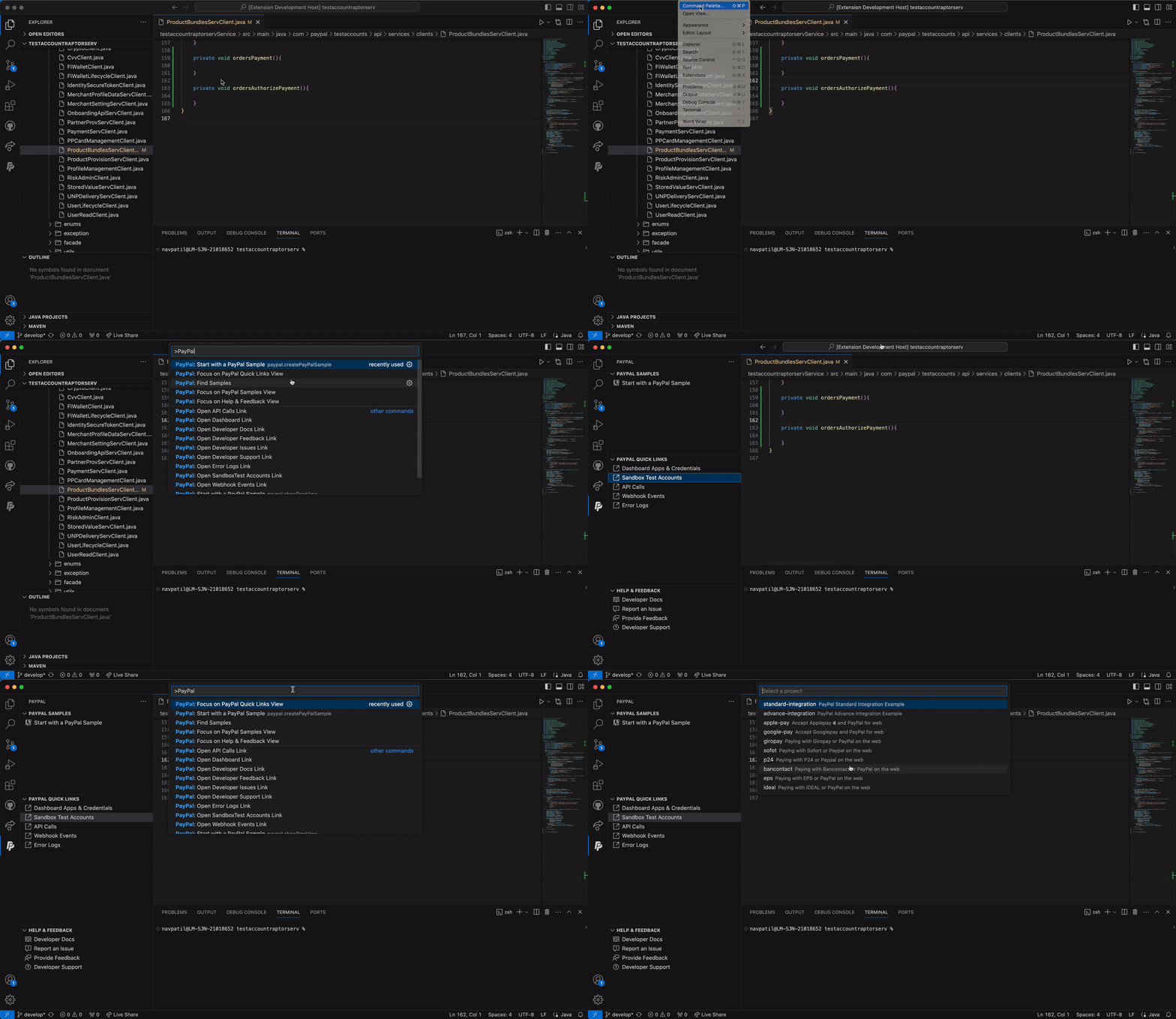
This extension supports commands through the Command Palette of VS Code.
To see a full list of PayPal-related commands, select
View > Command Palette, and type >PayPal.
Help and feedback
To ask for help from the PayPal community, read FAQs, or contact us, visit PayPal Developer support.