On this page
No Headings
Last updated: June 4, 2026
Important: PayPal Plus Germany is not available for new integrations. PayPal provides this documentation to support existing integrations. For new integrations, see the PayPal Checkout Integration Guide.
PayPal PLUS replaces your Payment Selection Page (PSP) with the PayPal-hosted payment wall, which is the payment selection iframe. PayPal PLUS renders the payment wall on demand and bases it on the approval_url in the links object of the create payment response. Complete these steps to walk through a basic integration.
Include the JavaScript library on your checkout page using the following script:
<script src="https://www.paypalobjects.com/webstatic/ppplus/ppplus.min.js" type="text/javascript">
</script>
Define a placeholder DIV on your checkout page for the PSP:
<div id="ppplus">
</div>
Render the payment wall using the following script.
<script type="application/javascript">
    var ppp = PAYPAL.apps.PPP({
    "approvalUrl": "'.$approval_url.'",
    "placeholder": "ppplus",
    "mode": "sandbox",
    "country": "DE"
    });
</script>
In the script, the parameters are:
| Parameter | Type | Description |
|---|---|---|
approval_URL | String | Required. Returned as approval_url in the previous create payment call. |
placeholder | String | Required. The ID of the DOM object where the PSP is mounted in the page. The PSP sets the object's width. |
mode | enum | The library that loads the PSP:
Note: The library emits a warning to the console if mode is set to sandbox. This warning is displayed in live mode only for required parameters. live. |
country | ISO 3166-1 alpha-2 | Required. The country where the PayPal PLUS service is deployed, for example, FR, GB, DE, or US which is the default. Get the country code from the buyer's billing address. |
Based on the billing address country provided, buyers see PayPal's available funding sources for their country of origin. Additionally you can host up to 10 non-PayPal payment methods within the payment wall. For example:
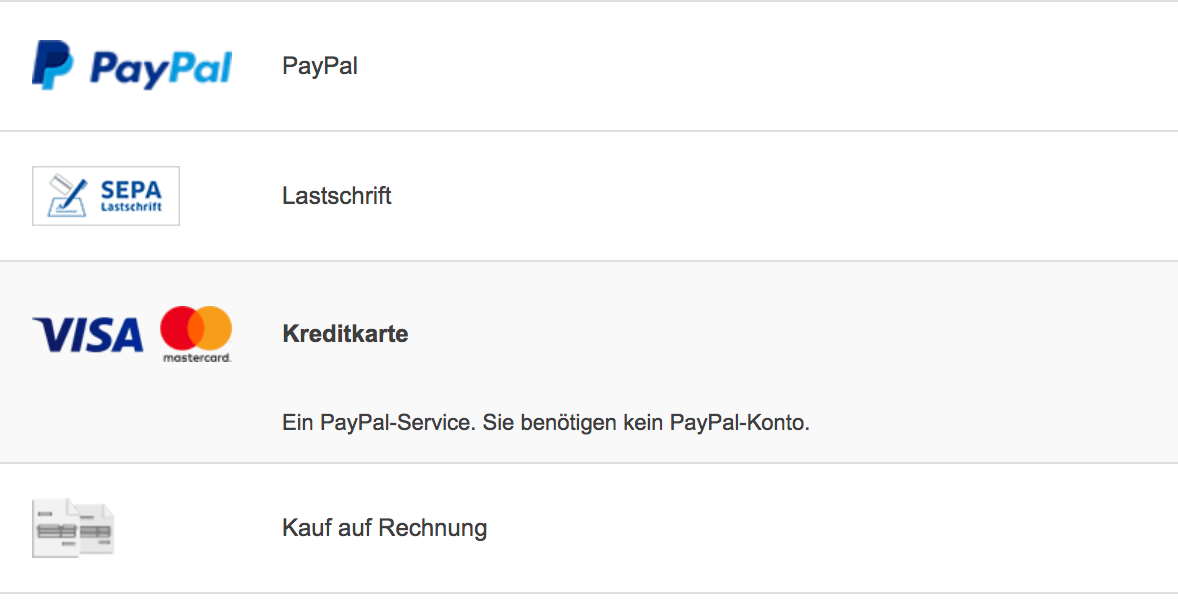
A payment button is provided with the payment wall and can be set on the buttonLocation parameter to be:
inside. Renders the button within the iframe.outside. Uses a DOM object that you provide to render the button outside the iframe.The Continue button is a variation of the outside button. Use the Continue button to direct a buyer to an additional page in your checkout flow that's outside the iframe. On this additional page, place a button that redirects the buyer back to a PayPal landing page. Use the PAYPAL.apps.ppp.doCheckout function to implement the redirect.
You can also customize your payment wall.