Activating FPA for direct merchants
Last updated: October 14, 2026
Copy / Export
Activating FPA through business tools
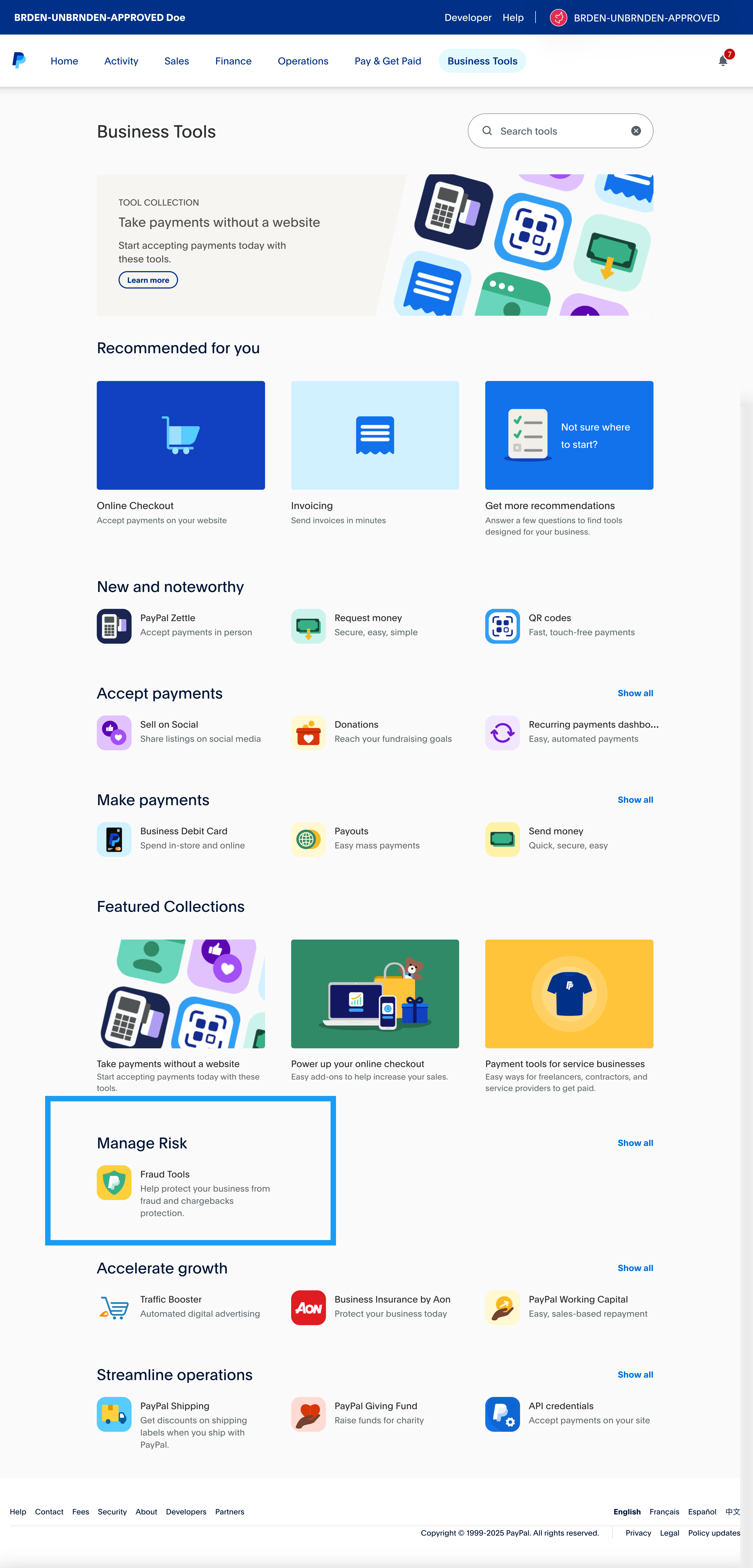
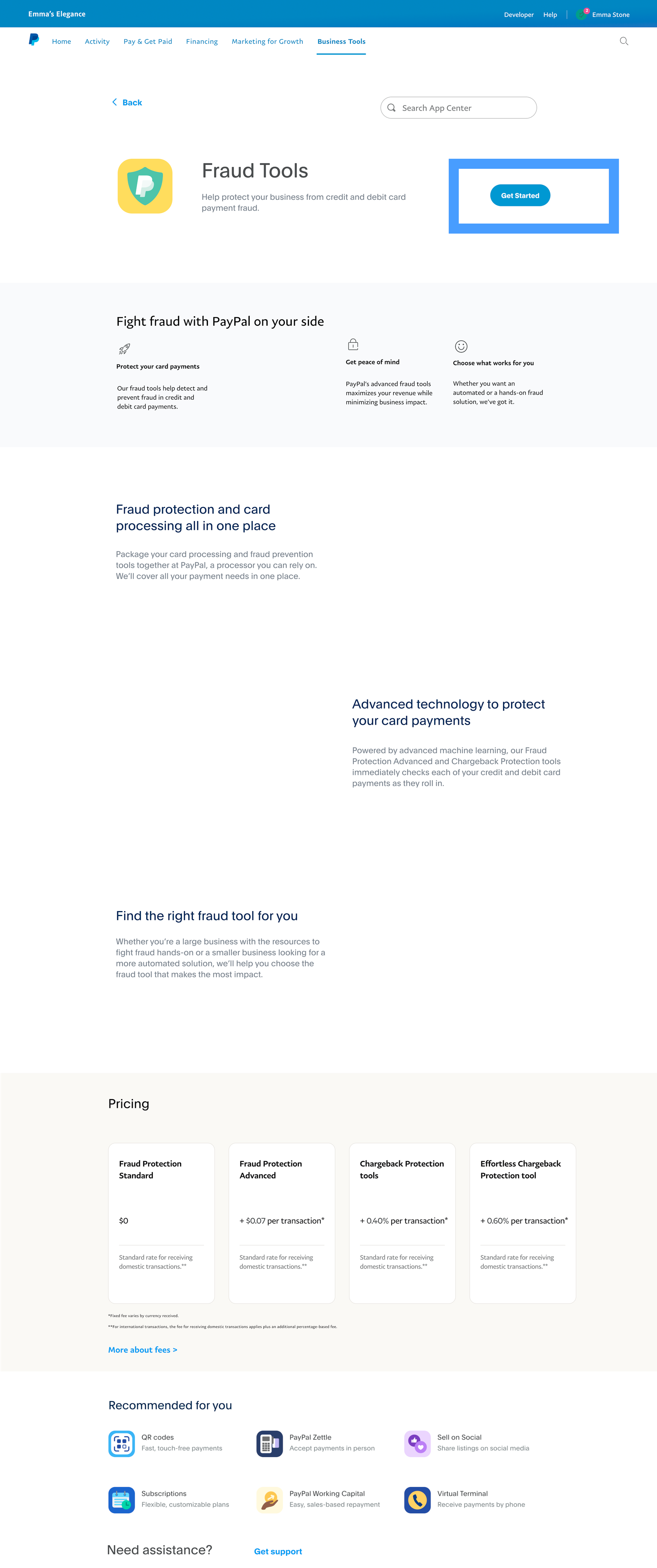
- In Business Tools, navigate to the Manage Risk section. Select the Fraud Tools tile highlighted in the following screenshot. On the next screen, select Get Started.
- Select Do it yourself with PayPal's fraud tool and then select Next. If you select comparison chart, you'll see a detailed comparison of features for Fraud Protection (FP), Fraud Protection Advanced (FPA), and Chargeback protection, as shown in the following screenshots:
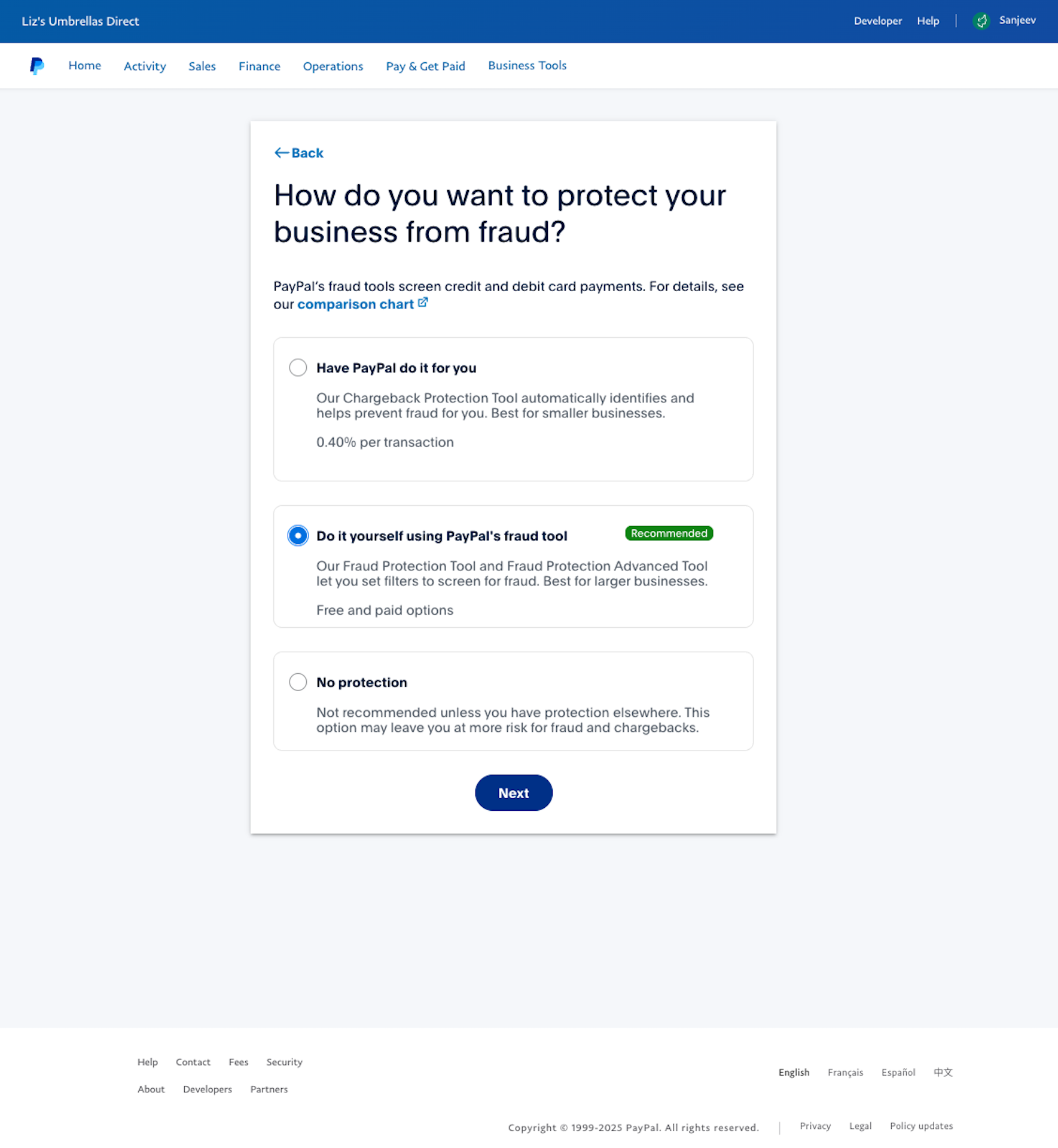
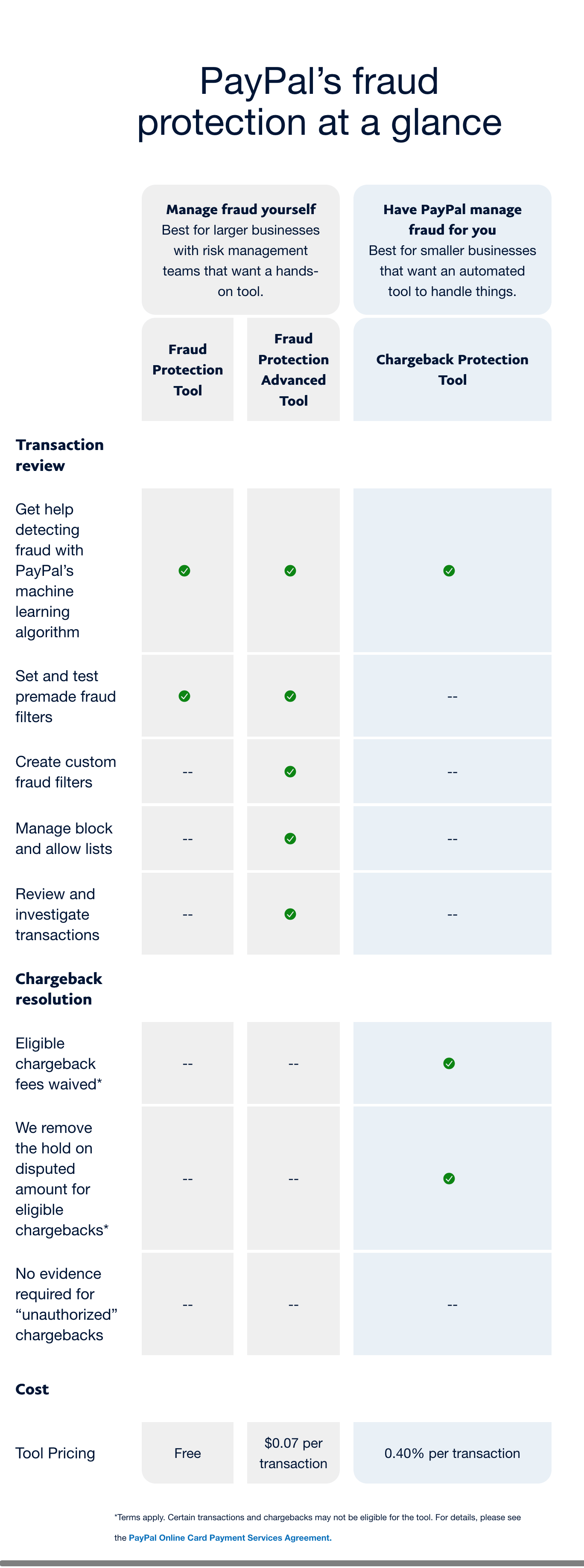
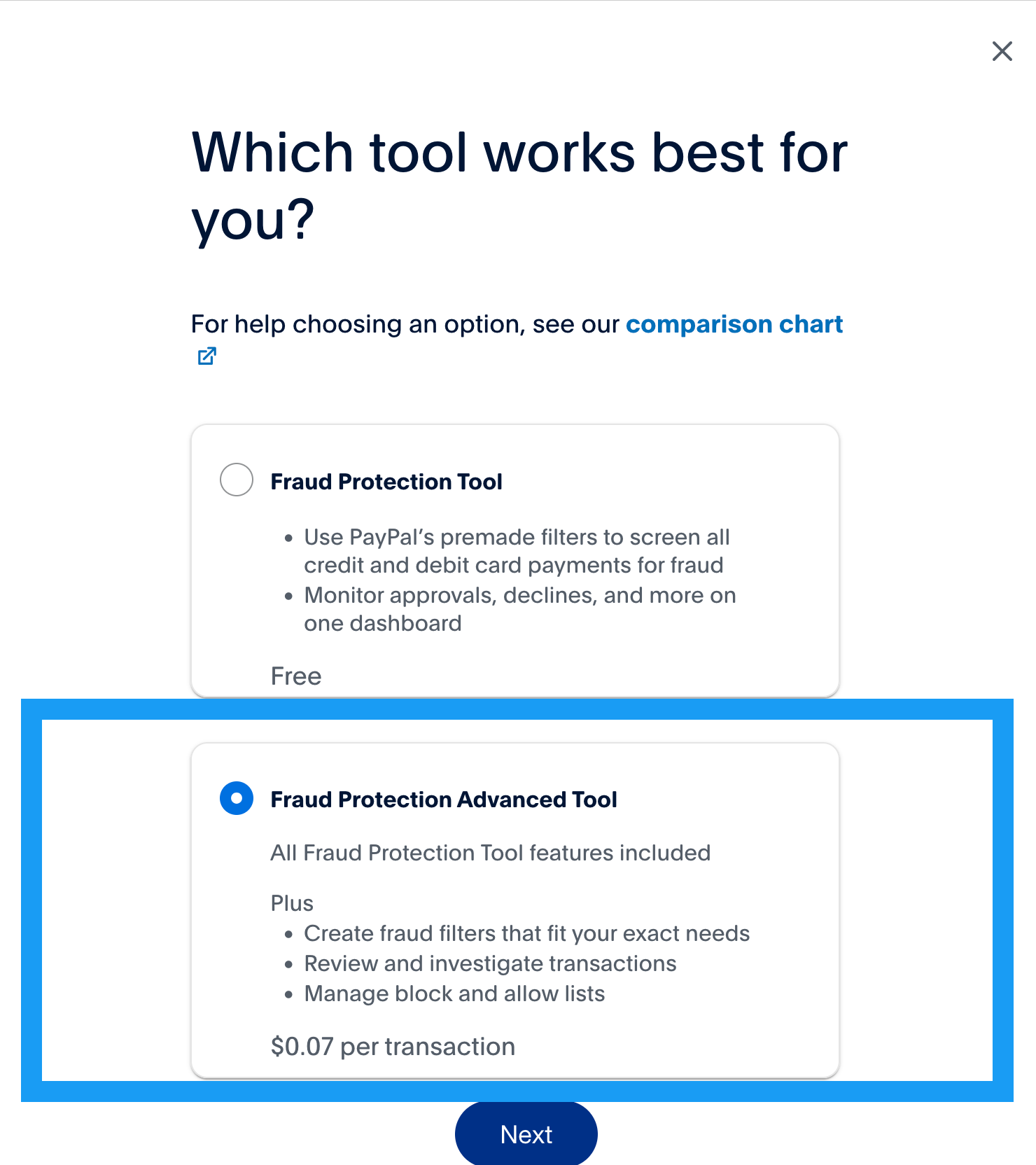
- A recommended solution will be preselected for you based on your business metrics. However, you can modify the selection if you want. Make sure the Fraud Protection Advanced Tool is selected and select Next.
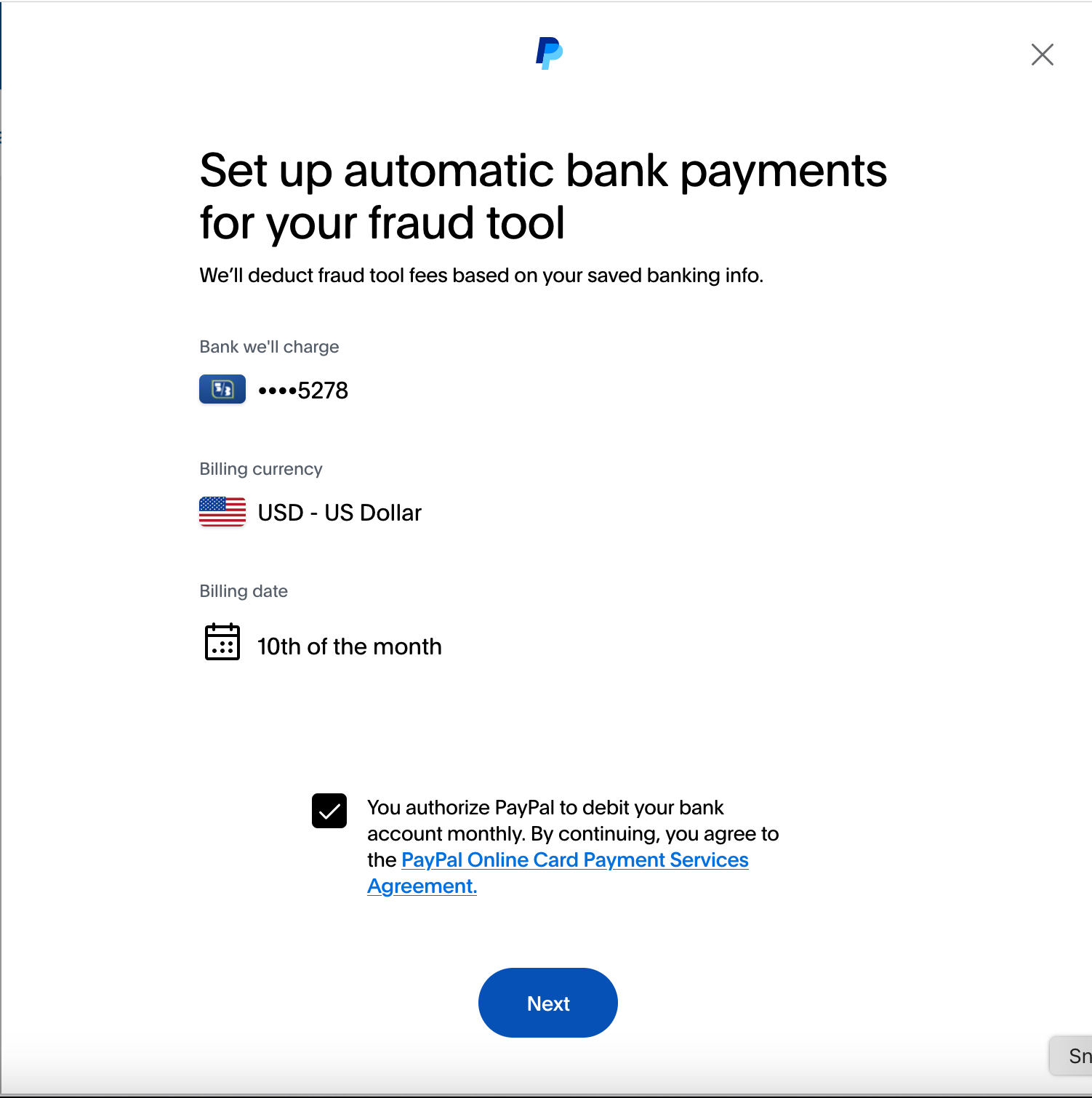
- Confirm your details to set up automatic bank payments for your fraud tool, and select Next.
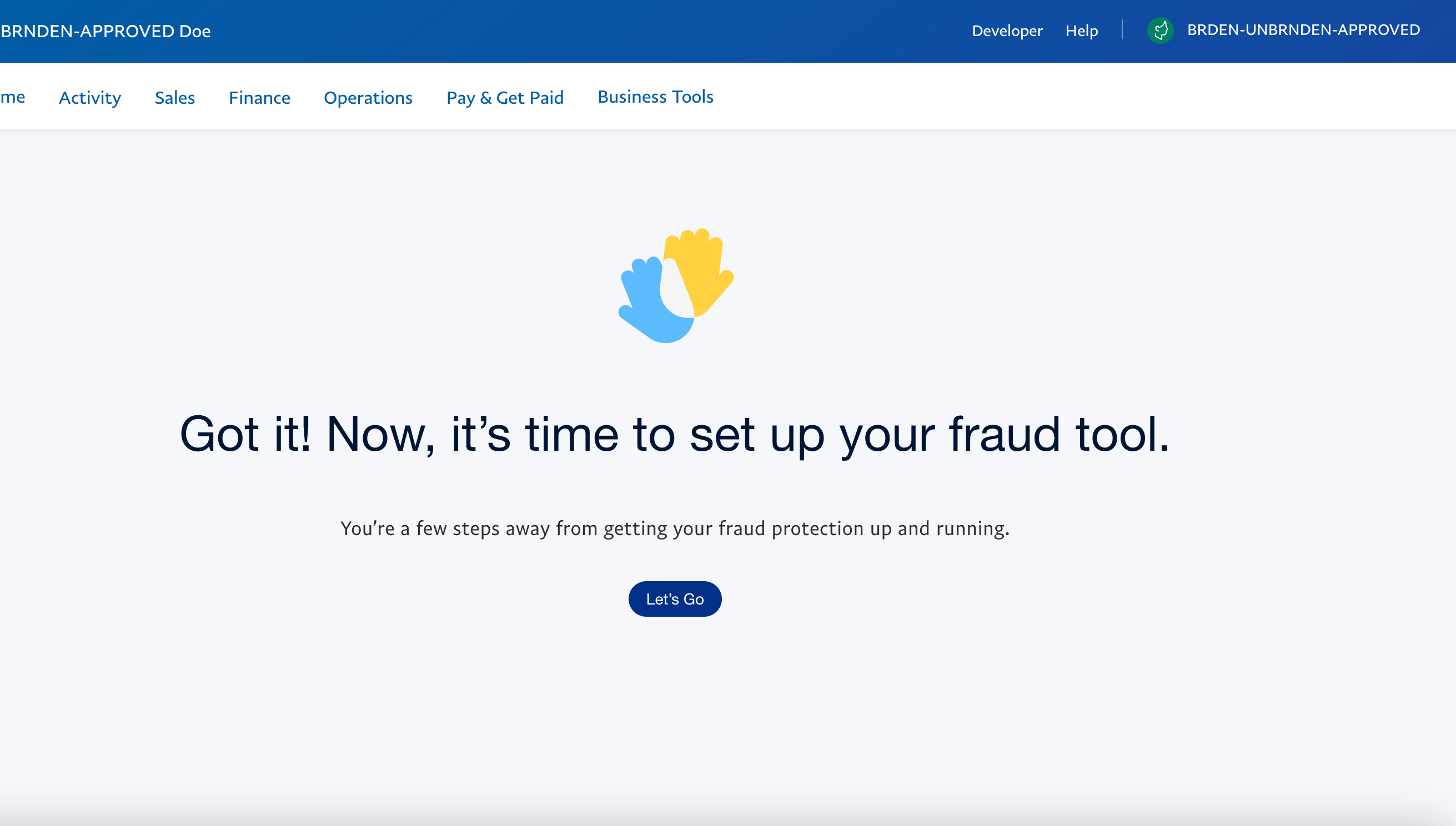
- Select Let's Go to open the Fraud Protection Advanced tool and begin customizing your fraud tool.
Activating FPA through account settings
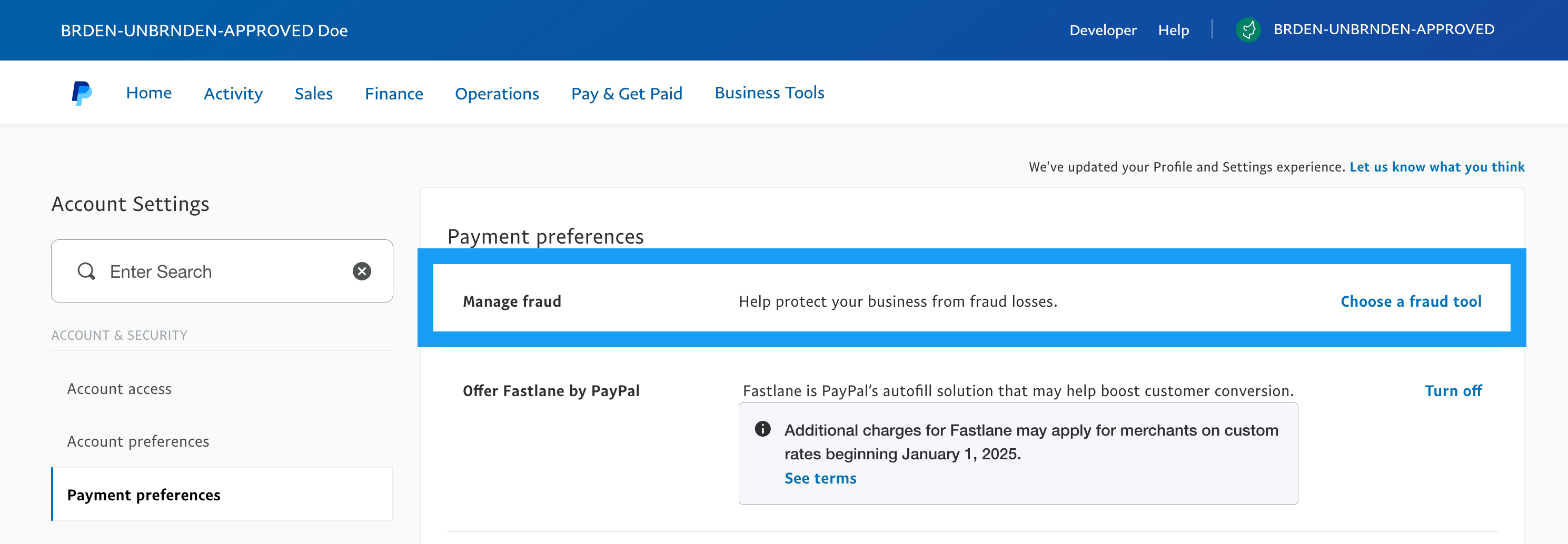
Go to your Account Settings, select Payment preferences. Next to the Manage fraudsection, select Choose a fraud tool.
Follow steps 2 through 5 in Activating FPA through Business Tools to complete the activation process.
Next steps
Create and set up filters
Use filters to decide whether FPA approves, rejects, or puts a transaction into a review queue.
Manage lists
Use the lists feature to manage information and work with their rules to help prevent fraud.
Review transactions
Review transactions that are flagged for review.
Monitor FPA activity
You can track which users made changes and when these changes occurred.