Review transactions
Last updated: October 14, 2026
Copy / Export
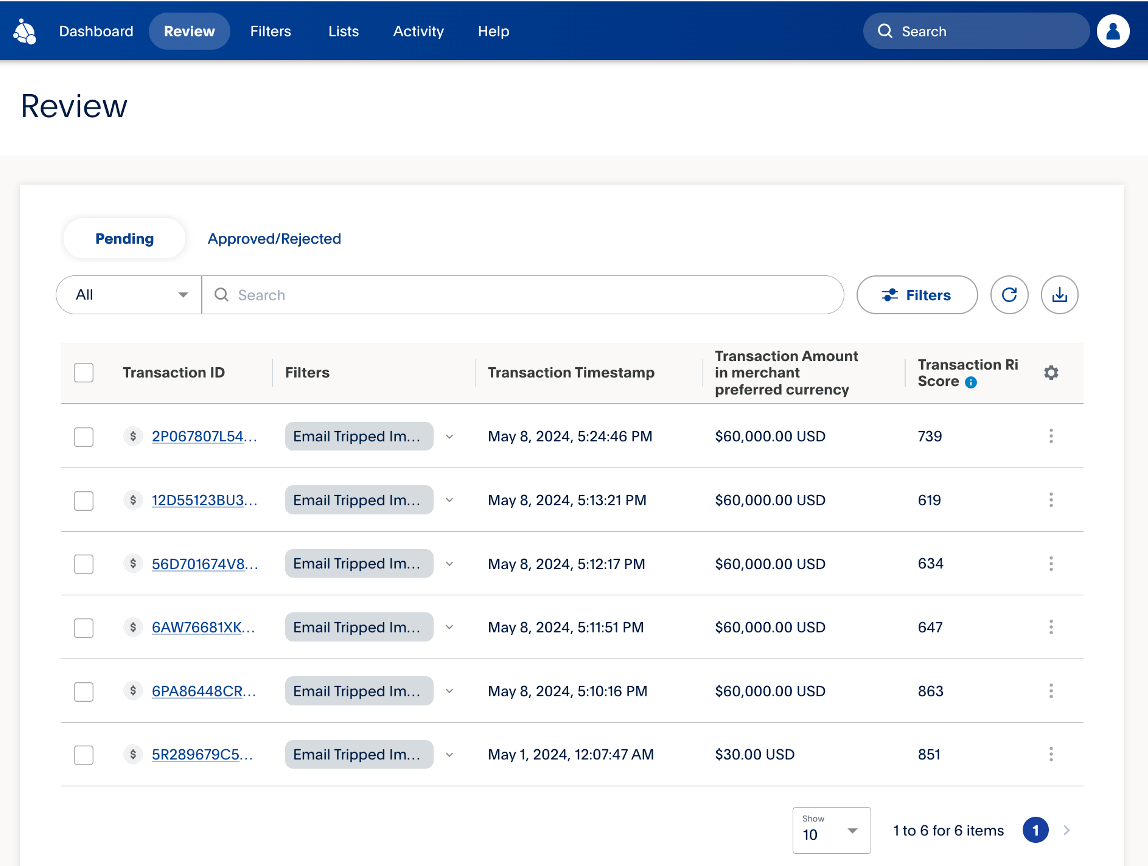
Transactions that are flagged for review will go into a single queue. The Review tab displays the filters that flagged the transaction, the time that the transaction occurred, and the risk score.
Review a transaction
You can review transactions using the following steps:
- From the Review tab, select the Transaction ID of the transaction you'd like to review.
- Review all the details and select Submitafter making a decision.
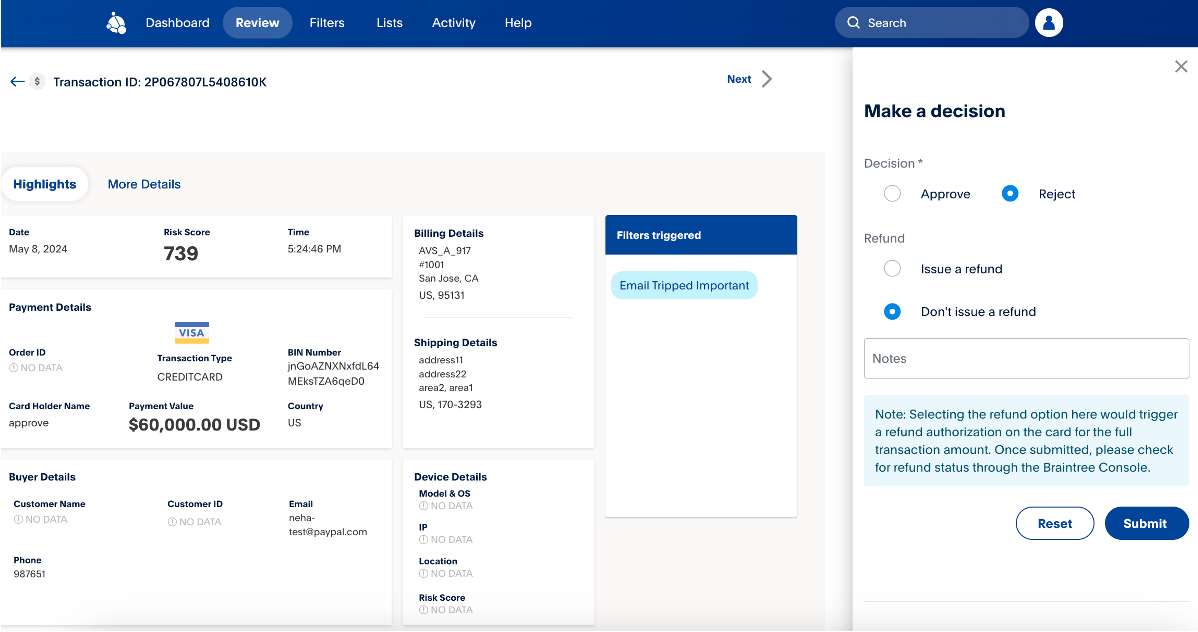
Note: You have 30 days to review a transaction. It will only be available for review during this period.
To view a detailed report of attempted and declined transactions, see Attempts and Declines Report User Guide.
Related resources
Create and set up filters
Use filters to decide whether FPA approves, rejects, or puts a transaction into a review queue.
Manage lists
Use the lists feature to manage information and work with their rules to help prevent fraud.
Monitor FPA activity
You can track which users made changes and when these changes occurred.