Overview
Last updated: Aug 15th, 6:17am
Overview
Log in with PayPal (formerly Connect with PayPal) enables a customer to log into your website or app using their PayPal credentials or they can link their PayPal account to your website or app so that basic information can be shared.
You can then use this shared information to facilitate the customer's activities on your website or app. For example, to create new accounts, to prefill customer information in forms, or validate the customer's information.
Log in with PayPal is available for desktop web and mobile web.
Use cases
Log in with PayPal enables two key experiences:
- Account creation and login
- Account linking for accessing user info
Account creation and login
With Log in with PayPal the customer can create an account on your website/app without having to set a password. The customer can also share basic profile information with you that can be prefilled in their account to make their onboarding experience simple and convenient. These improvements lead to higher conversion since the customers have only one user ID and password to remember, they can have fewer forms to fill out, and they trust PayPal to secure their personal and financial information. Once the account is created, the customer is able to log in to your website or app using their PayPal credentials.
Log in with PayPal works in synergy with other PayPal products, so that your users get a frictionless experience when paying with PayPal once they have Logged in with PayPal on your website.
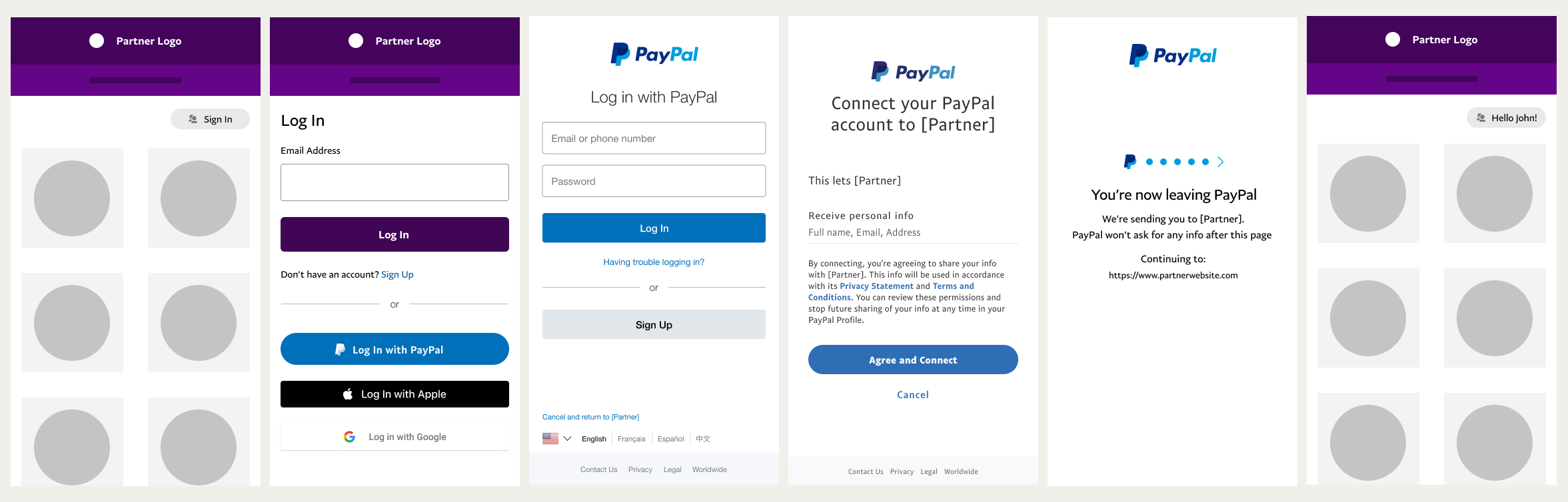
The following image shows a typical user experience flow for Log in with PayPal when used for account creation:
Account linking for accessing user info
Log in with PayPal allows the customer to give permissions to share profile information with you, such as email, address, and their PayPal account verification status. This enables you to prefill or validate your customers’ information to ensure successful experiences within your website or app for activities such as payouts, pre-filling forms, calculation of delivery fees and more.
The following image shows a typical user experience flow for Log in with PayPal when used for account linking and sharing of profile information:

Benefits of Log in with PayPal
Log in with PayPal has benefits for both merchants and consumers.
Merchant benefits include:
- Millions of active PayPal users - The ability to leverage PayPal's 350 million active members.
- Streamlined experiences - Customers can skip filling forms at account creation and checkout.
- Rich and accurate customer data – Users profile information on PayPal is accurate and up to date. This lets you access information which would be difficult to collect via your own registration form.
- Open standards - The solution uses OAuth 2.0 and OpenID Connect to securely log in users and manage permissions.
- Improved results - Easier account creation often leads to reduced cart abandonment and increased conversion rates.
Customer benefits include:
- Brand trust and data security - Consumers trust PayPal’s brand and security for logging in and sharing profile information.
- Seamless login and payment experiences – Using Log in with PayPal and PayPal payment products results in a seamless end-to-end shopping experience.
User experience
Log in with PayPal streamlines the user experience from login to account linking.
The customer comes to your site and clicks the Log in with PayPal button.
The customer enters their PayPal email and password. If they don't have a PayPal account, they can sign up for one.

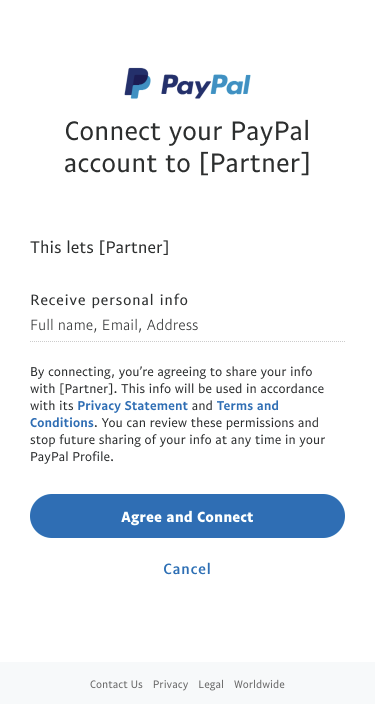
The customer agrees to share some basic non-financial account information with your site such as their name, email, and address.
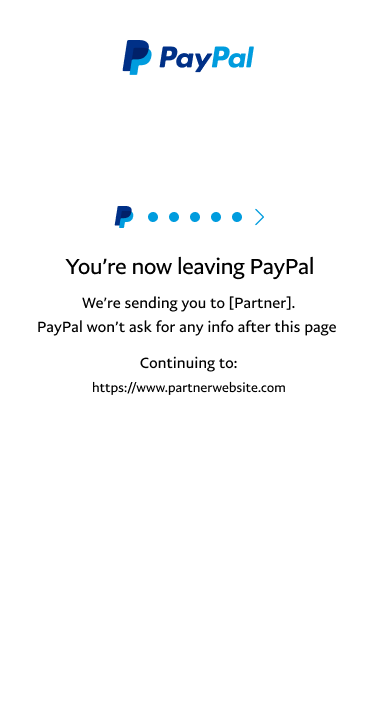
The customer is transitioned to your site. This step reminds the customer that they are being directed away from PayPal to another site that is not covered by PayPal's privacy rules and obligations.
The customer enters your site and you receive an authorization code from PayPal.
After the customer goes through the initial Log in with PayPal experience, they are able to log into your site by providing their PayPal credentials, but they will not be asked for additional consent.