Get Started
DOCS
Last updated: Sept 23rd, 6:20pm
The PayPal Android SDK integration requires usage of both the client-side SDK and a server-side integration with PayPal's Orders v2 API. This section addresses the server-side integration process.
If you have already set-up your server environment, skip to the server setup instructions and make sure your server covers these functionalities.
Obtain API Authorization
The PayPal REST API uses the OAuth 2.0 protocol to authorize calls. Before you can make calls to the Orders v2 API, as needed by the Commerce Platform SDK, you must get the following credentials:
- Sandbox app account
- Client ID and secret
- API access token
To generate REST API credentials for your sandbox environment:
- with your PayPal account credentials. If you don't have an account, you can click on the
sign upoption. - On
My Apps & Credentials, use the toggle to switch between live and sandbox testing apps.Note: If you are creating a Sandbox app, you will also need to select a test business account that will act as the API caller. For more details, see Get Started. 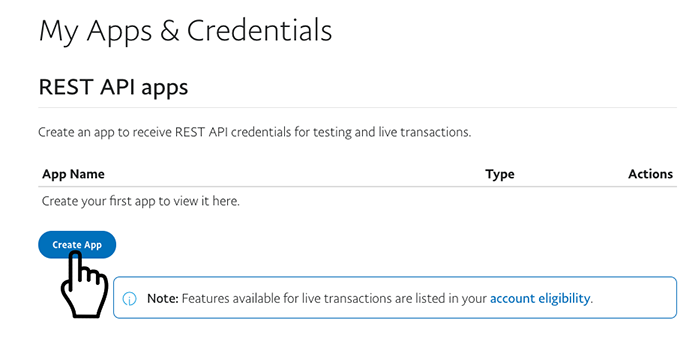
- Navigate to the
REST API appssection and clickCreate App. - Type a name for your app and click Create App. The app details page opens and displays your credentials.
- Copy and save the
client IDandsecretfor your app (clickShowto display the actualSecretvalue). - In the
Sandbox App Settingssection, open theReturn URLform by clickingShow, then enter the Android Deep Link you set at the time you registered your app domain with Google.