Stop Giving AI More Documentation. Give It an API.

Jul 13, 2026
26 min read

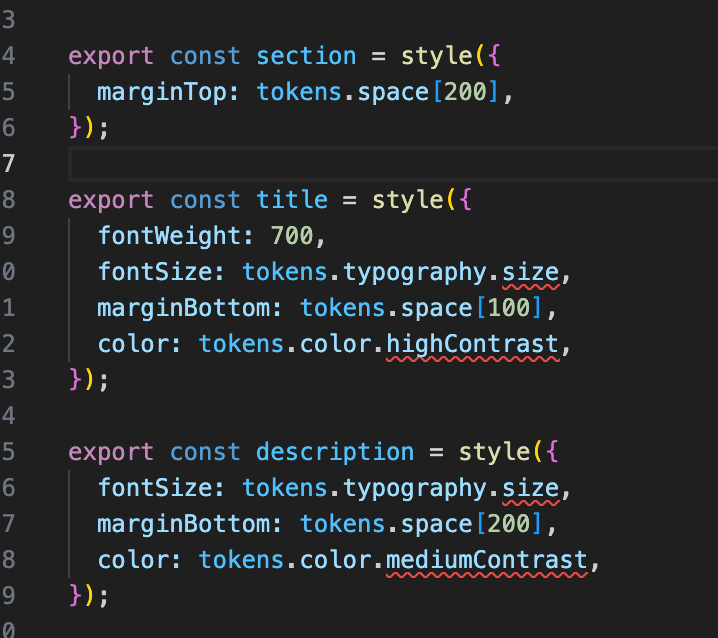
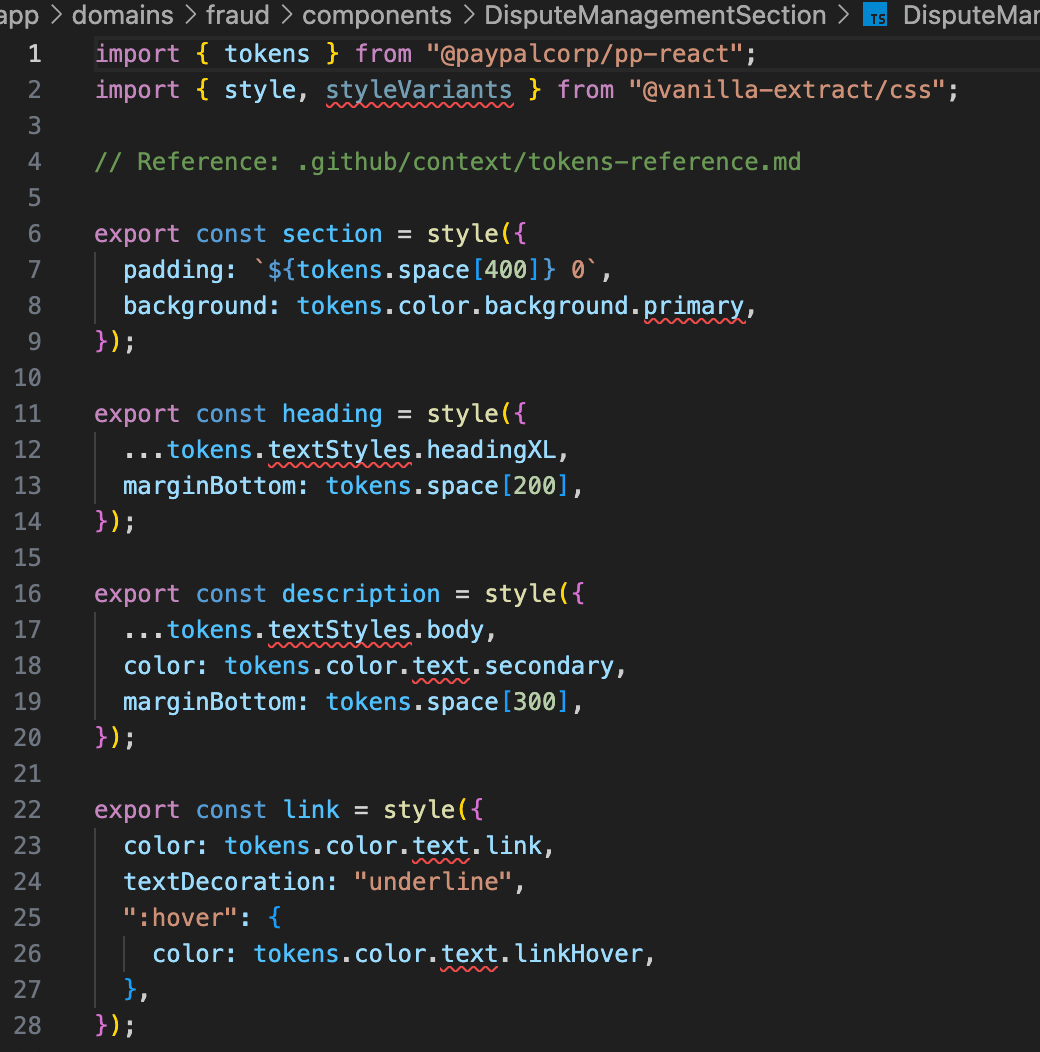
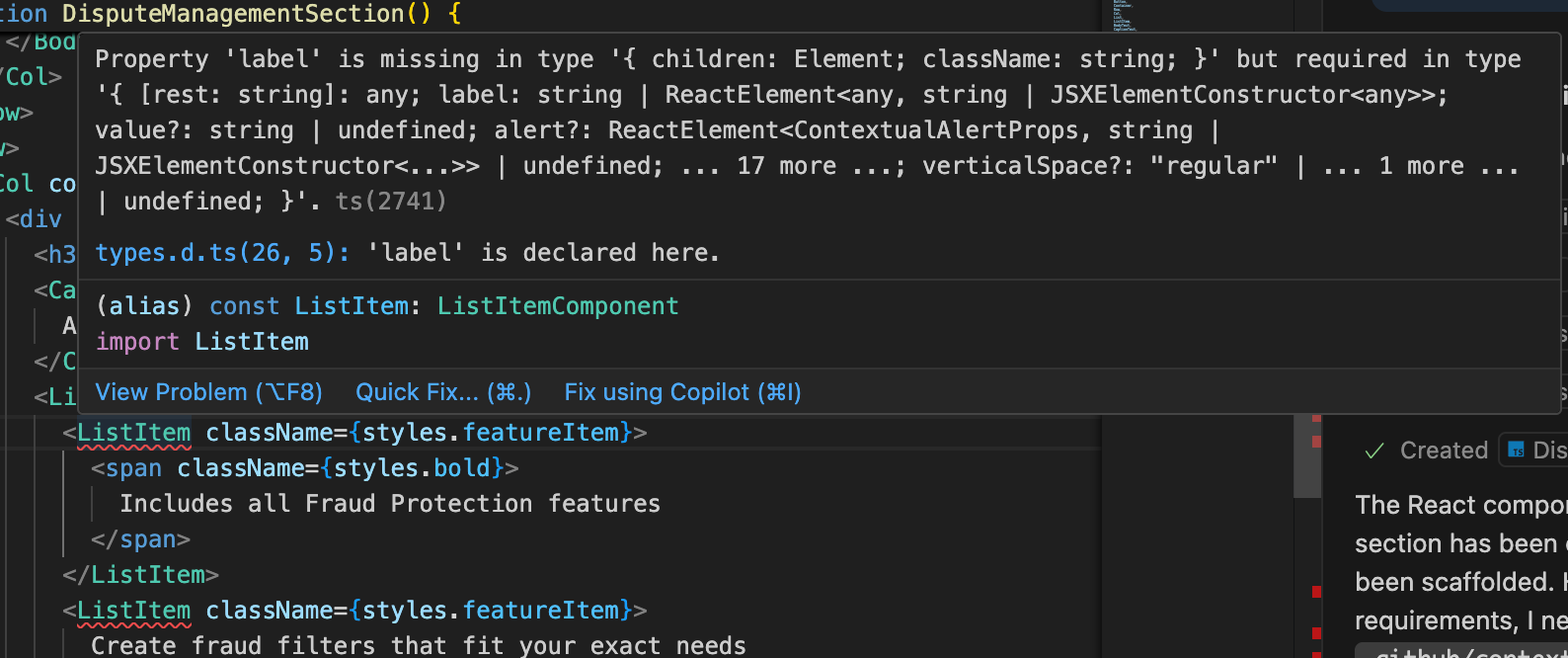
I asked an AI coding assistant to generate a React component from a design mockup using our internal design library. It responded in seconds. The code was structured, typed, and looked completely reasonable. Then I actually read it. Half the prop names were invented. Every color was a hardcoded hex value where a design token should have been. The component wouldn't run, let alone pass a code review.
This happened every time. Not occasionally. Every time.
· · ·
The problem isn't the AI
PayPal, Venmo, and Braintree share an internal design system called pp-react. It has 287 React components across 84 packages: buttons, cards, modals, data tables, form inputs. Each has its own prop API, accessibility requirements, and styling conventions. On top of that sits a complete design token system. 596 tokens, 8 categories: colors, spacing, typography, motion, elevation, borders. All of it proprietary. None of it in any public dataset an LLM would have trained on.
The AI wasn't hallucinating because it was bad at its job. It was hallucinating because it had no ground truth to work from. It was doing its best with zero relevant knowledge. And doing its best, in that situation, means confidently generating code that looks right and isn't.
Think of it as pattern completion at scale. An LLM has processed billions of lines of code. It's extremely good at generating and combining patterns it's encountered many times: a form with state management, a button with a loading state, a fetch wrapper with error handling. That coverage runs deep for anything public. The failure mode is specificity: HeadingText, TextInput, color.primary.main exist nowhere in any training corpus. When the model reaches for those patterns and finds nothing, it doesn't stop. It extrapolates to the nearest match. The code looks right. The semantics are wrong.
This is not a problem unique to PayPal. Every team with a large internal design system, a custom component library, or a proprietary API runs into the same wall. The LLM knows React. It knows design patterns. It doesn't know *your* system.
· · ·
What I tried first
The obvious fix was documentation: static instruction files like CLAUDE.md, .cursorrules, custom system prompts, whatever format the tool supported, along with a tokens reference, usage examples, component guides. It helped at the margins. But as the documentation grew, something strange kept happening: the more context I added upfront, the worse the results got. The AI would latch onto the wrong examples, skip over the relevant ones, or produce code that was closer to correct but still wrong in the ways that mattered most.
Two things were broken at once. The full component docs, token reference, and usage examples were large enough to fill the context window of even the biggest models available. That's the volume problem. The ordering problem was worse: the AI got everything before it knew what it was building, so it had to retroactively sort out what was relevant while already generating. More context, delivered earlier, made both worse: a bigger haystack with the needle buried somewhere inside.
· · ·
The shift: from library to specialist
I don't read the full docs before writing a form. I ask a specific question: "does Button accept a loading prop?" And get a precise answer in seconds.
That's what was missing. Not more documentation, but a better interface. The LLM needed something it could query mid-generation to get exactly the information it needed for the component it was currently building.
This is what MCP servers make possible.
· · ·
What MCP is
Model Context Protocol (MCP) is an open standard for connecting AI applications to external tools and data sources. Instead of loading context upfront and hoping the model finds what it needs, the LLM decides what it needs to know and signals for a tool. The host application (VS Code, Claude Code, Claude Desktop) fetches the answer and hands it back. The LLM drives the decision; the host executes it.
Three approaches, three behaviors:
· Static docs: give the AI everything at the start; it has to sort through it
· RAG: the AI searches a retrieval index and gets back chunks that seem relevant, closer but still approximate
· MCP: the AI knows what it needs, asks for exactly that, gets the exact answer
For large, structured design systems where the facts are precise, queryable, and proprietary, MCP fits better than either alternative. The LLM stays in control of what context it pulls and when.
· · ·
Two servers, one workflow
I built two MCP servers that give any AI coding assistant structured, on-demand access to our internal React design library. The data was already there: 287 components across 84 packages, props, examples, and accessibility requirements already documented. The work was building the right interface over it, tools narrow enough that the LLM gets a precise answer instead of another pile of text to filter.
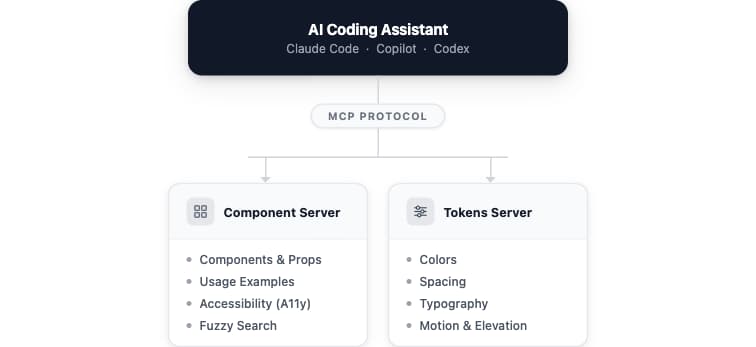
The component server gives the LLM what it needs to generate correct code. Before writing anything, it calls list_all_components to see what exists, then search_components to find the right component for the job. Once it knows what to use, get_examples_and_props pulls exact prop definitions and real usage examples in a single call, no invented API calls. get_accessibility handles ARIA roles and keyboard requirements upfront rather than as an afterthought. get_imports returns the exact import statement with automatic case correction: pass in "button" or "CARD" and get back import { Button, Card } from '@paypalcorp/pp-react'.
Nothing loads into context upfront. The LLM pulls what it needs, when it needs it.
The tokens server covers the design token layer: 596 tokens across 8 categories (colors, spacing, typography, motion, elevation, borders), queryable by category, keyword, or exact path. Instead of hardcoding #003087, the AI asks and gets back color.primary.main.
For a payment form, the sequence looks like this: list_all_components to orient, search_components to find the right inputs and button, get_examples_and_props for their exact APIs, pp-react-get-tokens to resolve color and spacing. Every call returns exactly what was asked for. The component comes out right.
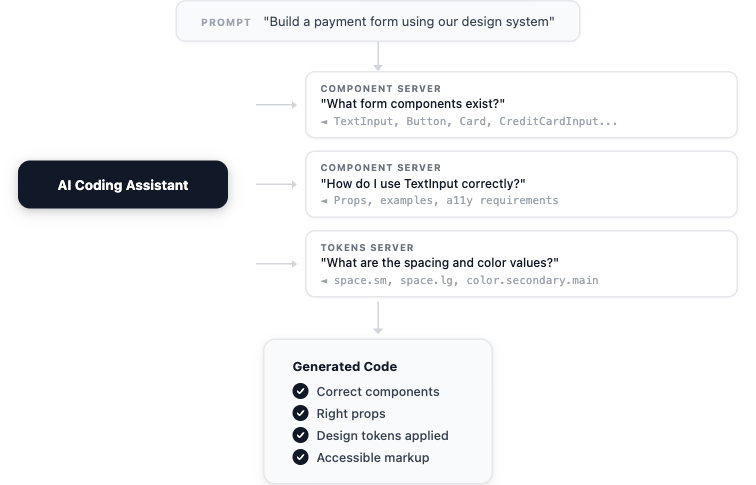
The LLM decides when to ask each question and what to ask. It's not following a script. It's pulling context the moment it needs it.
· · ·
What changed
The first thing I noticed was that the code compiled. That sounds like a low bar. Before MCP, it wasn't. Generated components came back with invented prop names, missing imports, hardcoded hex values. They needed significant rework before they could go anywhere near a PR. With the servers connected, the output was runnable on the first try. The design was close. Some props were still wrong. But the nature of the failure had changed: from broken to refineable.
What changed was what the AI had access to at the moment of generation. Same model, same prompt, different output because different inputs.
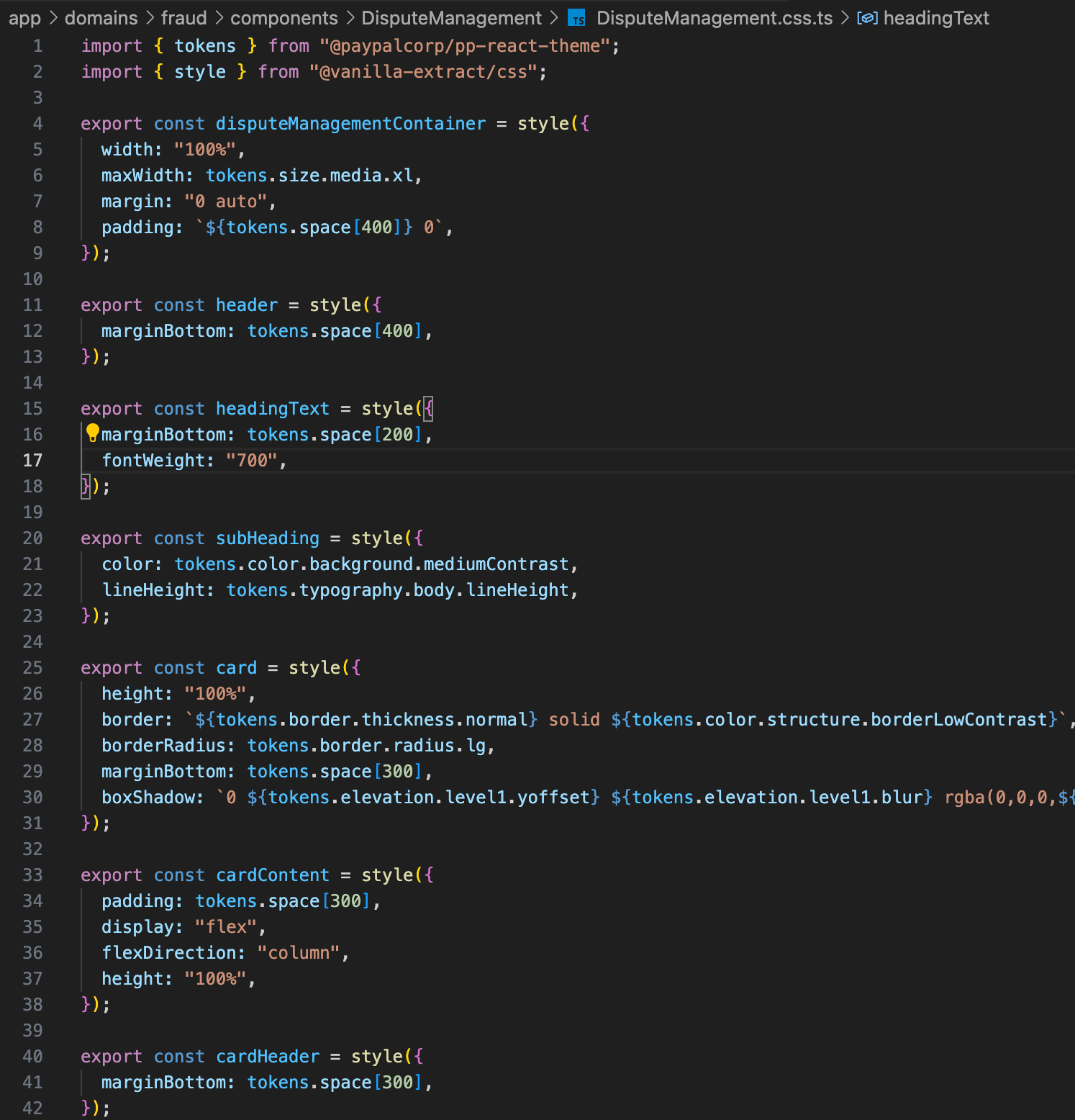
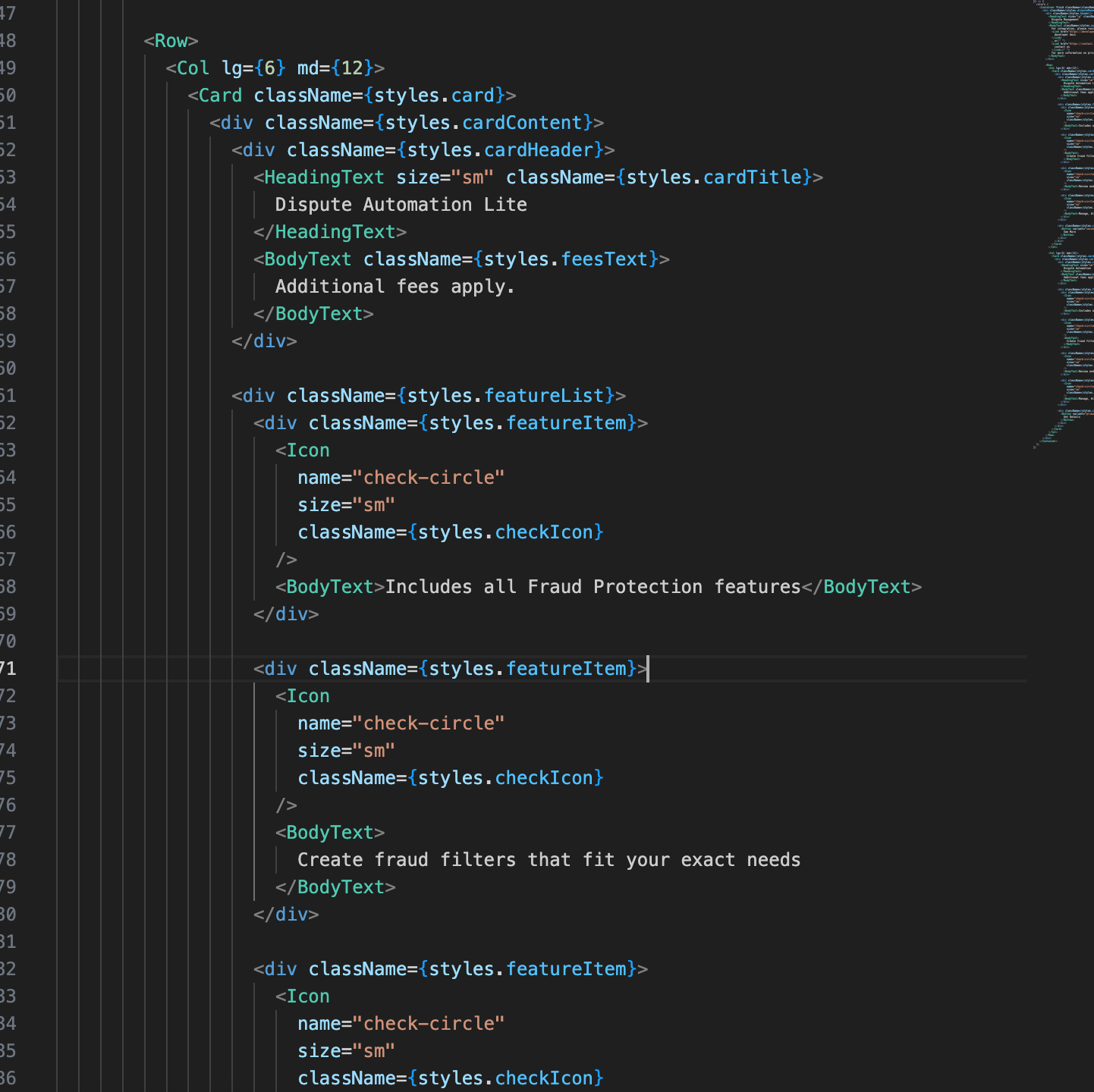
The same prompt that previously produced a component with four invented props and six hardcoded hex values now produced one that compiled, used the right token paths, and passed accessibility checks without a single manual correction.
· · ·
From design to code
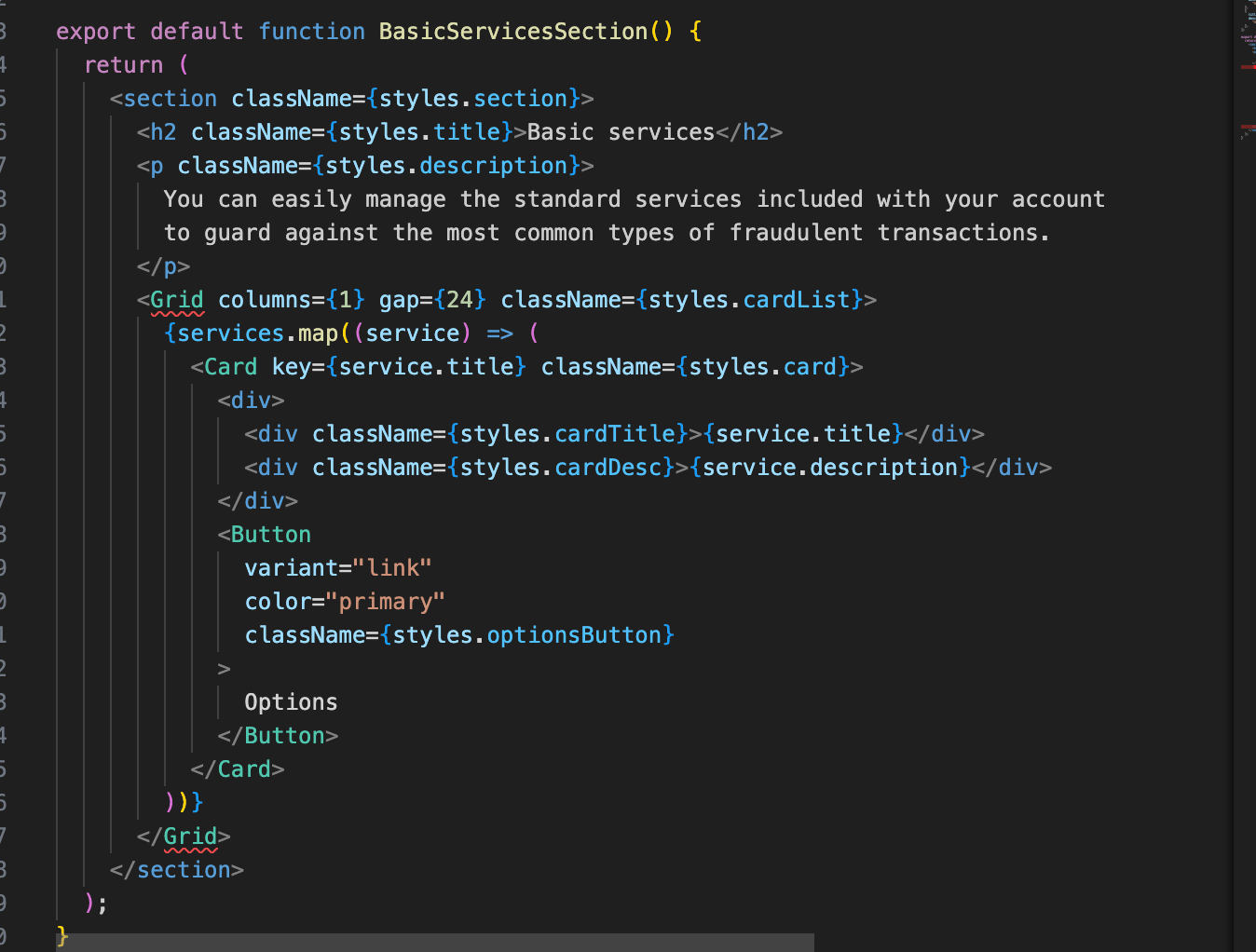
On a brand new project, I gave the AI a Figma screenshot and a one-line prompt (no component specs, no guidance on which components to use). Just the image.
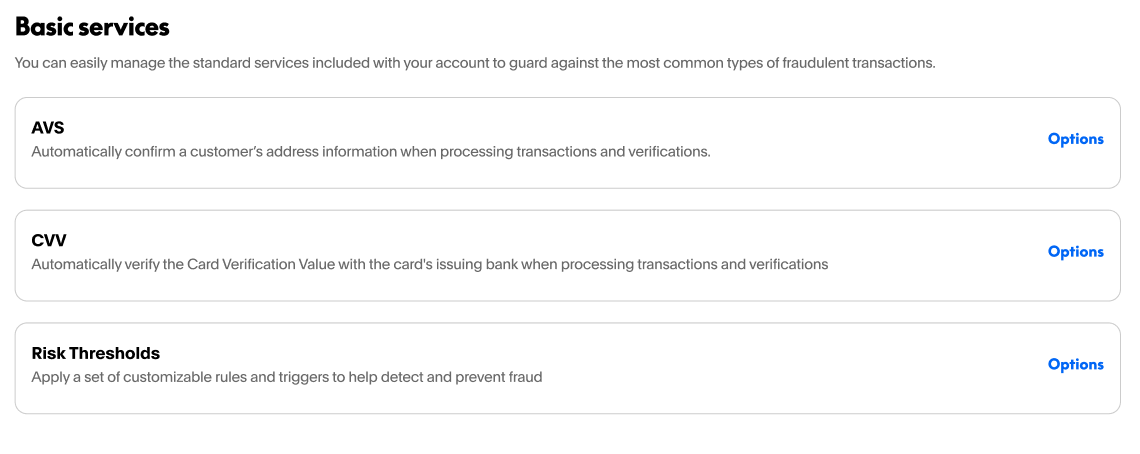
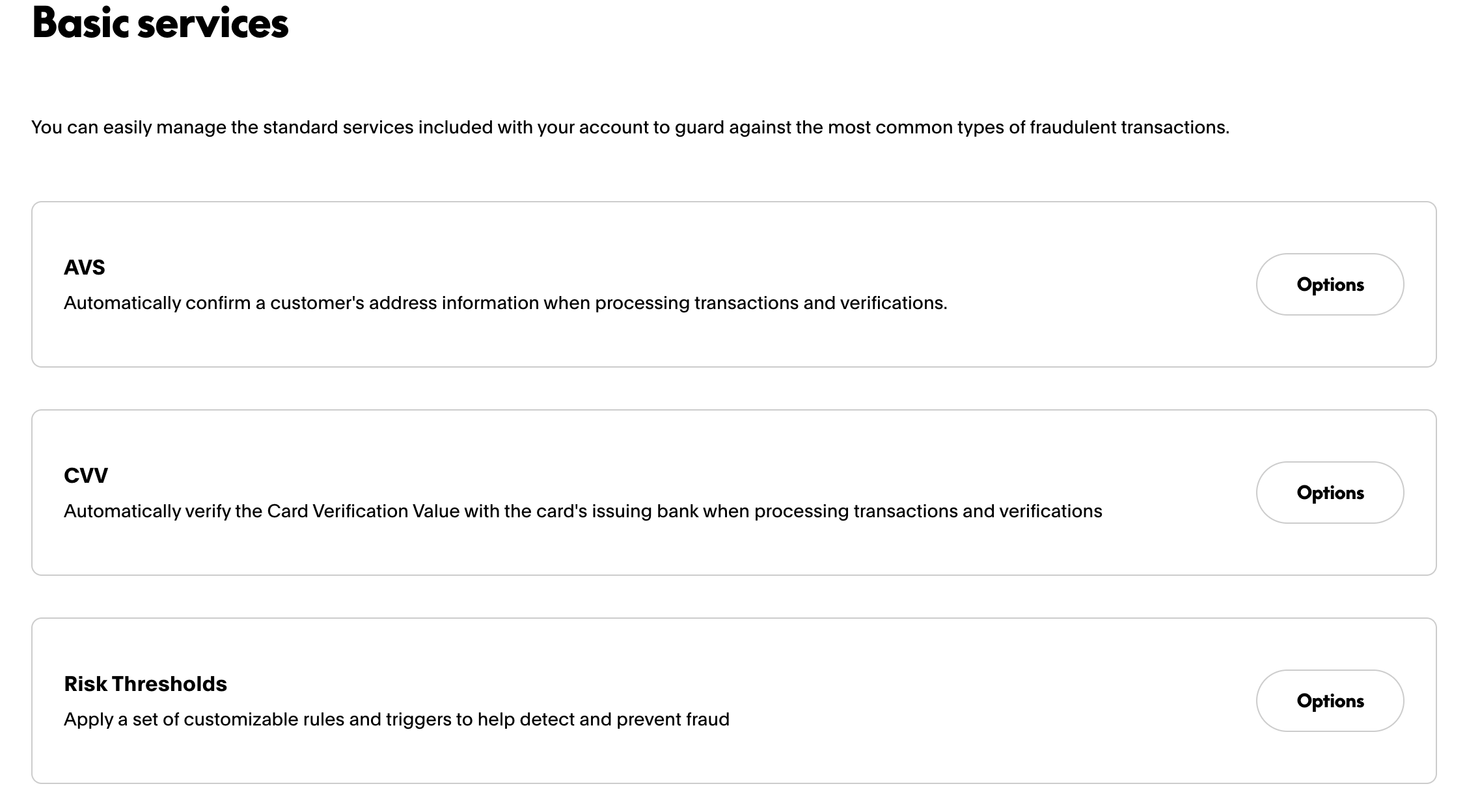
The layout came out correct. Three cards, right components (Card, HeadingText, BodyText), all from the actual design system. The "Options" button renders as a pill rather than a text link, and spacing has minor differences. But a developer looking at this output has a working, design-system-compliant foundation on the first shot, not a blank file.
That's what 80% looks like. Getting the remaining 20% still takes a developer. But the nature of the work changes: refinement instead of rebuilding from scratch.
· · ·
How people are using it
Once the servers were out, engineers started combining them with other tools in ways I hadn't anticipated.
Figma + MCP agents: Add a Figma MCP server and the accuracy gap closes considerably. Screenshot-to-code has always had a guessing problem: what shade of blue is that? Is that 16px padding or 20px? Which component is that, exactly? A Figma MCP server resolves those questions directly from the design file (exact values, precise spacing, layer names) while the pp-react servers translate them into the correct tokens and component APIs. One prompt, a Figma link, and the agent produces a component that matches the design without a hardcoded value in sight.
Non-React prototyping: Not everyone was building in React. A product manager mocking up Braintree Control Panel UIs in plain HTML, CSS, and JavaScript asked whether the tokens server would help them get the right colors and spacing without digging through documentation. It does. The tokens server is framework-agnostic. Pass it a category or a keyword, get back the exact token value for your CSS. This was the use case that surprised me most. The servers weren't built for product managers, but anyone who needs to speak the design system's language gets value from them. PMs have started using them to put together stakeholder mockups that look close enough to production to get real feedback, without touching a React component.
Generation-to-testing pipelines: Engineers have started pairing the component server with a Playwright MCP server. The component server generates standards-compliant, accessible code; Playwright renders it and confirms it actually works. What used to require a developer to manually verify now runs end to end without one.
The broader ecosystem: These servers don't exist in a vacuum. A growing set of tools attacks the same gap between AI and a proprietary design system from different angles: Figma's Dev Mode MCP server for pulling exact design context, component registries like shadcn's that hand the model real source instead of a guess, and end-to-end generators like v0 that scaffold whole screens. The same idea shows up well beyond UI, too: Firki reads a block of text and, with context-aware interpretation, pulls out the parts that matter instead of matching on keywords alone. The common thread across all of them is the one these servers are built on: give the AI the right context at the right moment, not more of it upfront.
· · ·
The pattern, not the implementation
Any time an LLM consistently gets front-end facts wrong, and those facts are structured and queryable, you have a candidate for an MCP server:
· AI uses the wrong component for the job, or invents props that don't exist → MCP server over your component library
· AI hardcodes colors and spacing instead of using your token system → MCP server over your design tokens
· AI generates inaccessible markup, missing ARIA roles or keyboard handling → MCP server over your accessibility requirements
· AI ignores your layout system, grid conventions, or responsive breakpoints → MCP server over your layout specs
The implementation isn't the hard part. An MCP server can be written in TypeScript, Python, or any of the other languages the MCP SDK supports.
The real work is deciding what to expose: which structured knowledge to surface, and making the tools narrow enough that the LLM gets a precise answer rather than another pile of text to filter. There's no build step; the server starts in seconds.
Before you write a single tool, spend time on the data. An MCP server is ultimately just an API server with additional tooling around it. The server is not the hard part. What the server returns is. If your component docs are inconsistent, incomplete, or unstructured, the server will faithfully deliver that inconsistency to the model. Time invested in structuring your data upfront is what determines whether the context is actually correct when it matters.
Start with the question the AI gets wrong most often. Build one tool that answers it correctly. That's version one.
· · ·
The takeaway
LLMs are good at generating code. They can't know your design system, your tokens, your component API. That knowledge is internal, it changes, and no public model will ever be trained on it.
The goal isn't smarter AI. It's the right interface between the AI and the knowledge it's missing.
Think of it like the shift from a text editor to an IDE, and then some. The code doesn't write itself, but the gap between intent and working output shrinks considerably. The thing to internalize is that false positives are part of the deal. AI will generate code that looks correct and isn't. That's not a bug; it's the nature of the tool. The workflow that works is create once, verify twice. And this approach fits best where correctness matters more than raw performance: UI components, prototypes, scaffolding. For code where microseconds count, you still need a human driving.
If you want to build your own, the MCP SDK supports TypeScript, Python, and several other languages. Start narrow: one tool, one question the AI consistently gets wrong, one structured data source that answers it. That's the whole pattern.
Recommended
Managing Recurring Payments with Apple Pay Using PayPal

4 min read
Why You Should Attend PayPal’s Developer Meetup at Money20/20
4 min read
Building a Customizable Messaging Platform
10 min read