
Tokenization Keys
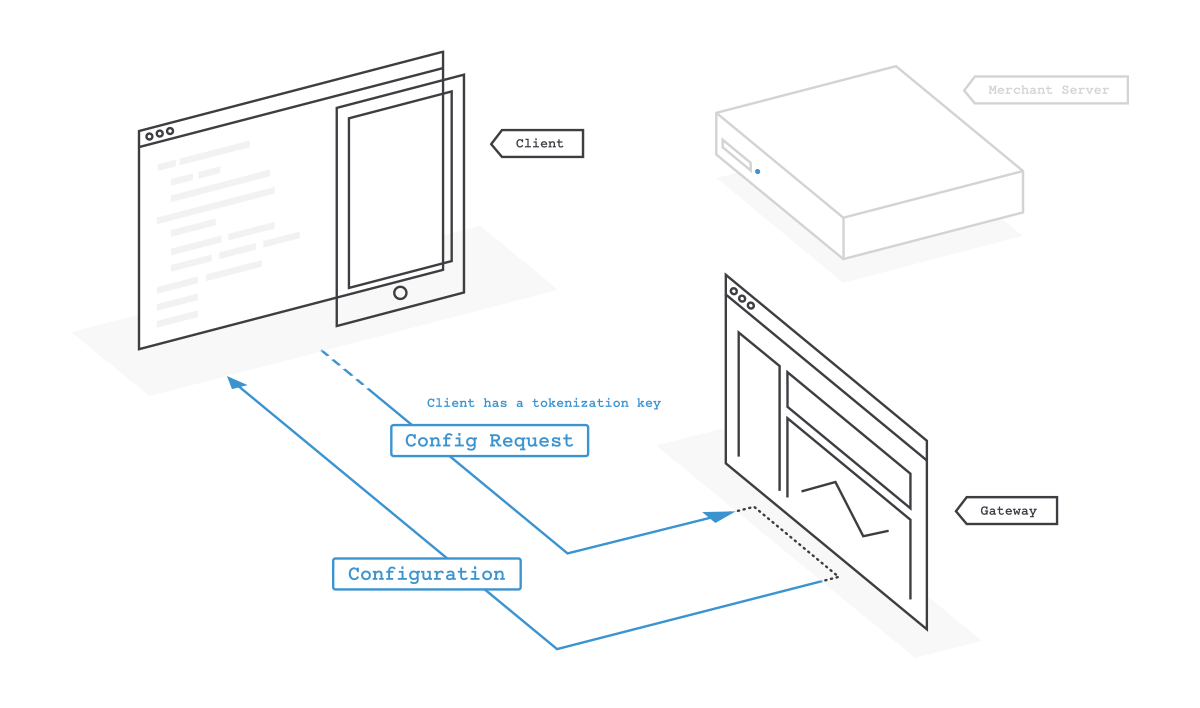
Unlike a client token, a tokenization key is both static and reduced privilege. You can ship it with your apps without generating a new key for each session. If you get an insufficient-privileges error, ask your account administrator to grant you the Account Admin role.
You can tokenize the following payment methods with a tokenization key: credit cards, PayPal, Venmo, Apple Pay, and Google Pay.
Static
You can reuse a single tokenization key indefinitely across many client apps.
You can have multiple active tokenization keys. For example, you might want to use a unique key per platform. You can give each tokenization key a label to track its intended purpose.
If you no longer want a specific tokenization key to be used, you can revoke it. Revoking a key deauthorizes any clients using that key.
Reduced privilege
Tokenization keys authorize only a subset of PayPal Braintree's client API capabilities. The SDK functions as it does with a client token, with some limitations:
- When you use a tokenization key, clients can only tokenize payment information.
- You can't specify a customer ID, set a specific merchant account ID, or otherwise provide any configuration.
- You can't save payment methods directly from the client to a customer in the Vault using a tokenization key. To save the payment method, pass the resulting payment method nonce to your server. Otherwise, generate a client token with a customer ID.
- Drop-in can't retrieve a customer's saved payment methods. Repeat purchases show the add payment method UI.
- You can't use a tokenization key to create a 3D Secure transaction.
Obtain a tokenization key
To obtain a tokenization key, follow these steps:
- Log in to either the production Control Panel or the sandbox Control Panel, depending on which environment you're working in.
- Select the gear icon in the top right corner.
- Select API from the drop-down menu.
- Scroll to the Tokenization Keys section.
If no key appears, select Generate New Tokenization Key.
Add a tokenization key to your app
Because tokenization keys have reduced authorization, they're publishable. You can safely include a tokenization key in your app because it isn't sensitive information and can be exposed in an insecure client.
A tokenization key specifies a single environment it will use. The environment is the first part of a tokenization key:
- Sandbox: sandbox_tokenization_key
- Production: production_tokenization_key
Take precautions to avoid shipping a live app with a sandbox tokenization key. A production tokenization key always communicates with PayPal Braintree's live environment regardless of any environment variables or debug modes that you set.
Initialize the SDK
You can use tokenization keys with any version of the Android, iOS, and JavaScript SDKs.
Initialize the SDK with your tokenization key before you want to display the payment UI. The SDK fetches configuration information from PayPal Braintree.
- Async/Await
async function createClient() {
    try {
        const clientInstance = await braintree.client.create({
            authorization: tokenizationKey
        });
        // ...
    } catch (err) {
        // Handle error
    }
}