Pay upon Invoice with Ratepay
Last updated: May 13th, 3:49pm
Pay upon Invoice is an invoice payment method in Germany. It is a local buy now, pay later payment method that allows the buyer to place an order, receive the goods, try them, verify they are in good order, and then pay the invoice within 30 days. There is no PayPal account needed for the buyer to use Pay upon Invoice.
PayPal has partnered with Ratepay to provide this service. This payment method is also called as Rechnungskauf mit Ratepay in German.
Eligibility
Important: When adding Pay upon Invoice with Ratepay/Rechnungskauf mit Ratepay as a payment option to your checkout integration, you must acknowledge and accept these terms and understand they are part of the PayPal User Agreement.
| Buyer-relevant countries |
Merchant-relevant countries |
Payment method type |
Minimum amount |
Maximum amount |
Refunds |
|---|---|---|---|---|---|
Germany (DE) |
Germany (DE) |
deferred payment | 5 EUR |
2500 EUR |
Within 180 days |
- This integration is available only in Germany to eligible partners and merchants.
- Partners: You must onboard your merchants upfront before they can accept payments. Pay upon Invoice with Ratepay does not support onboarding after payments have been made, specifically Progressive Onboarding.
How it works
PayPal facilitates the interaction between you and Ratepay:
- PayPal sends the buyer’s information to Ratepay for a risk assessment. Based on the result, Ratepay will either provide the buyer with payment instructions or issue a rejection notice.
- You receive funding immediately when the buyer successfully completes the checkout process using the Pay upon Invoice method.
- The buyer pays Ratepay directly instead of paying you. Ratepay is responsible for following up with the buyer to ensure payment is made.
- You must inform the buyer that they have 30 days to pay Ratepay via bank transfer.
- PayPal may contact you if a buyer opens a dispute with Ratepay. You are required to respond to these inquiries.
Buyer experience
- The buyer selects the Pay upon Invoice payment option. At the time of payment method selection, display the benefits of deferred payments and the payment due date.
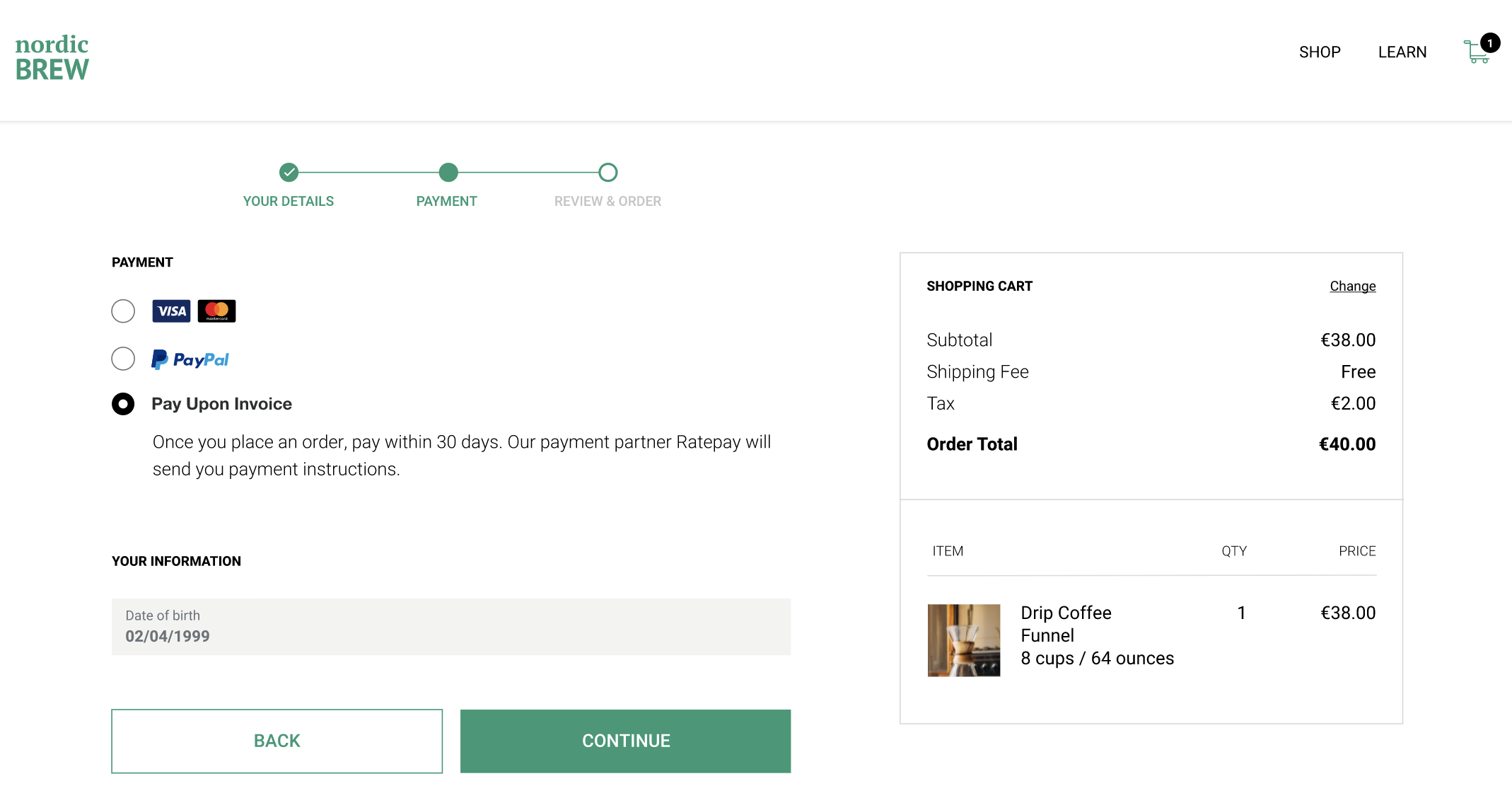
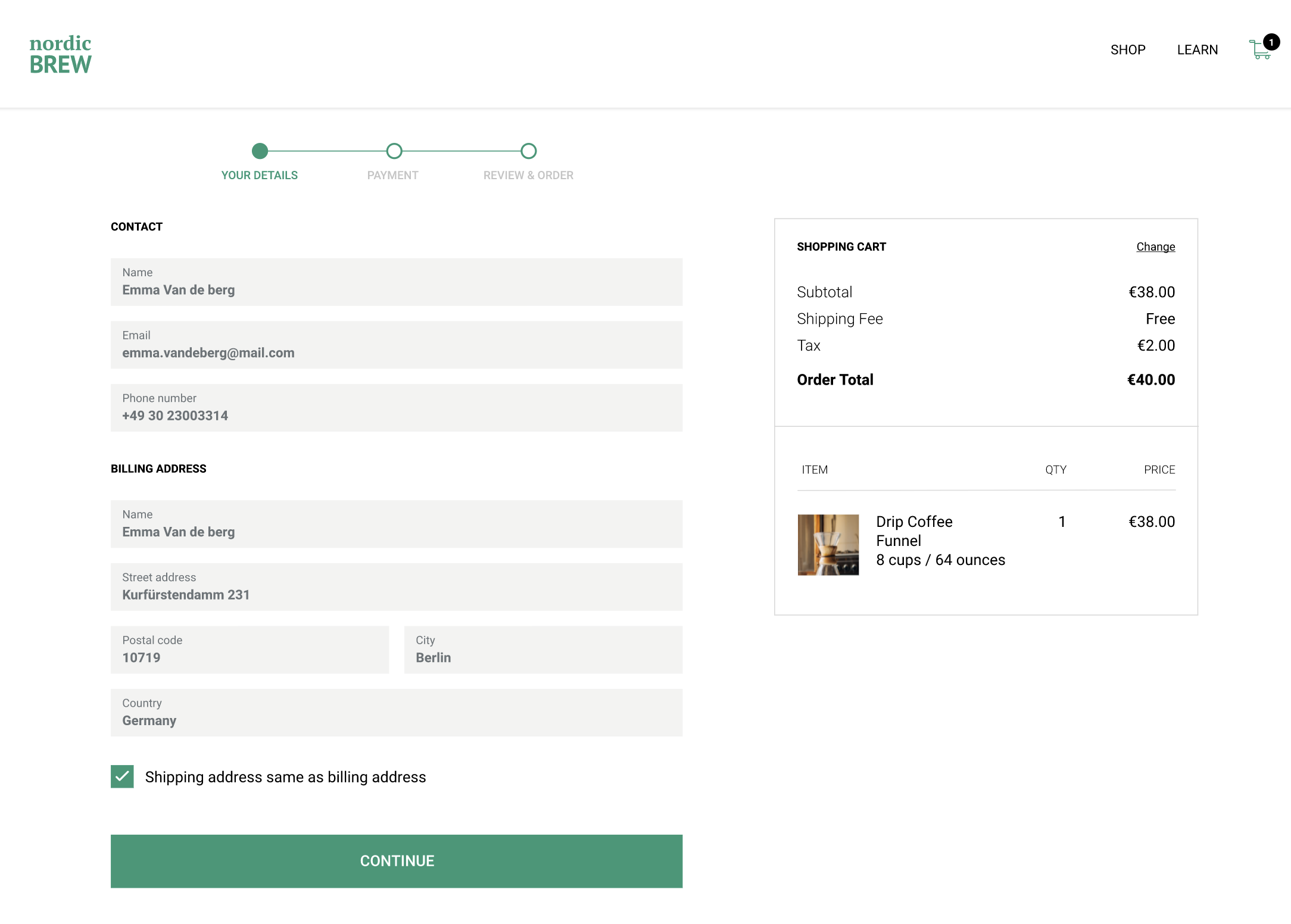
- The buyer provides their information to process the Pay upon Invoice payment, including their full name, email address, delivery and billing addresses, date of birth, and phone number.
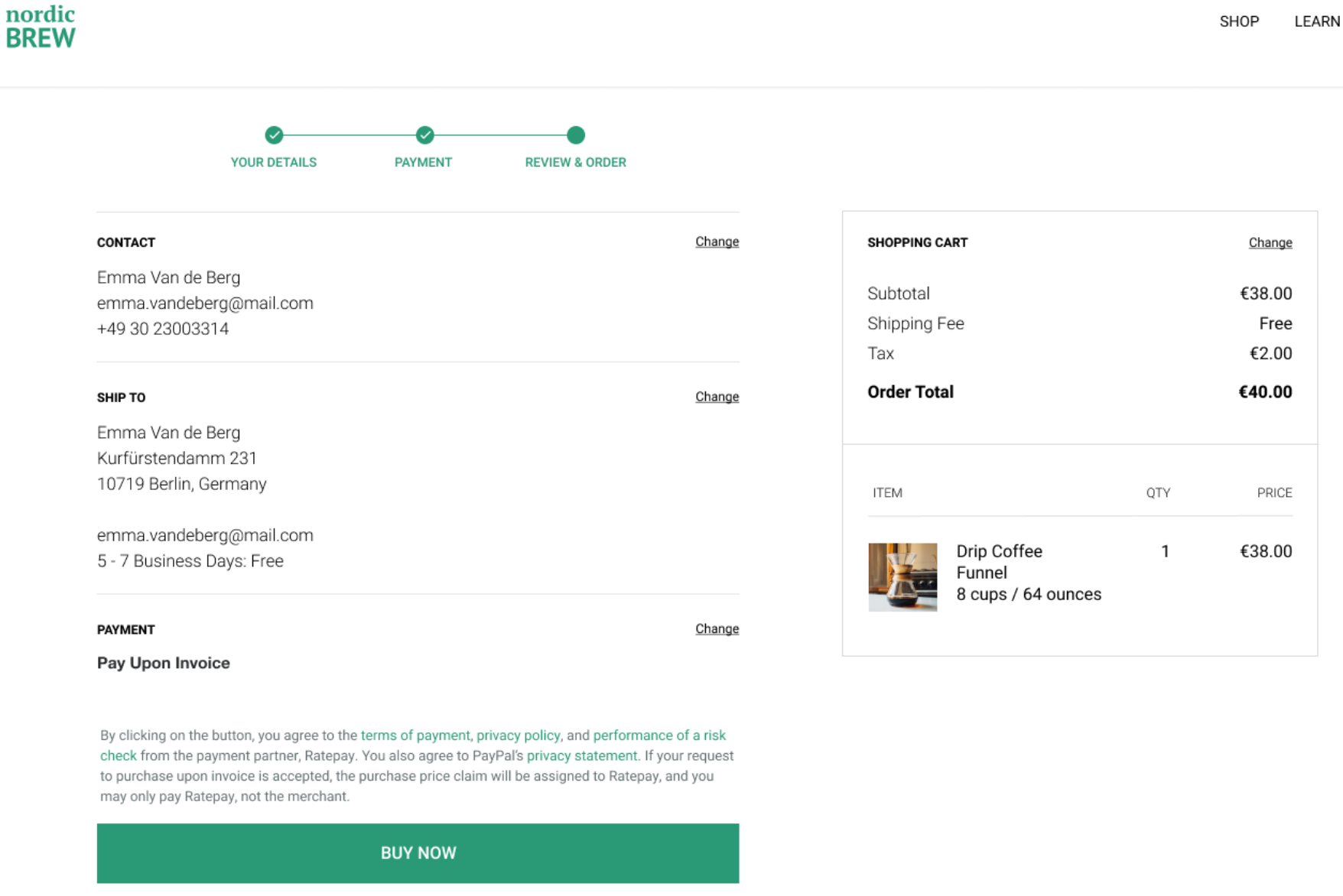
- Near the Buy Now button, display the legal text provided in the integration instructions so the buyer knows the terms before any information is sent to PayPal.
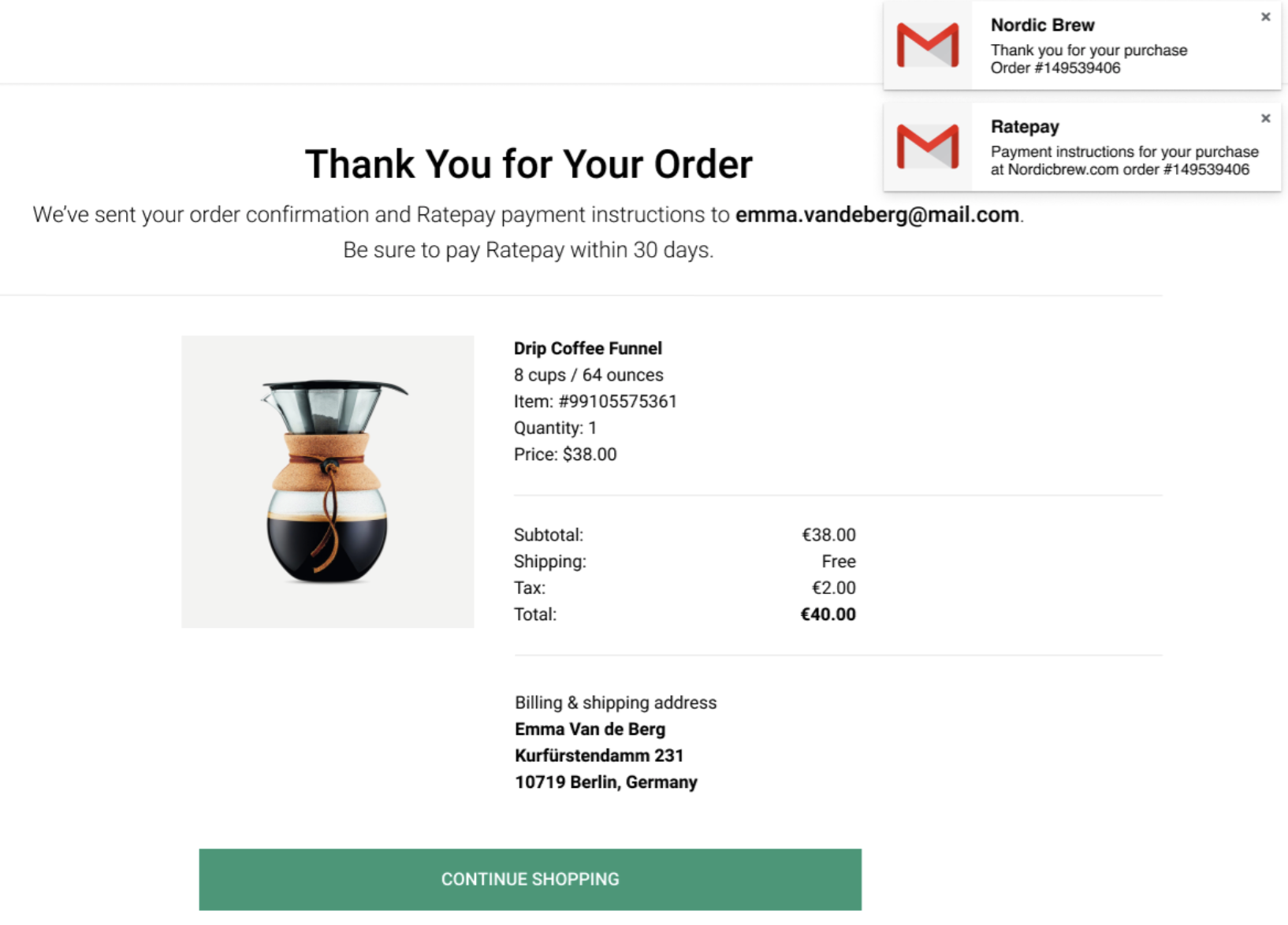
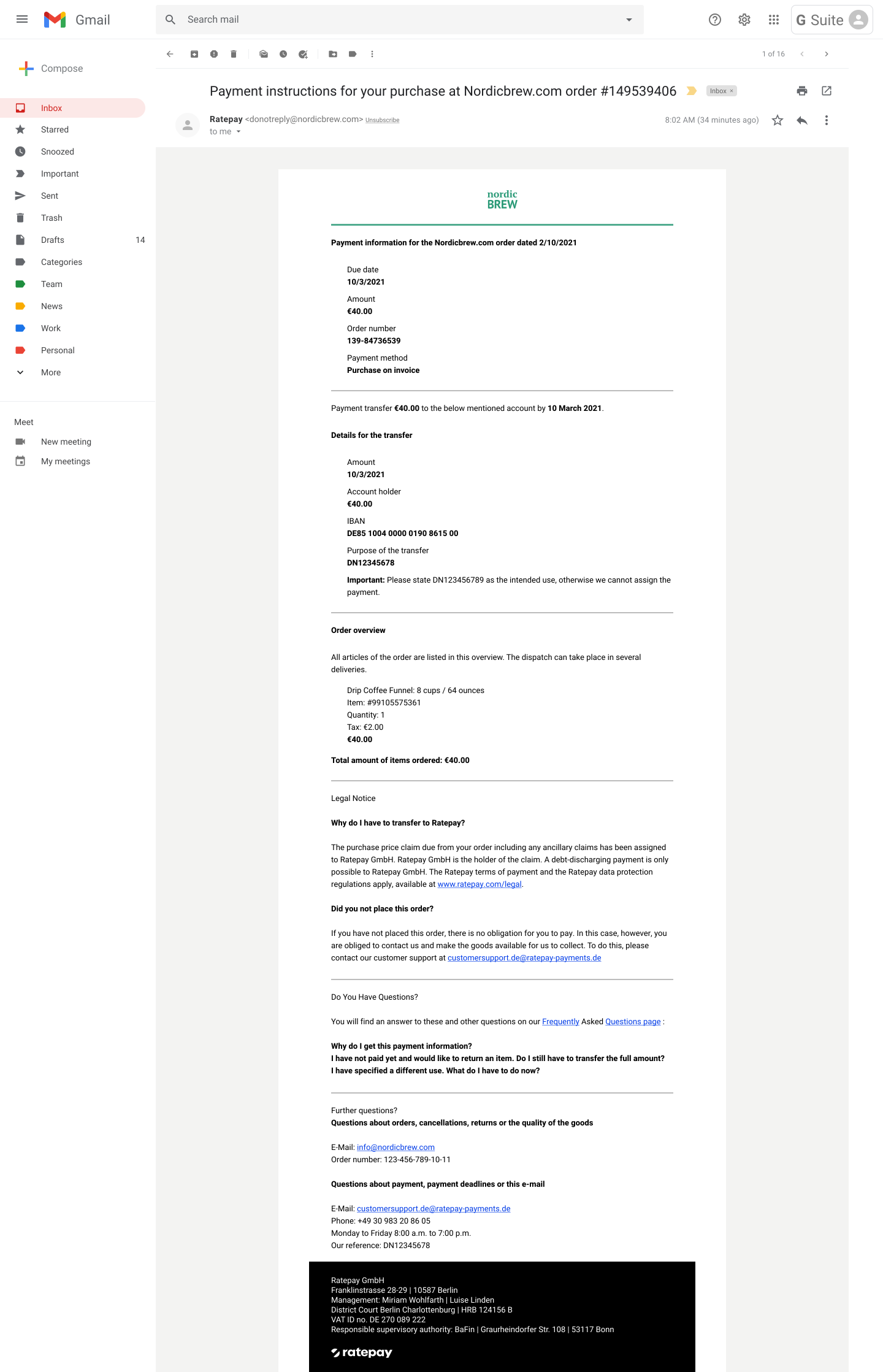
- Upon a successful transaction, Ratepay emails payment instructions to the buyer. On the Order Success page, provide transaction details and notify the buyer to wait for payment instructions from Ratepay. If Ratepay declines the transaction due to buyer risk reasons, display the error message as shown in the Error handling section.
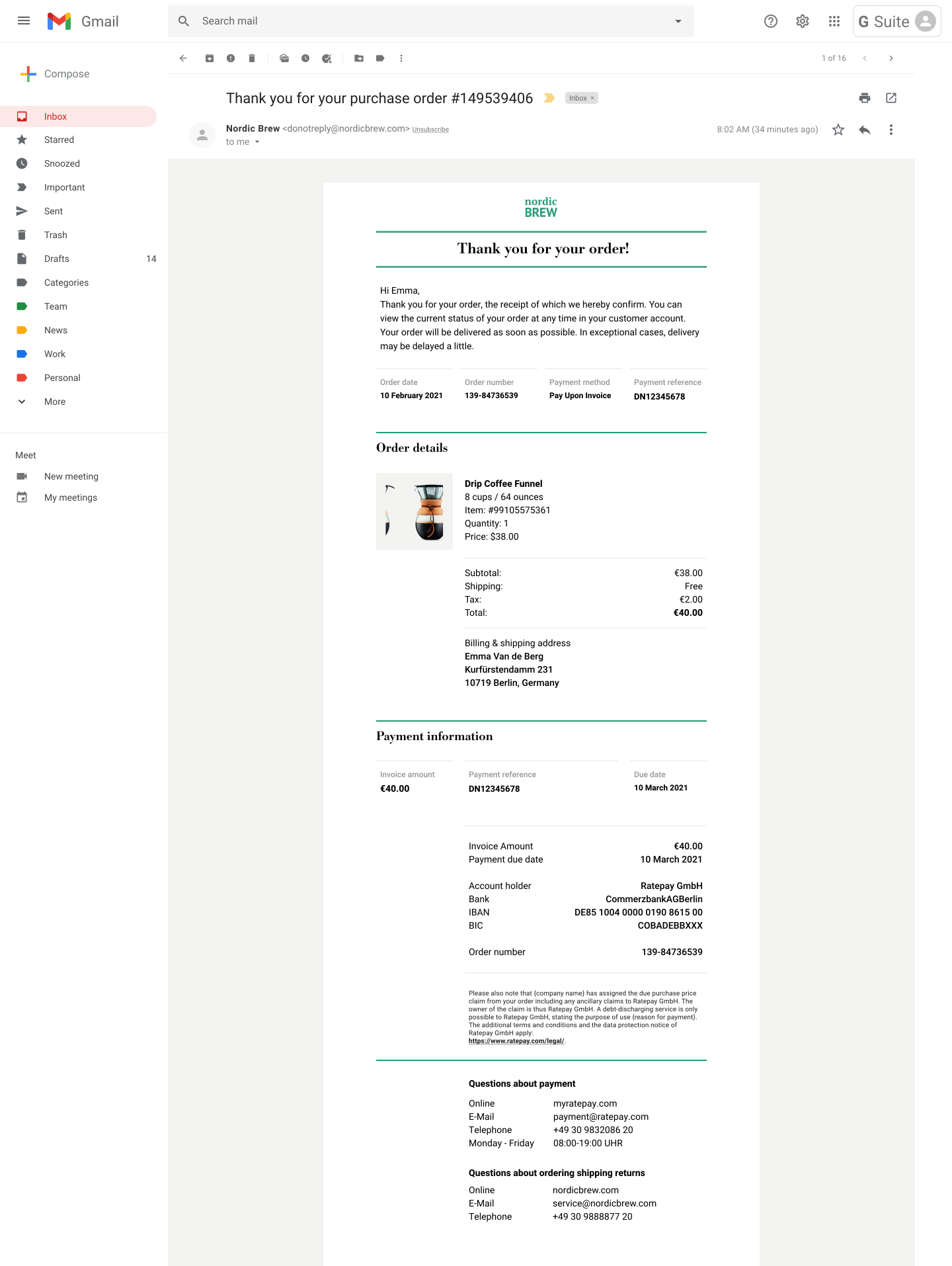
- The buyer receives an invoice with cart details and Ratepay’s payment instruction details, including the payment reference number, which is returned in the API response. Always use the payment instruction details provided for each transaction to ensure accuracy. In the invoice, instruct the buyer to pay only using Ratepay. Here's a sample invoice:
Here's a sample payment instructions email from Ratepay:
- The buyer pays Ratepay by logging into their bank account and making a bank transfer. If you have a simplified integration, you are obliged to ship the order within 7 calendar days.
- If the buyer does not pay by the due date, they are subject to dunning fees charged by Ratepay. No action is required from you during the follow-up and dunning process.
Dispute handling
Buyers can open a dispute with Ratepay. You must respond within 10 business days with evidence through the PayPal Resolution Center or the Disputes API. If you don't respond within the timeframe, you will be subject to an automatic reversal of the disputed funds.
When responding to disputes, you must, depending on the dispute type:
- Provide the carrier name and shipping tracking number. These are required to respond to an "Item Not Received" dispute.
- Provide the invoice you sent to the buyer as part of the evidence.
- In certain cases, additional written explanations might be required. For example, if a buyer has returned the item and claims no refund was received.
- Retain proof of shipment and delivery for at least 180 days from the time of order placement. There might be instances when you are asked for this evidence after 90 days of order placement for Ratepay to defend a buyer-defaulted transaction legally. If you don't provide this evidence, you are subject to an automatic reversal of the disputed funds.
Carrier companies delete tracking information after 90 days, so ensure you have an image or PDF copy to respond to the dispute and avoid the reversal of funds.
Provide shipment information
As soon as a shipment is made, send tracking information to PayPal. Include the tracking ID and carrier name through either the:
- Add Tracking API. Send shipment tracking numbers for all Rechnungskauf mit Ratepay transactions. Set
notify_buyertofalsefor all Pay upon Invoice transactions. - Transaction details page in your PayPal account.
Providing this information to PayPal can help you respond to dispute cases later, especially in older cases where you can't get tracking information from your carrier.
VAT statements
You can access monthly VAT statements through your PayPal account. These statements provide a summary of VAT collected by PayPal for any fees charged by PayPal. You may use these statements to claim your tax credits or for self-assessment of VAT charges.